
KSHITIJ GANGAN

/Shee - Tij/

/Gang - Gun/

HybridConnect

HybridConnect

A video conferencing app for hybrid team knowledge workers, to enhance collaboration, facilitate online meetings and make it inclusive for both remote and co-located employees.

A video conferencing app for hybrid team knowledge workers, to enhance collaboration, facilitate online meetings and make it inclusive for both remote and co-located employees.

HybridConnect: A video conferencing app for hybrid team knowledge workers

HybridConnect: A video conferencing app for hybrid team knowledge workers

HybridConnect: A video conferencing app for hybrid team knowledge workers

Year : 2025

Duration : 2 Months.

Tools : Figma, Miro

Year : 2025

Duration : 2 Months.

Tools : Figma, Miro

Year : 2025

Duration : 2 Months.

Tools : Figma, Miro

Problem

Problem

Conversations scattered across multiple tools.

Conversations scattered across multiple tools.

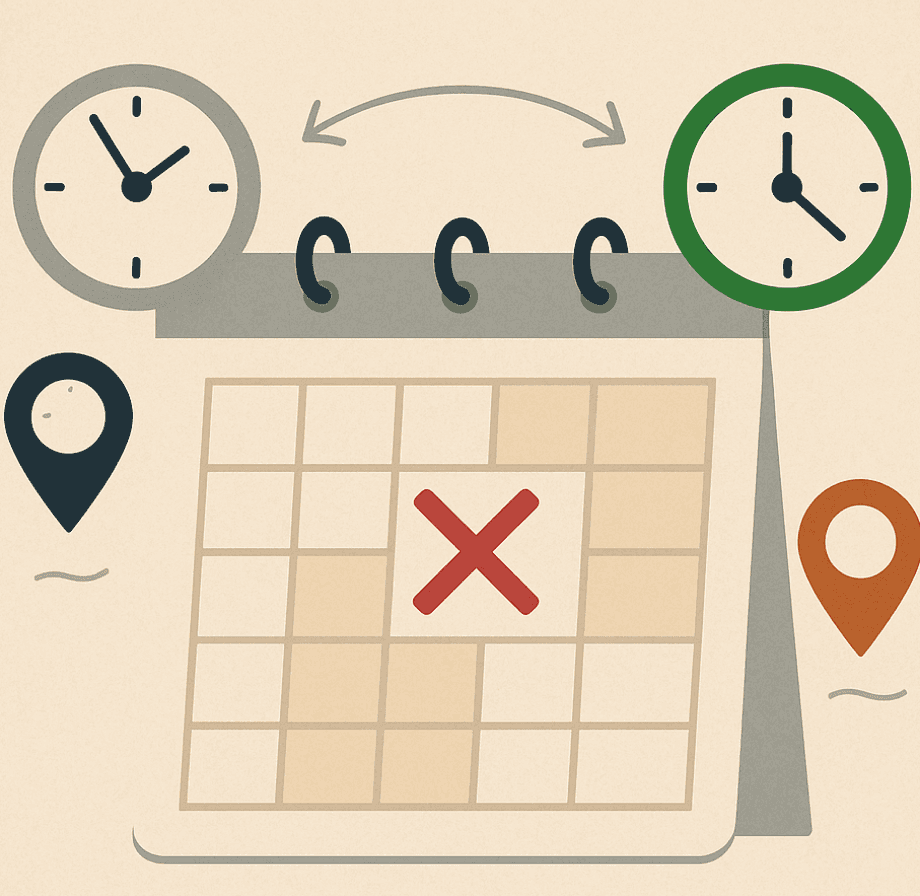
Difficult coordination across time zones.

Difficult coordination across time zones.

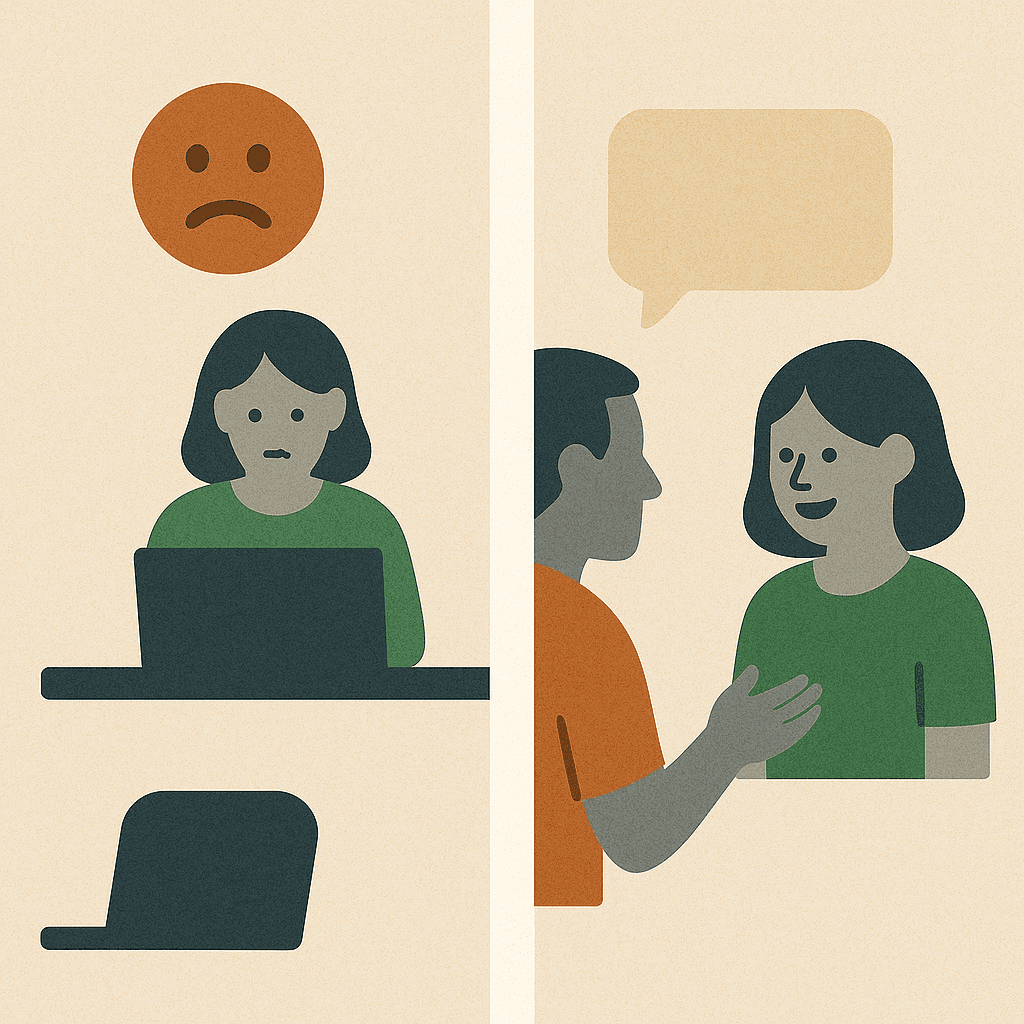
Weak team bonds and isolation

Weak team bonds and isolation

Unequal participation and engagement.

Unequal participation and engagement.

Limited informal and social interaction.

Limited informal and social interaction.

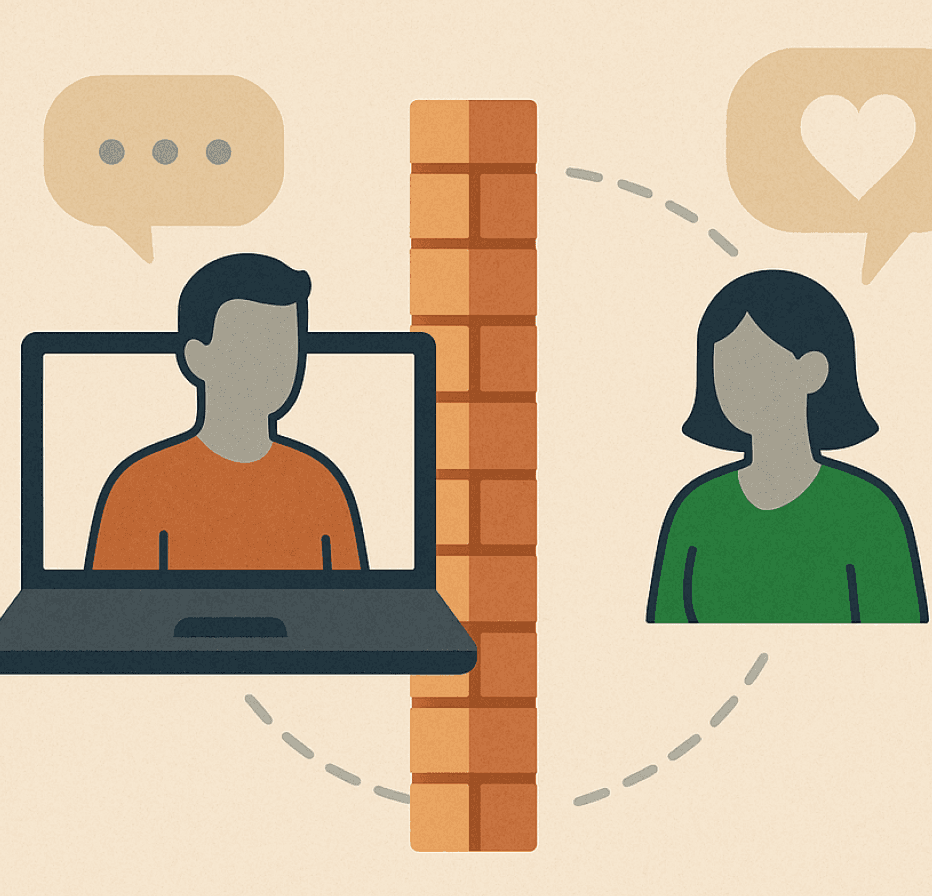
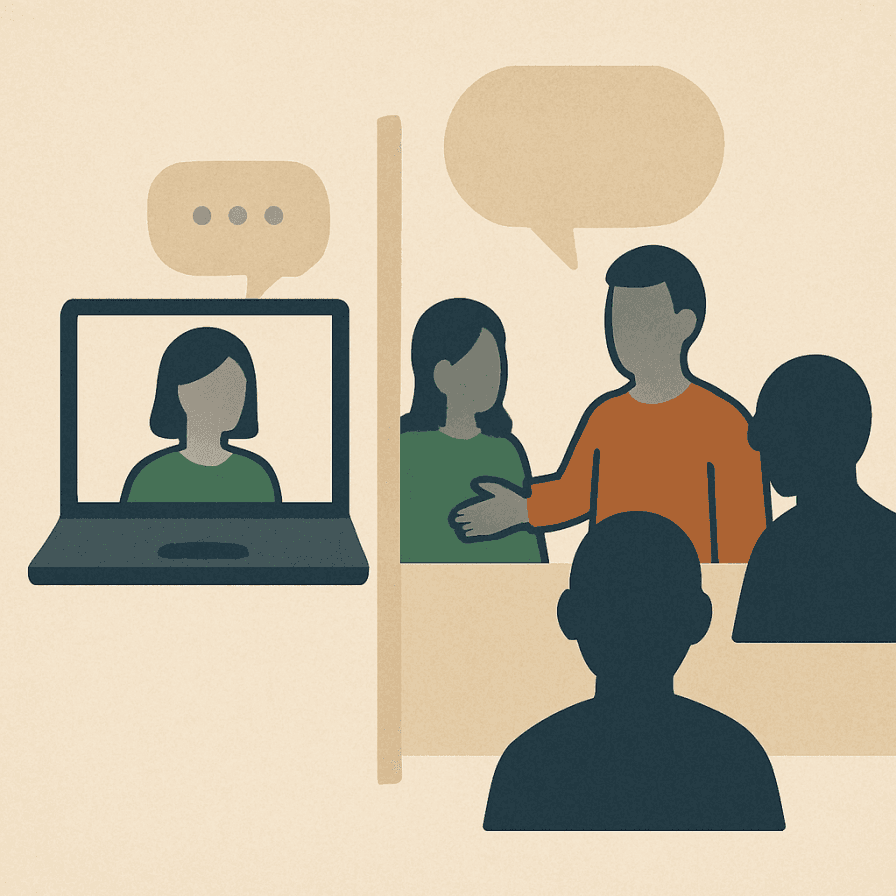
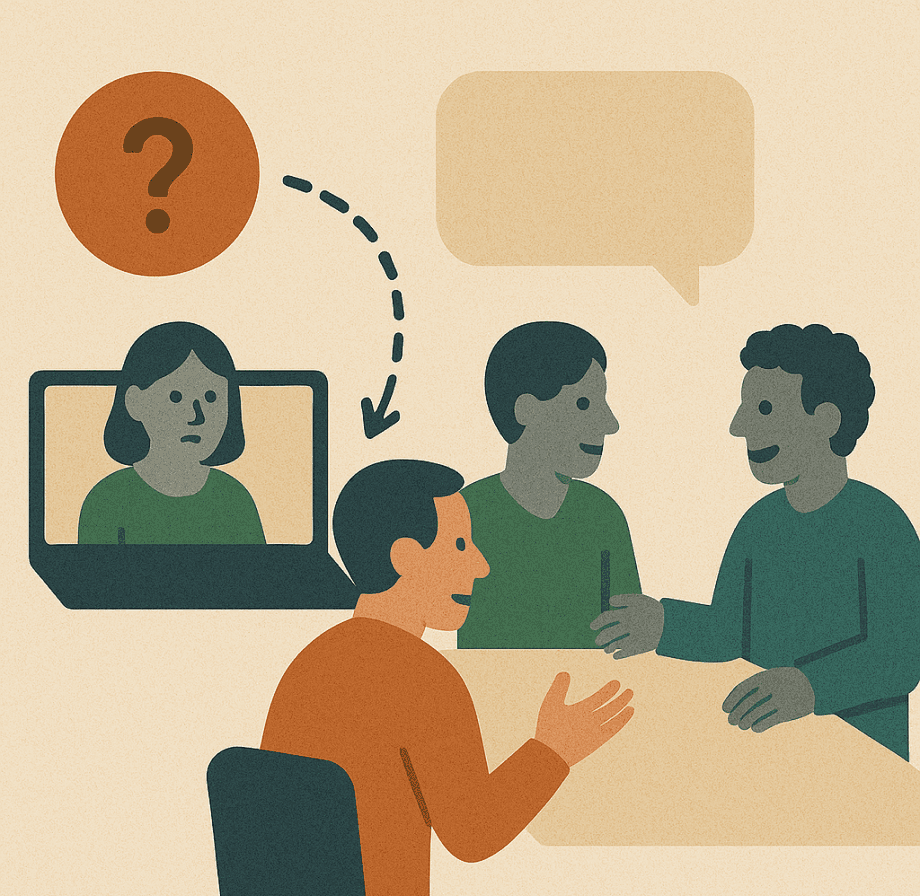
Remote workers feel out-of-loop and side conversations exclude remote attendees.

Remote workers feel out-of-loop and side conversations exclude remote attendees.

Solution

Solution

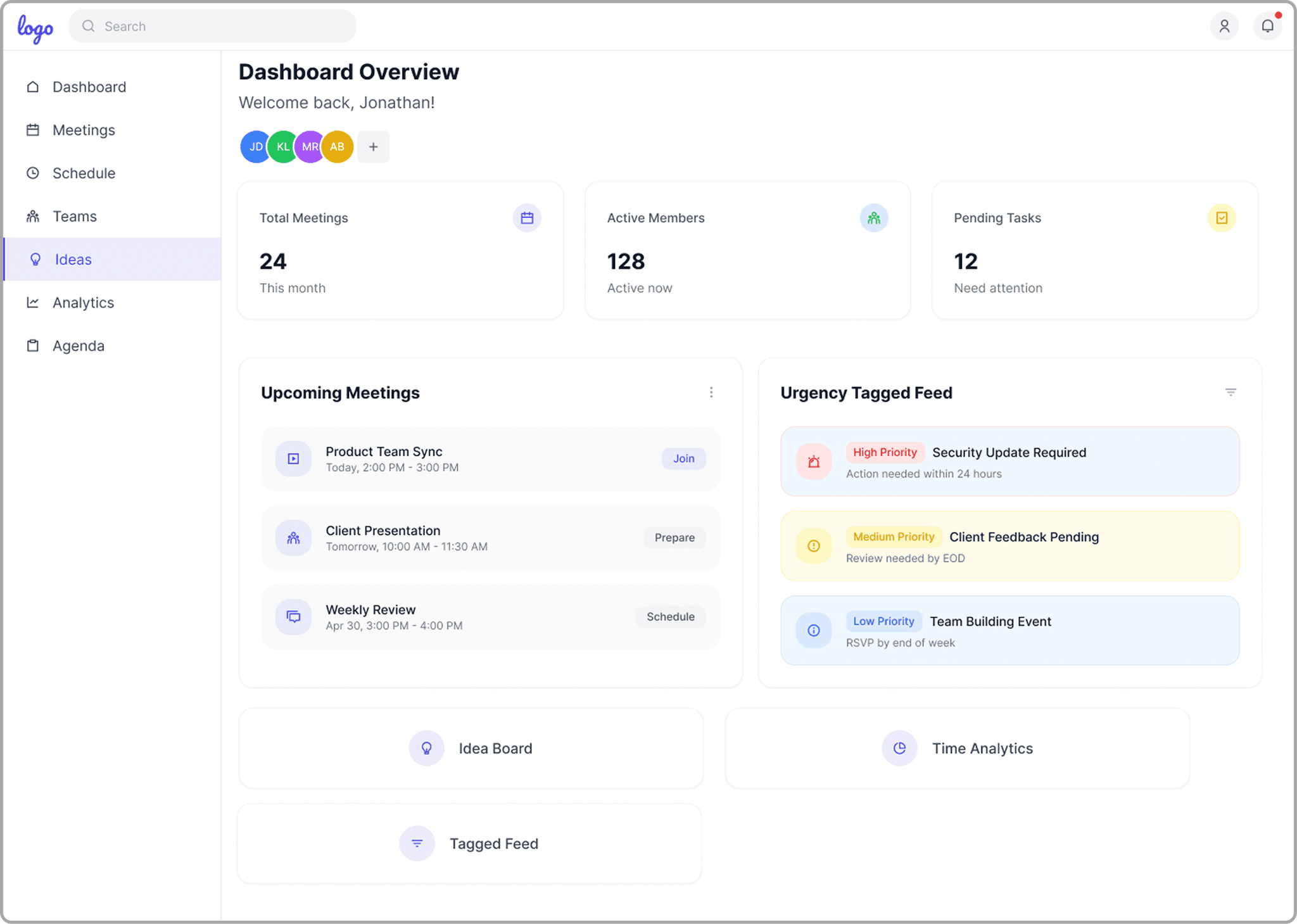
Centralized Team & Meeting Overview

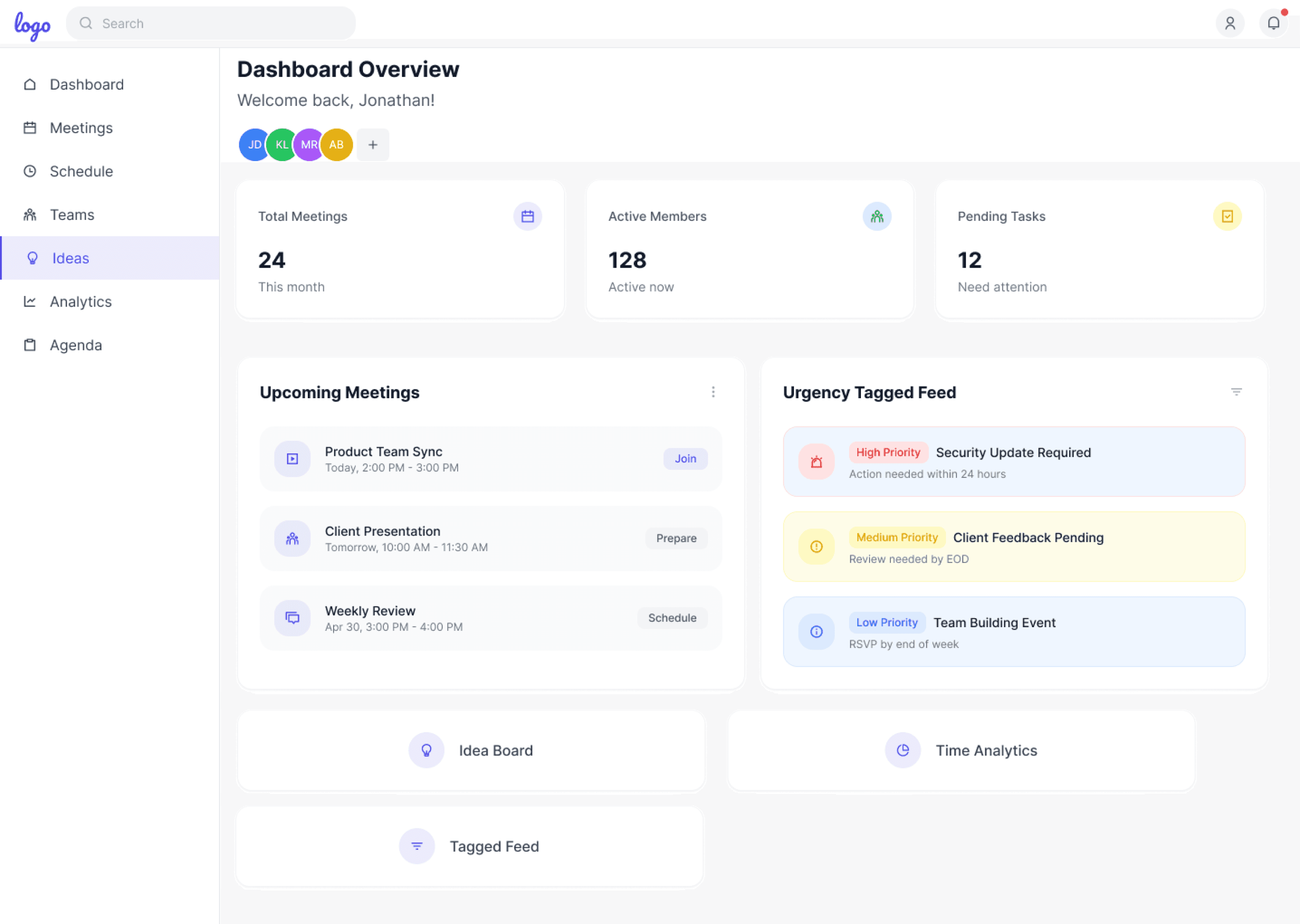
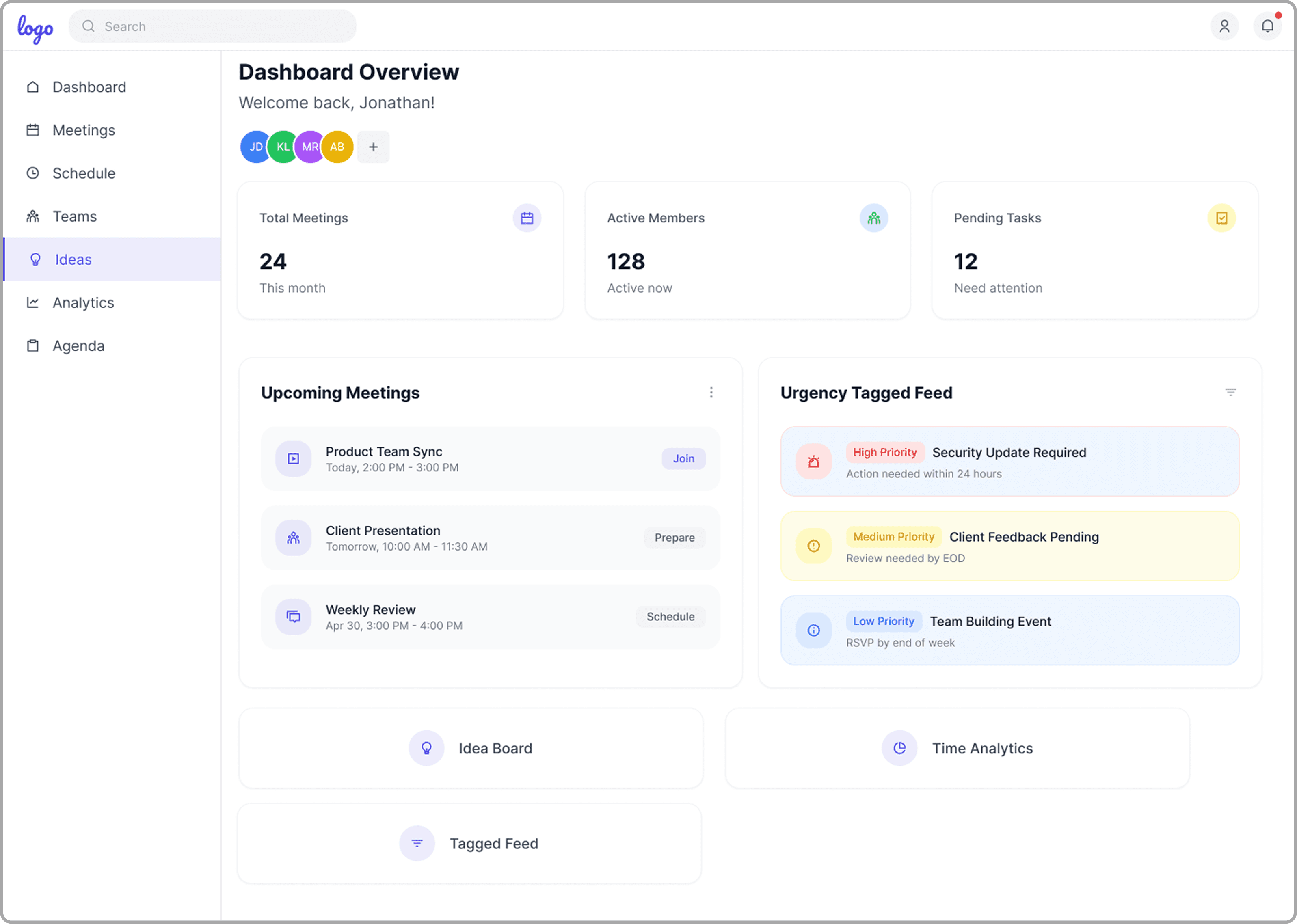
This dashboard brings together meetings, tasks, members, idea boards, and analytics for a quick team overview—helping everyone stay organised and fully aligned before each session.

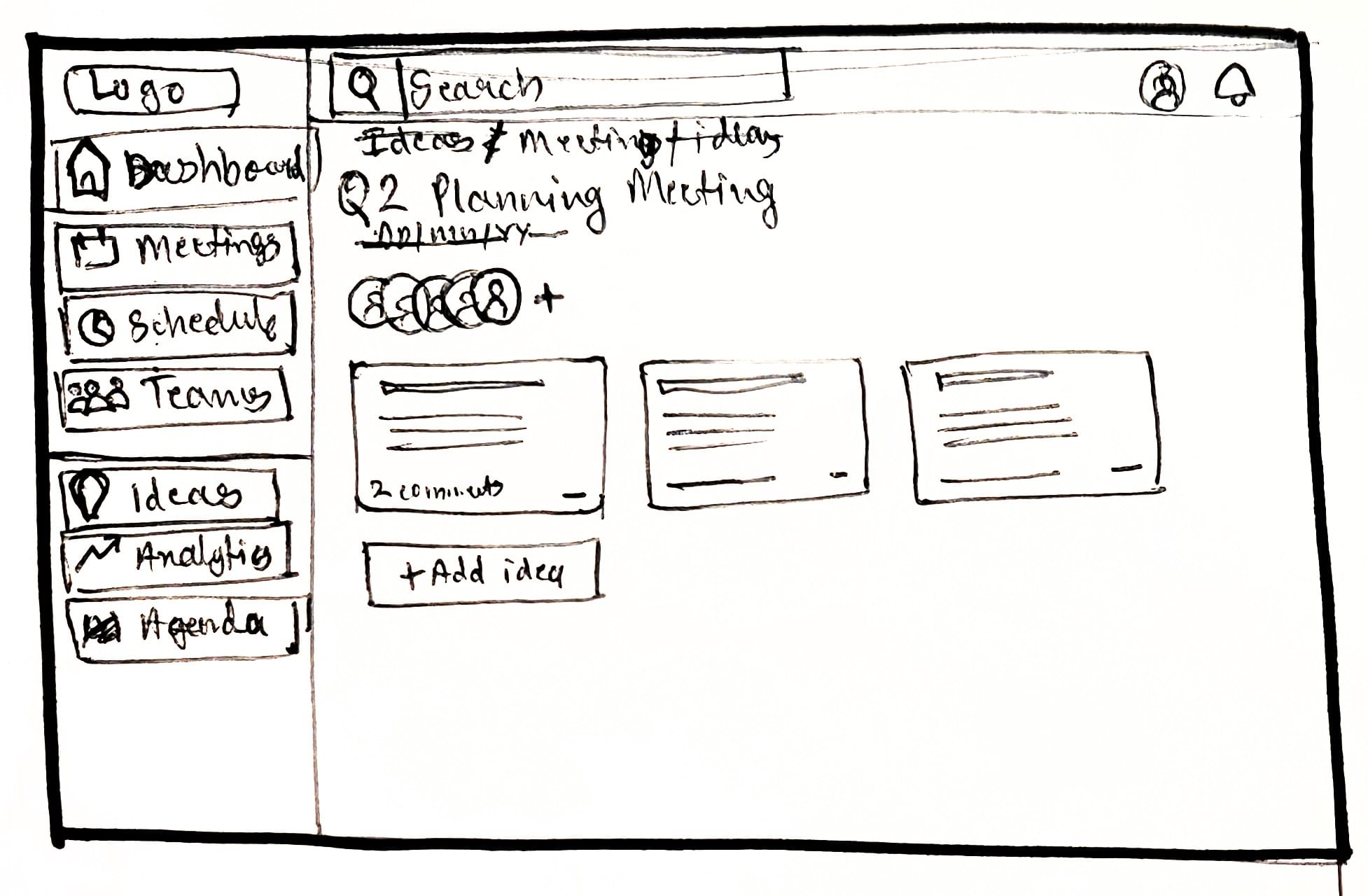
Idea Board with upvoting

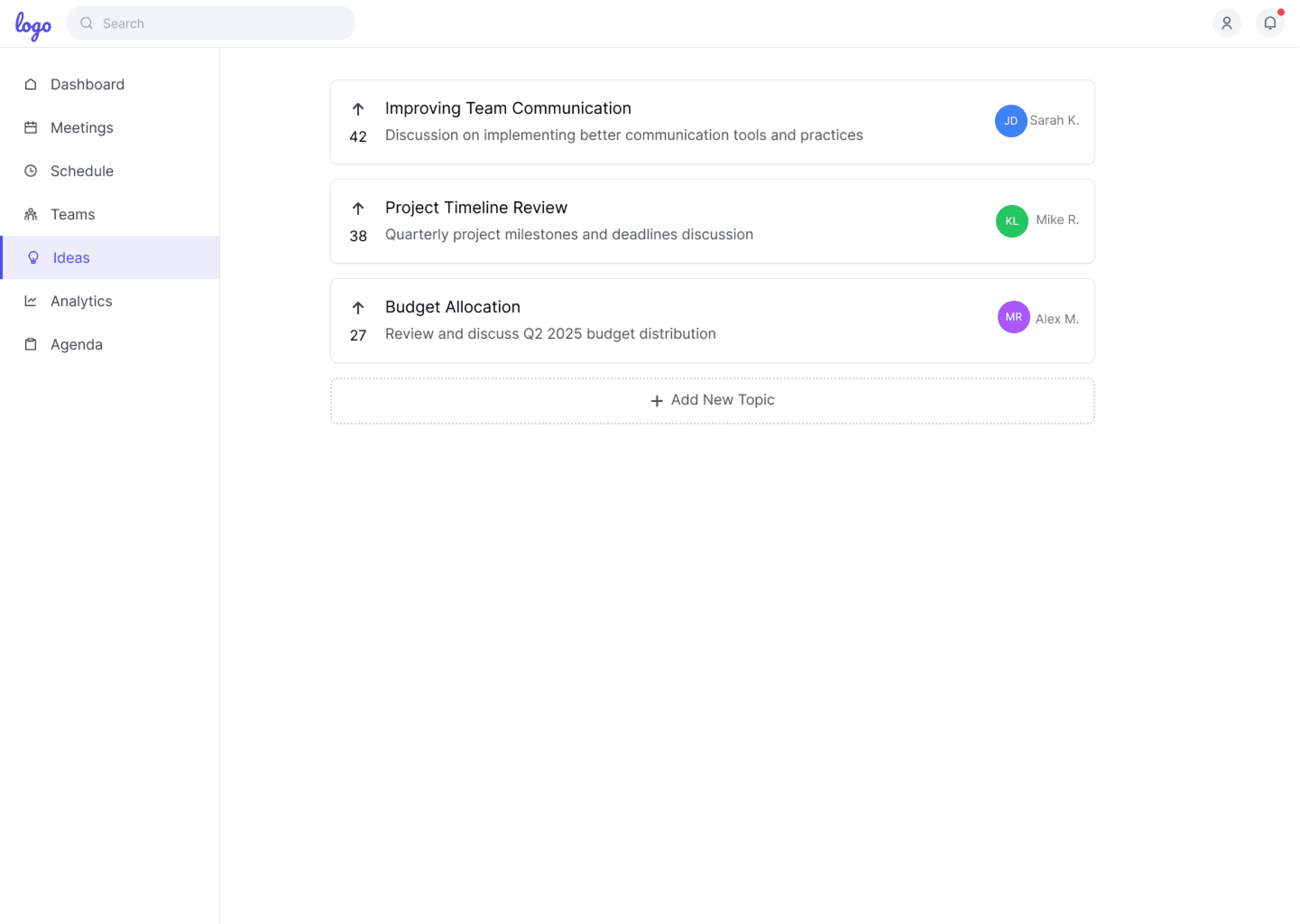
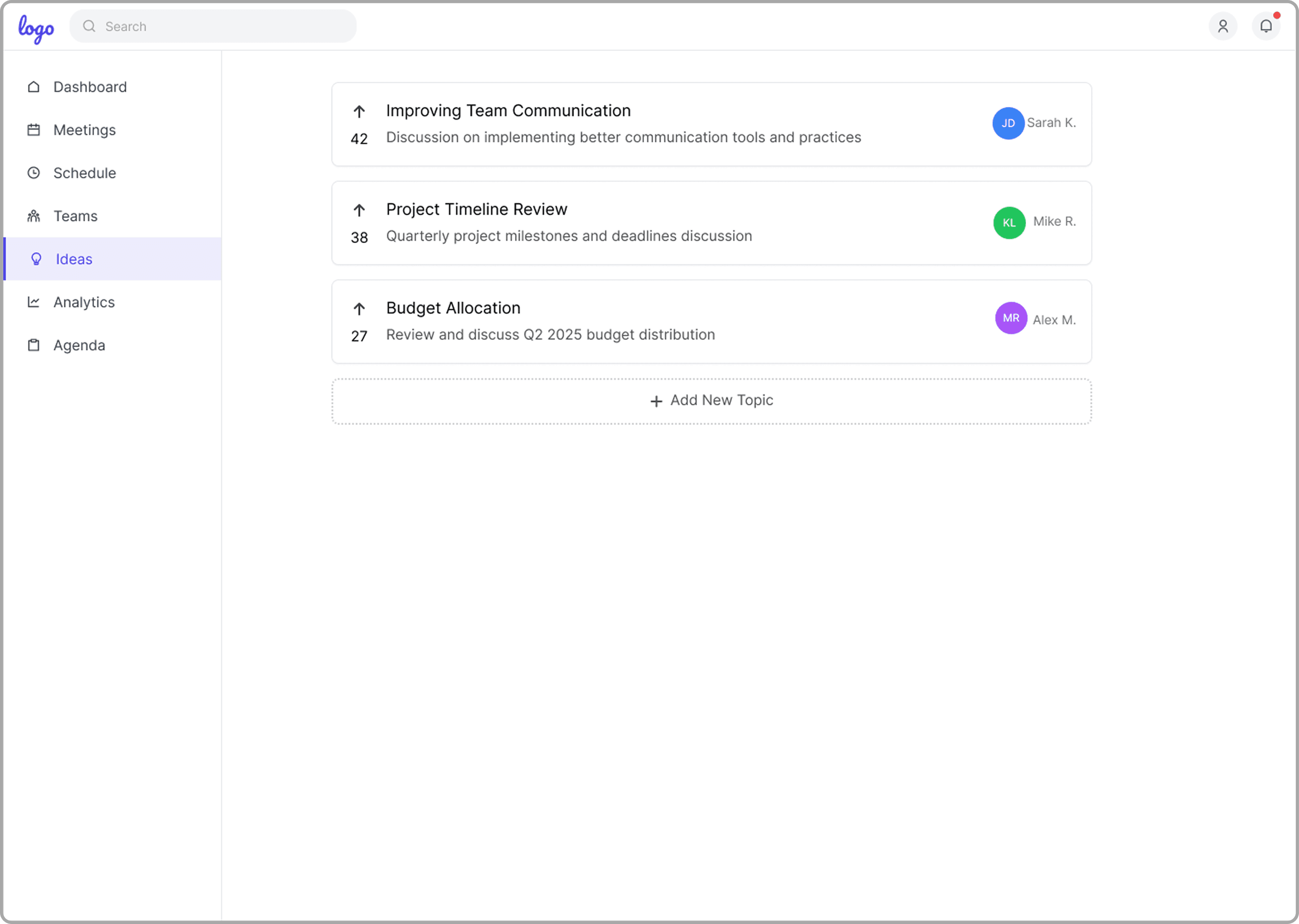
The Idea Board enables all team members to submit and upvote topics for meetings, making the agenda creation transparent and collaborative. This feature ensures that the most relevant topics are prioritised, fostering inclusivity and shared ownership of meeting discussions.

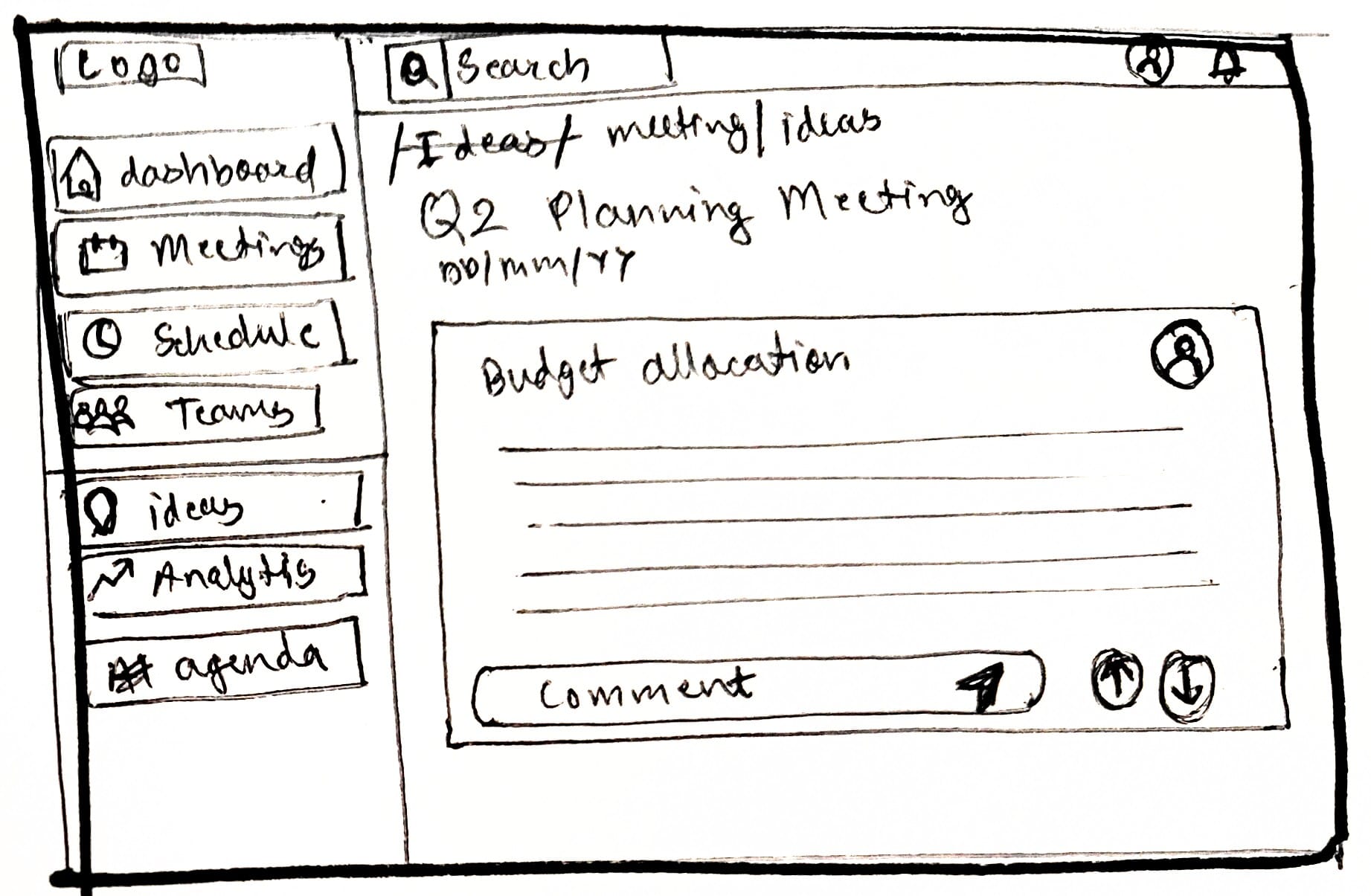
 Meeting-Specific Ideas & Comments

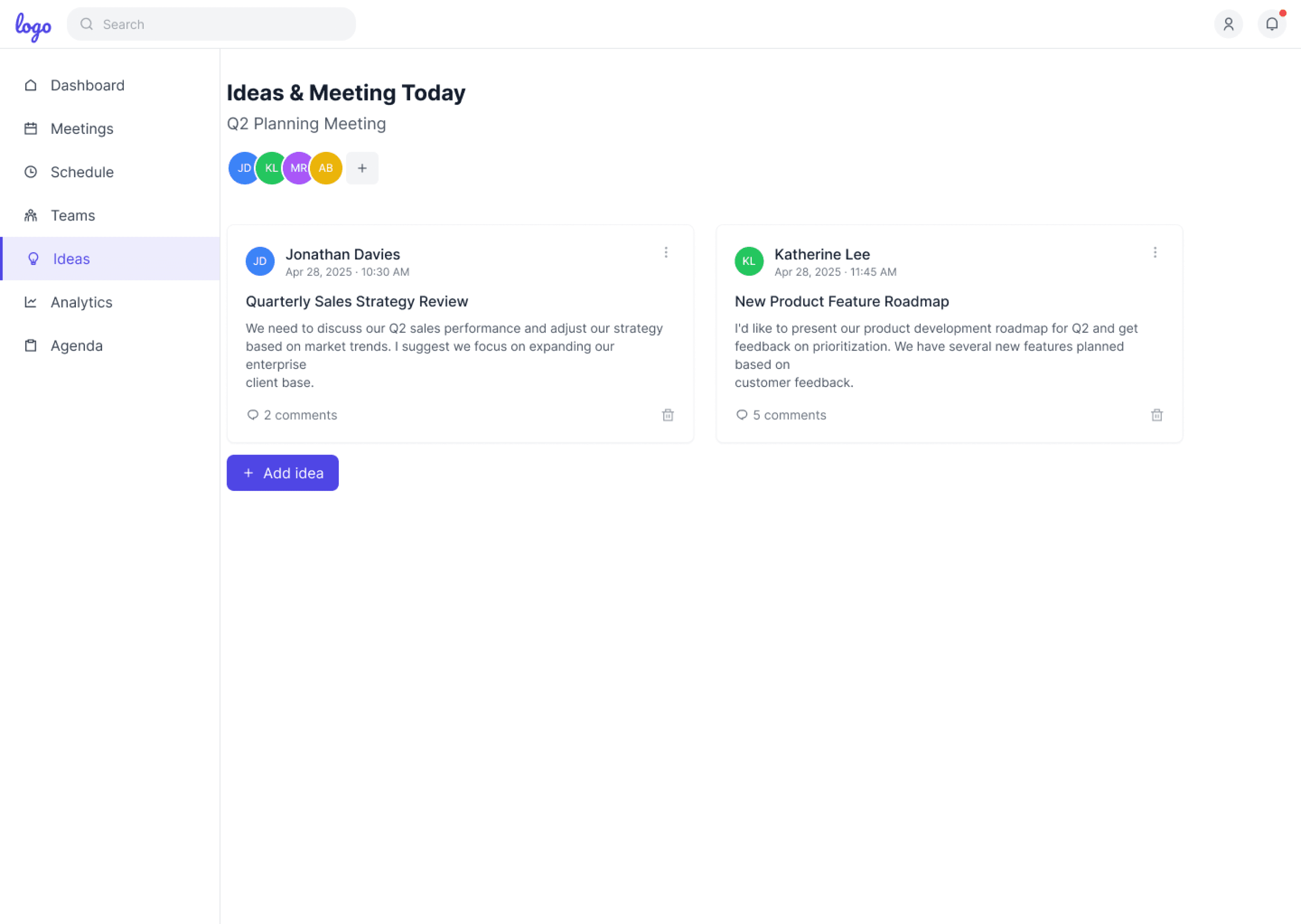
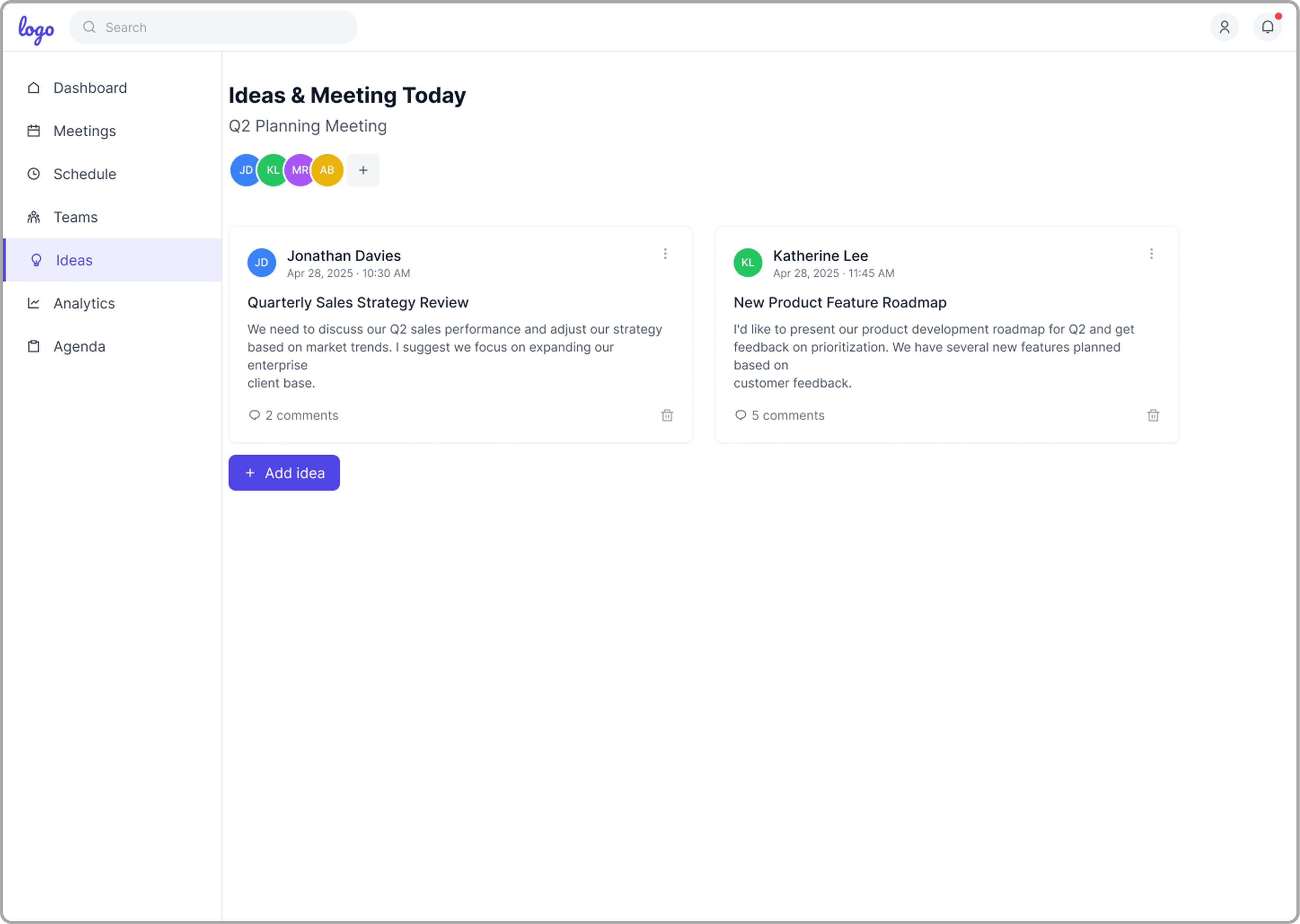
Participants can add, review, and comment on agenda items specific to each meeting. Direct discussion supports detailed prep and makes sure every voice shapes the meeting’s focus.

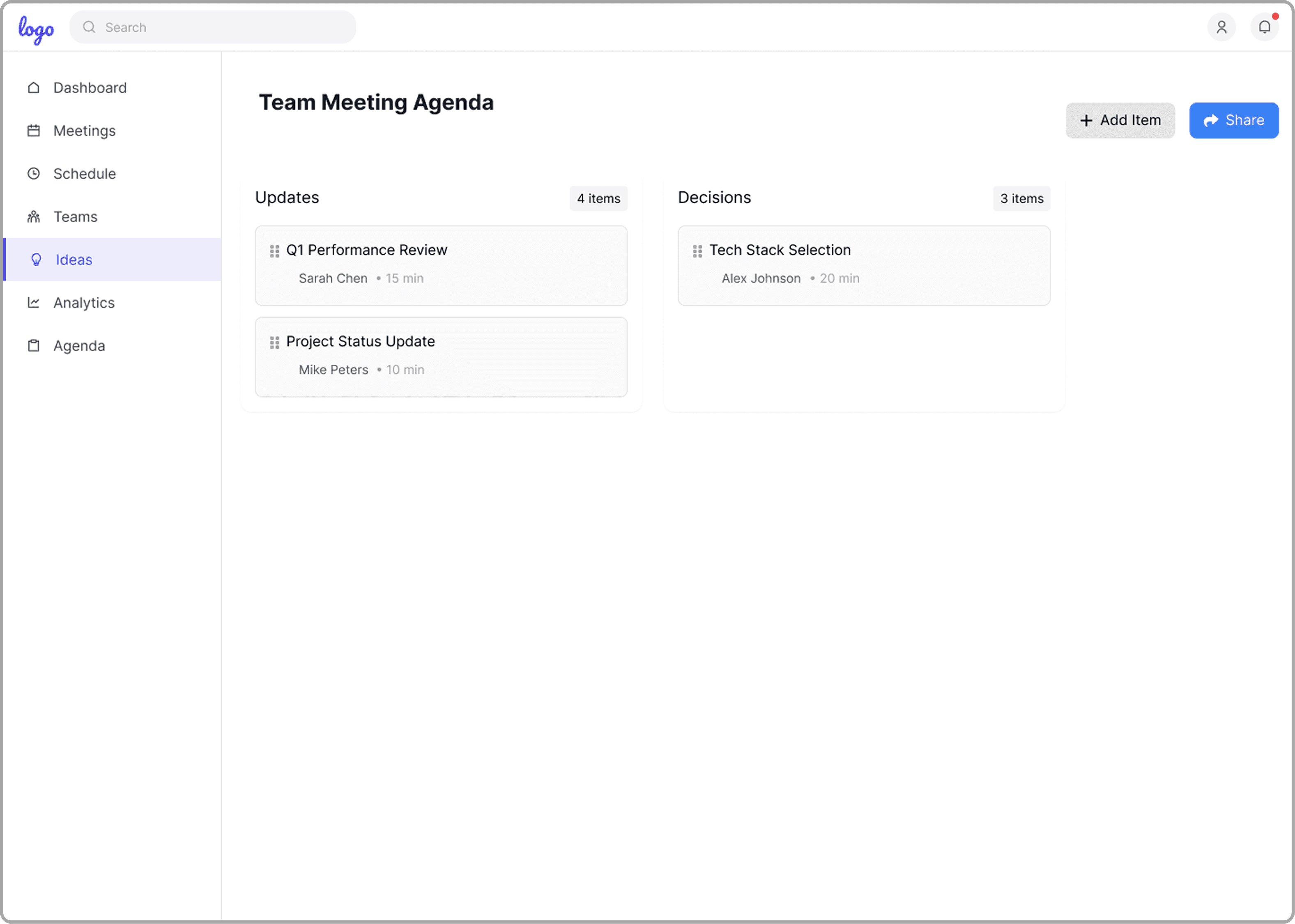
Team Meeting Agenda by Category

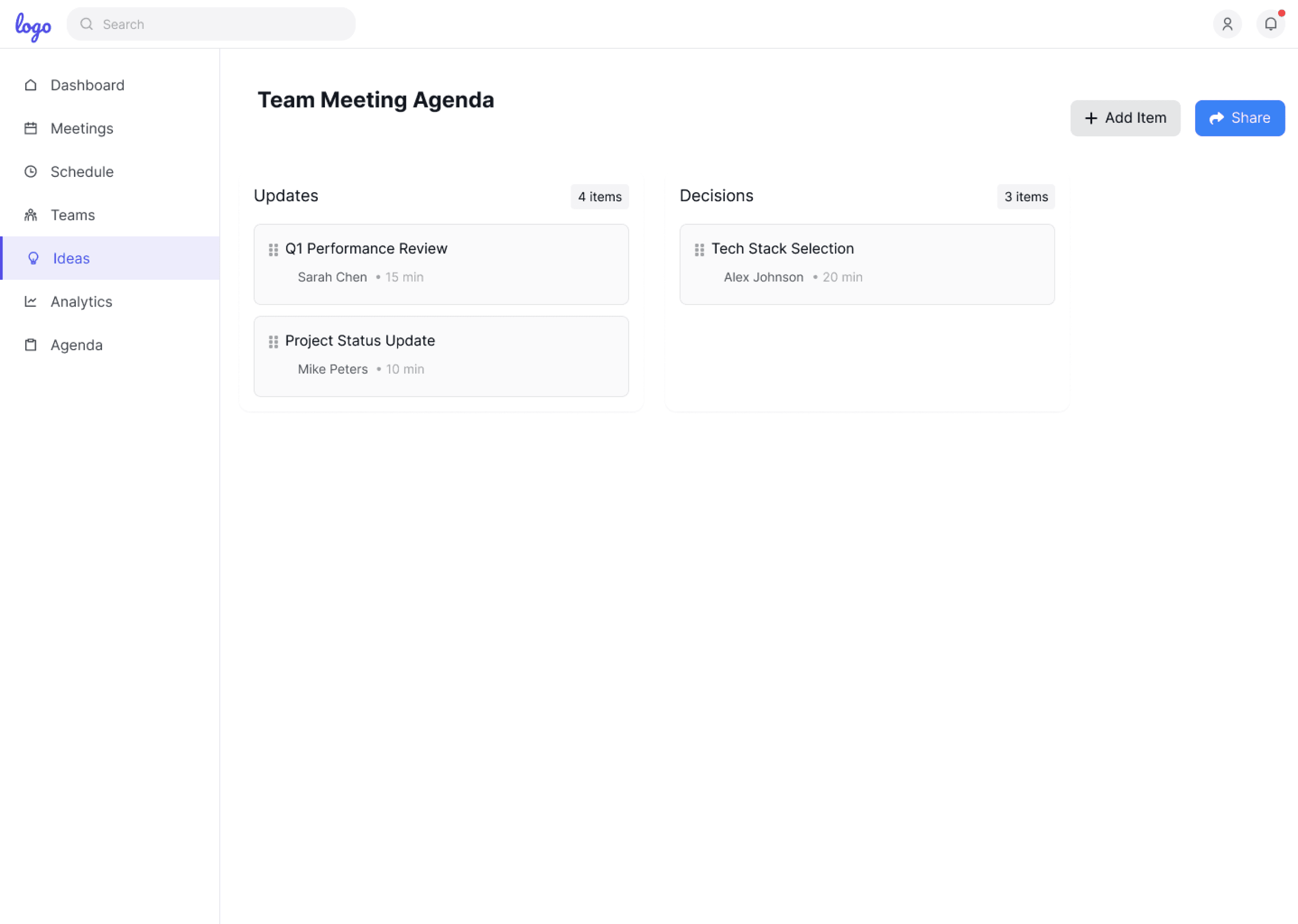
Agenda items are grouped into categories like Updates and Decisions, making it easy to structure discussions, add new items, and share the agenda, so meetings stay focused and all key topics get covered

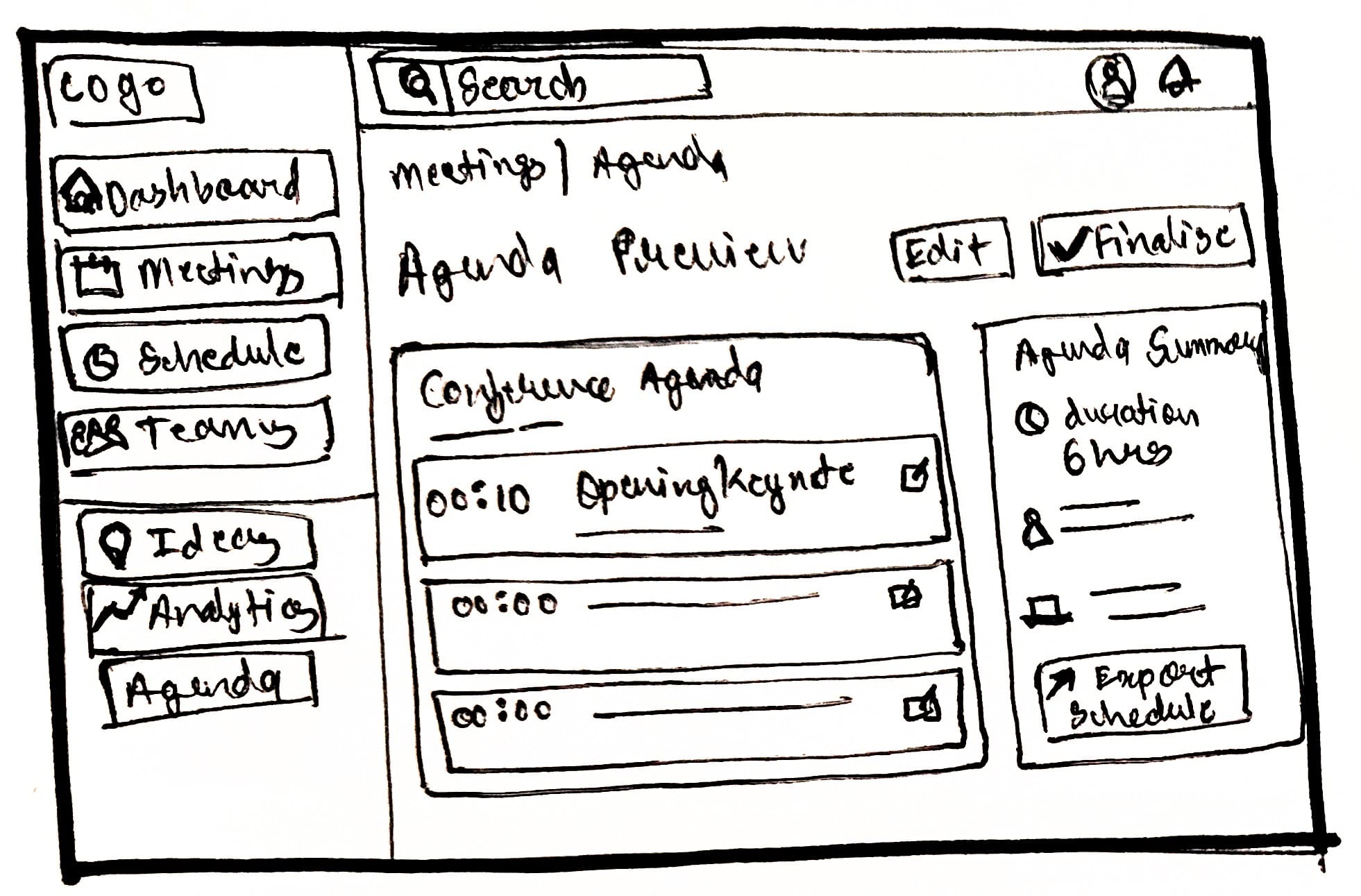
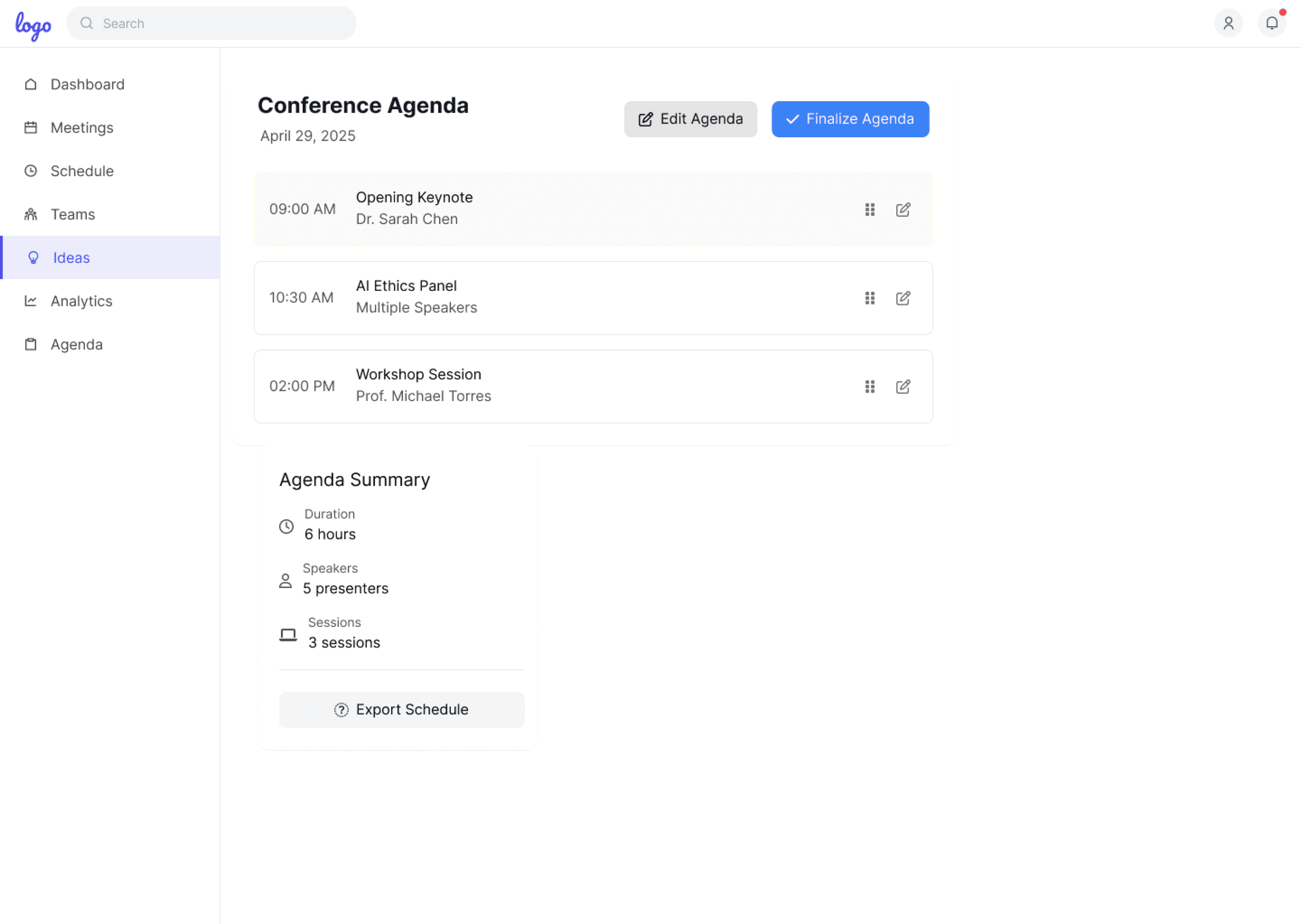
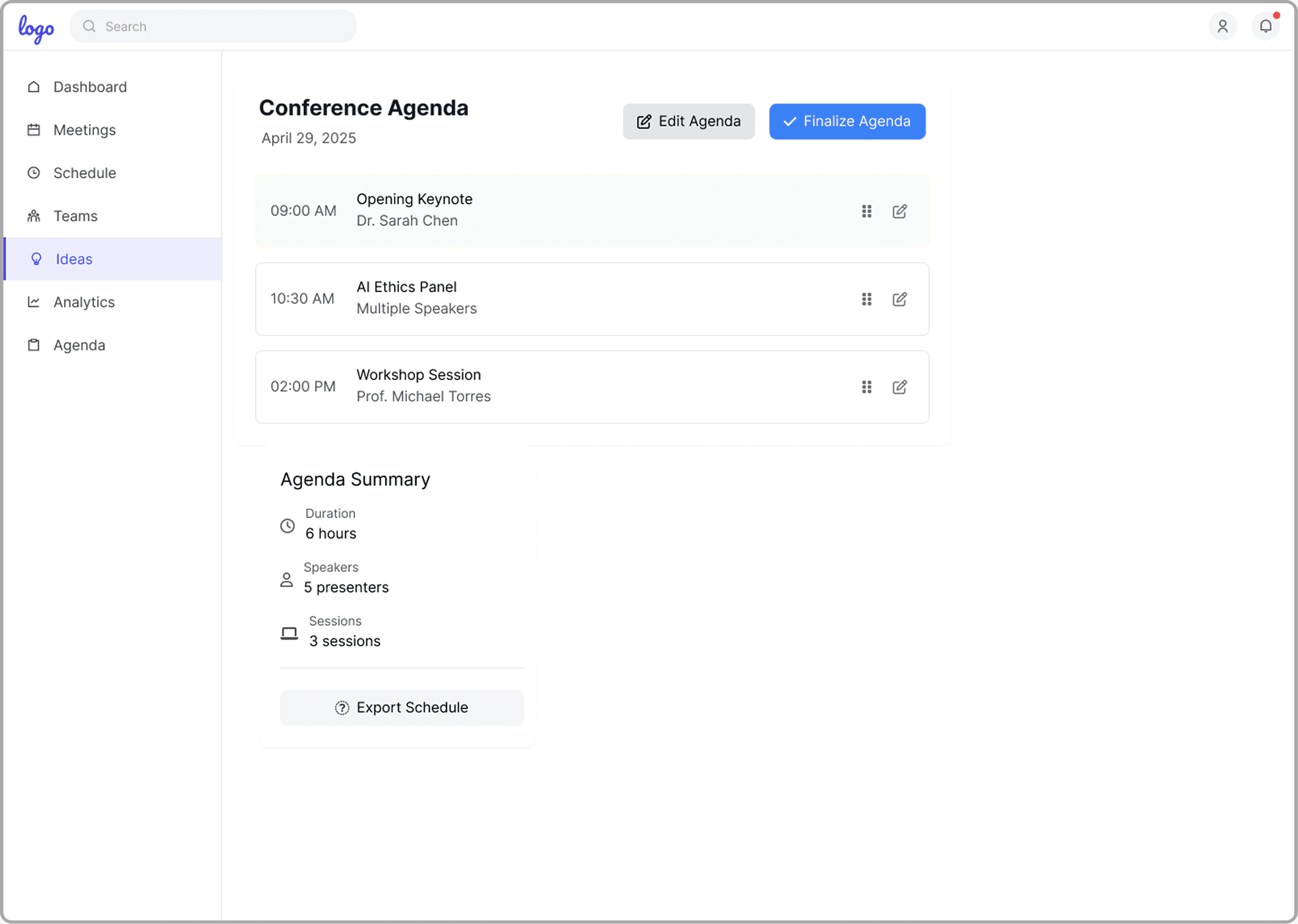
Conference Agenda Overview

This screen shows the full conference agenda, including session times, speakers, and details, in a clear layout. Users can edit or finalise sessions, see a summary of the event, and export the agenda for easy sharing and coordination.

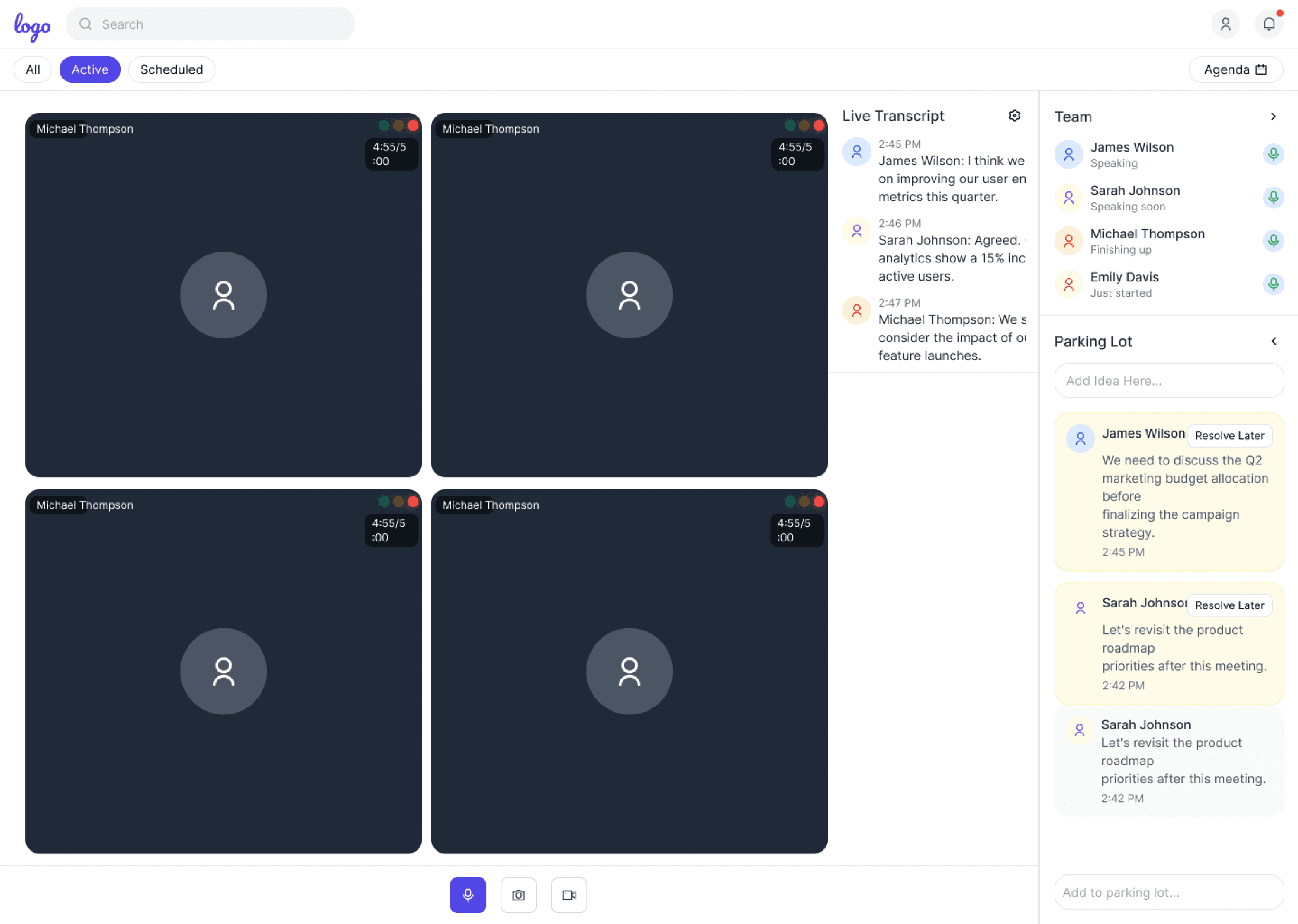
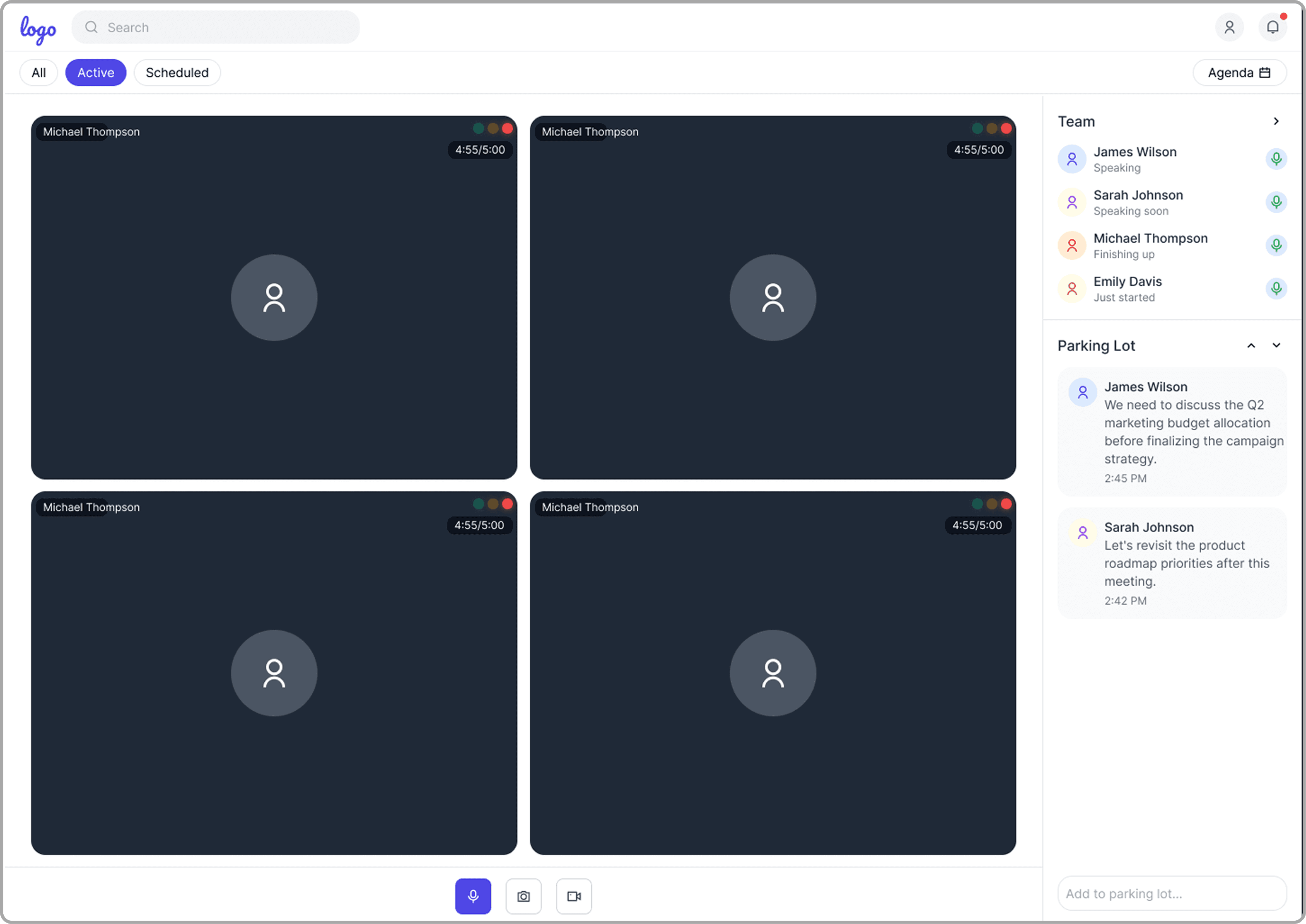
Off-Topic Idea Capture

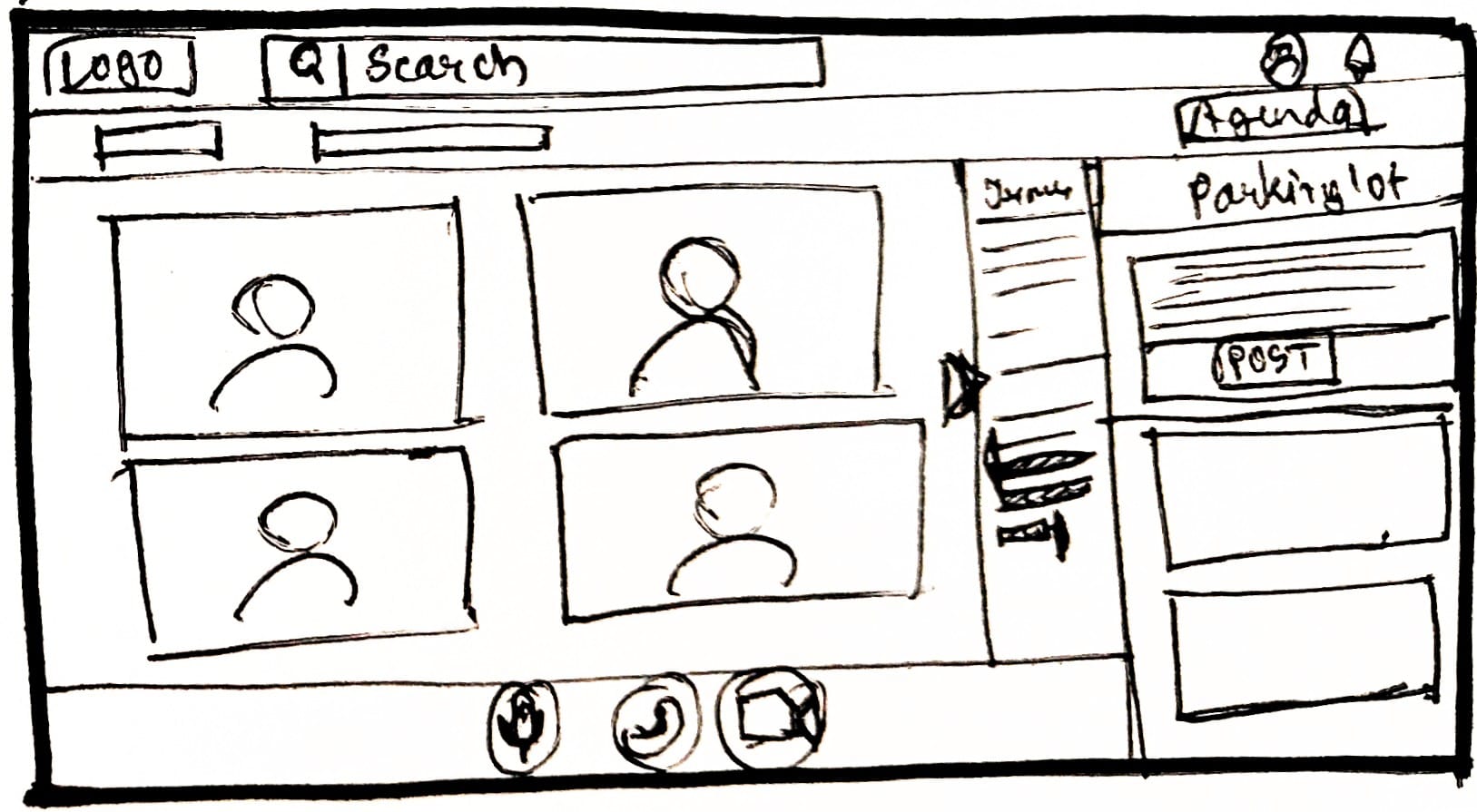
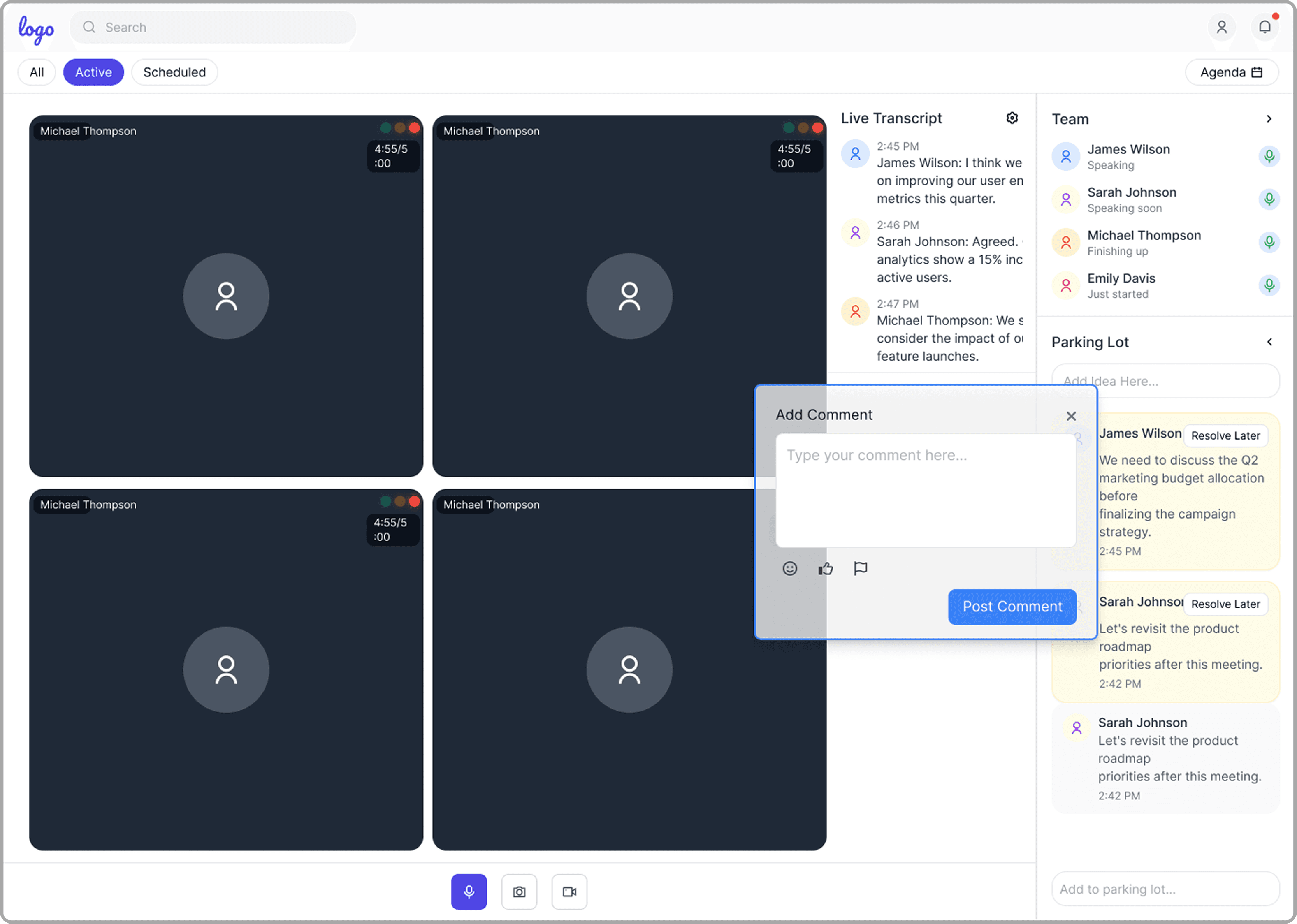
The Parking Lot Panel lets participants quickly jot down off-topic ideas or questions without disrupting the meeting. These are saved for later review, so valuable input isn’t lost and meetings stay focused and efficient.

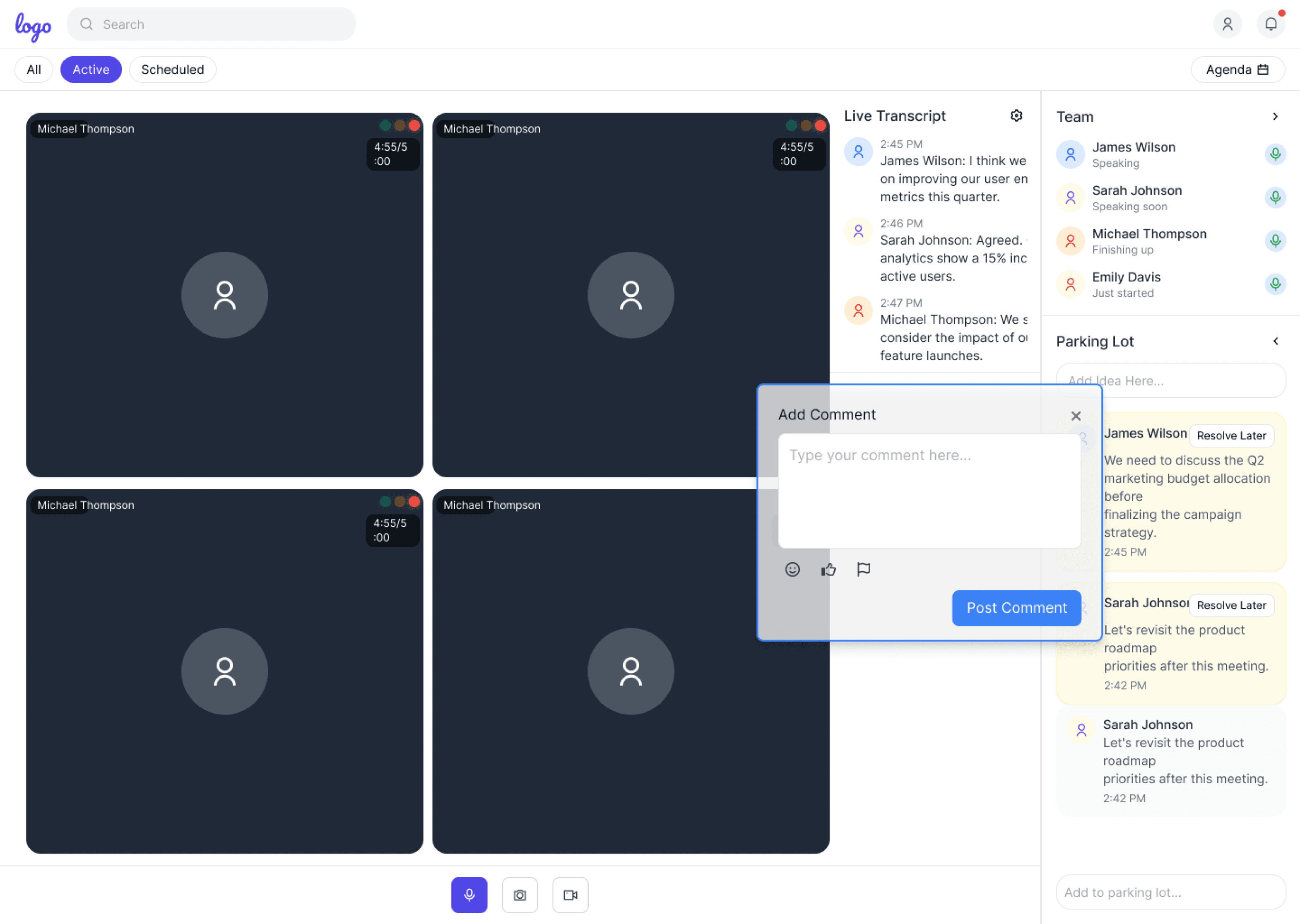
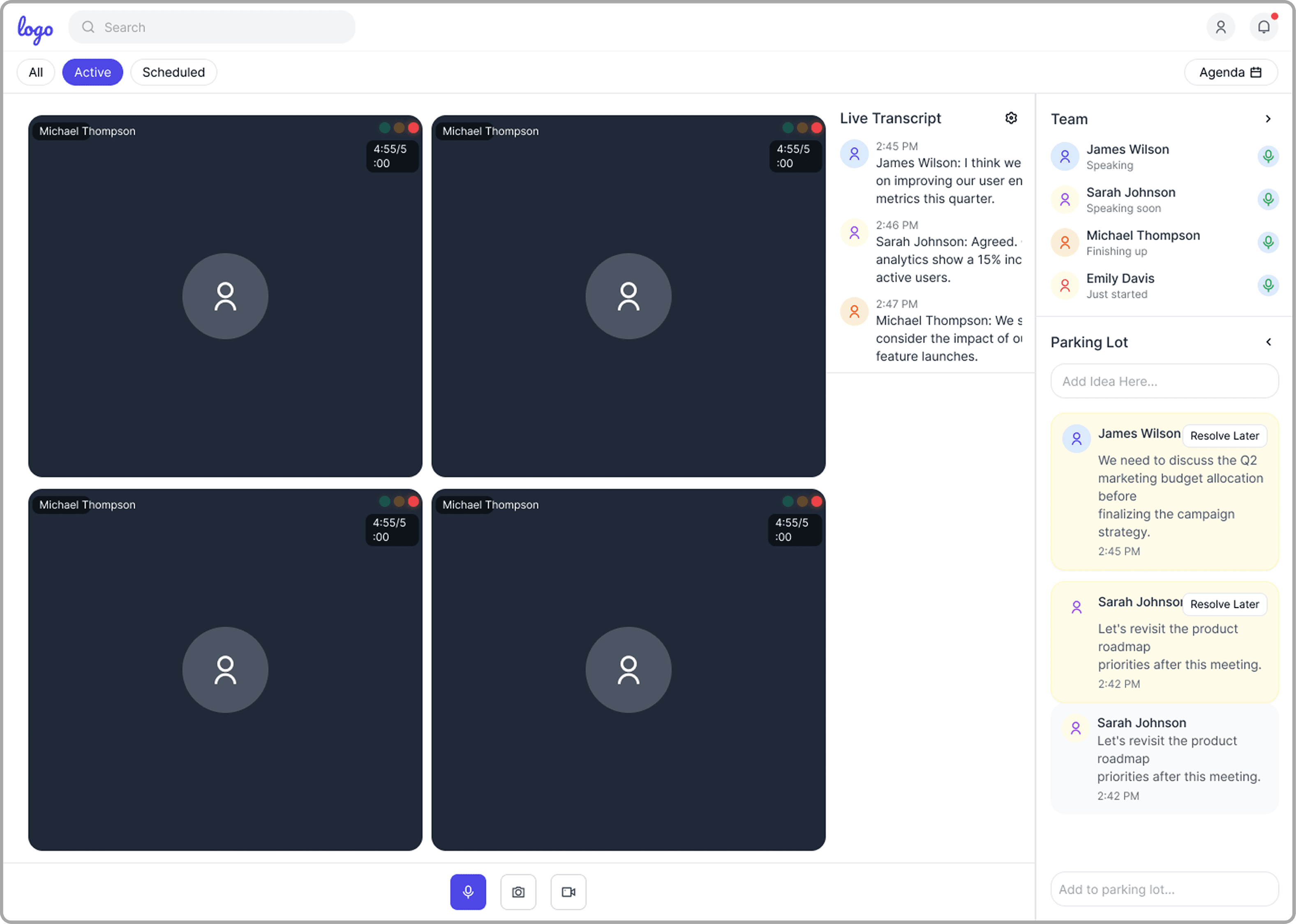
Non-Disruptive Real-Time Feedback

The Highlight + Comment Tool lets users mark key meeting moments and add real-time, contextual comments. This enables immediate feedback and documentation, enriching collaboration and making meeting records more actionable without disrupting conversation flow.

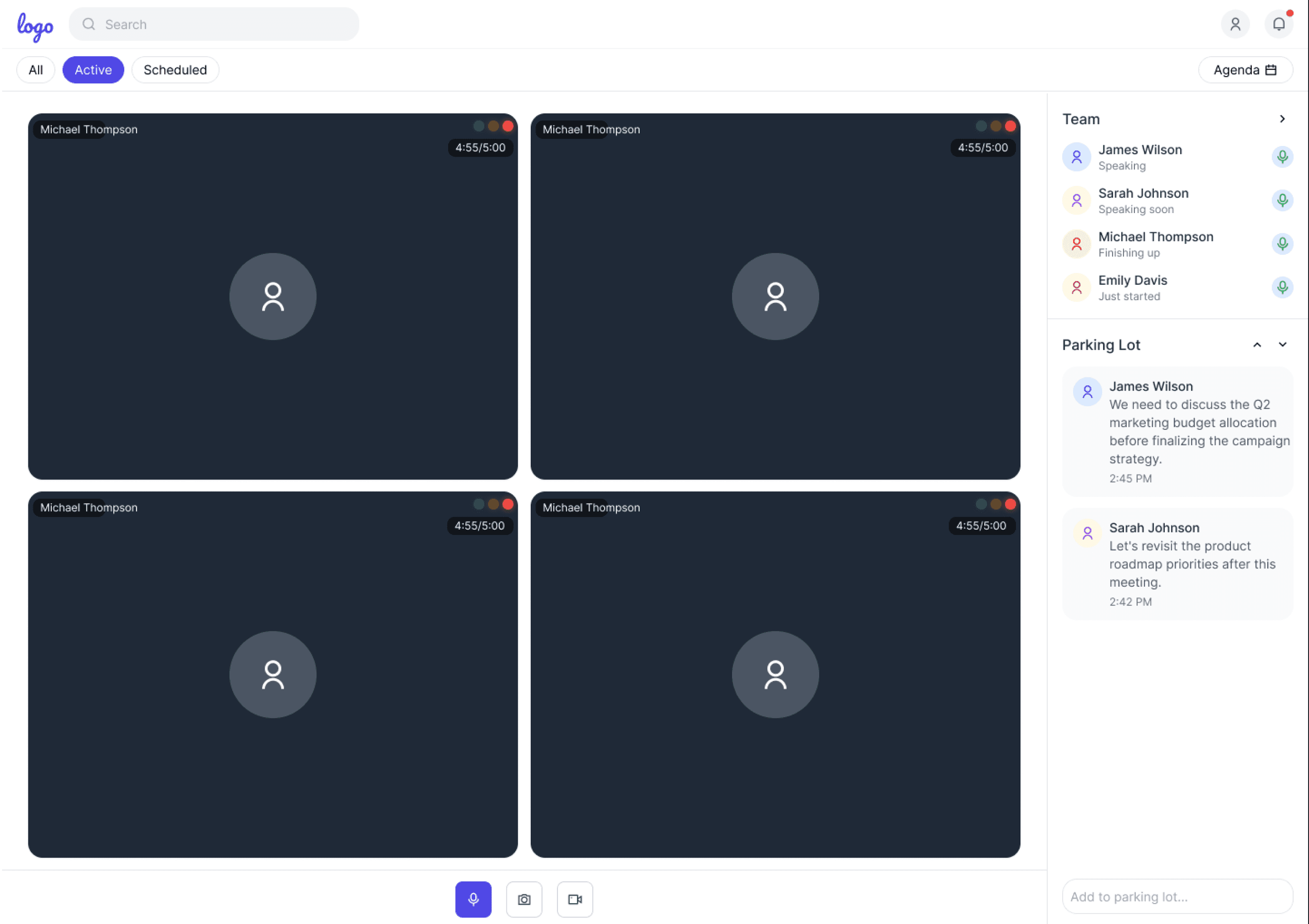
Visual Speaking Time Balance

Real-time Traffic Light Indicators provide instant, color-coded feedback on each participant’s speaking time during meetings. This visual system helps ensure balanced participation, gently prompting quieter members to contribute and preventing any one voice from dominating the discussion.

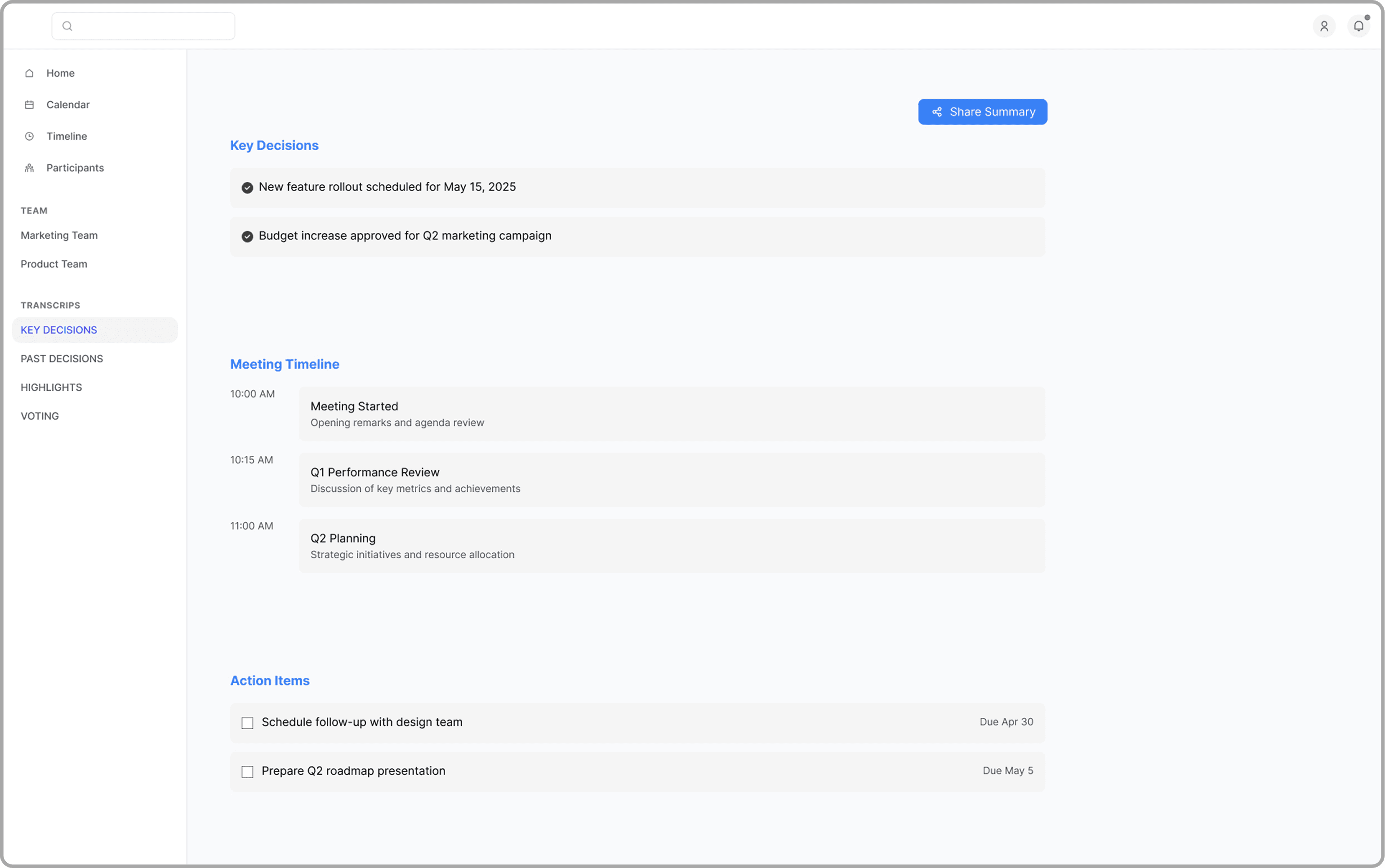
Centralized and Ongoing Post-Meeting Collaboration

The Post-Meeting Workspace brings together summaries, action items, and highlights for easy review. Features like Timestamped Comments and voting enable async feedback and quick consensus. Smart Jump-To Moments use AI to surface key topics, while unified navigation helps teams move intuitively between collaboration tasks after meetings.

Vote on Alternatives

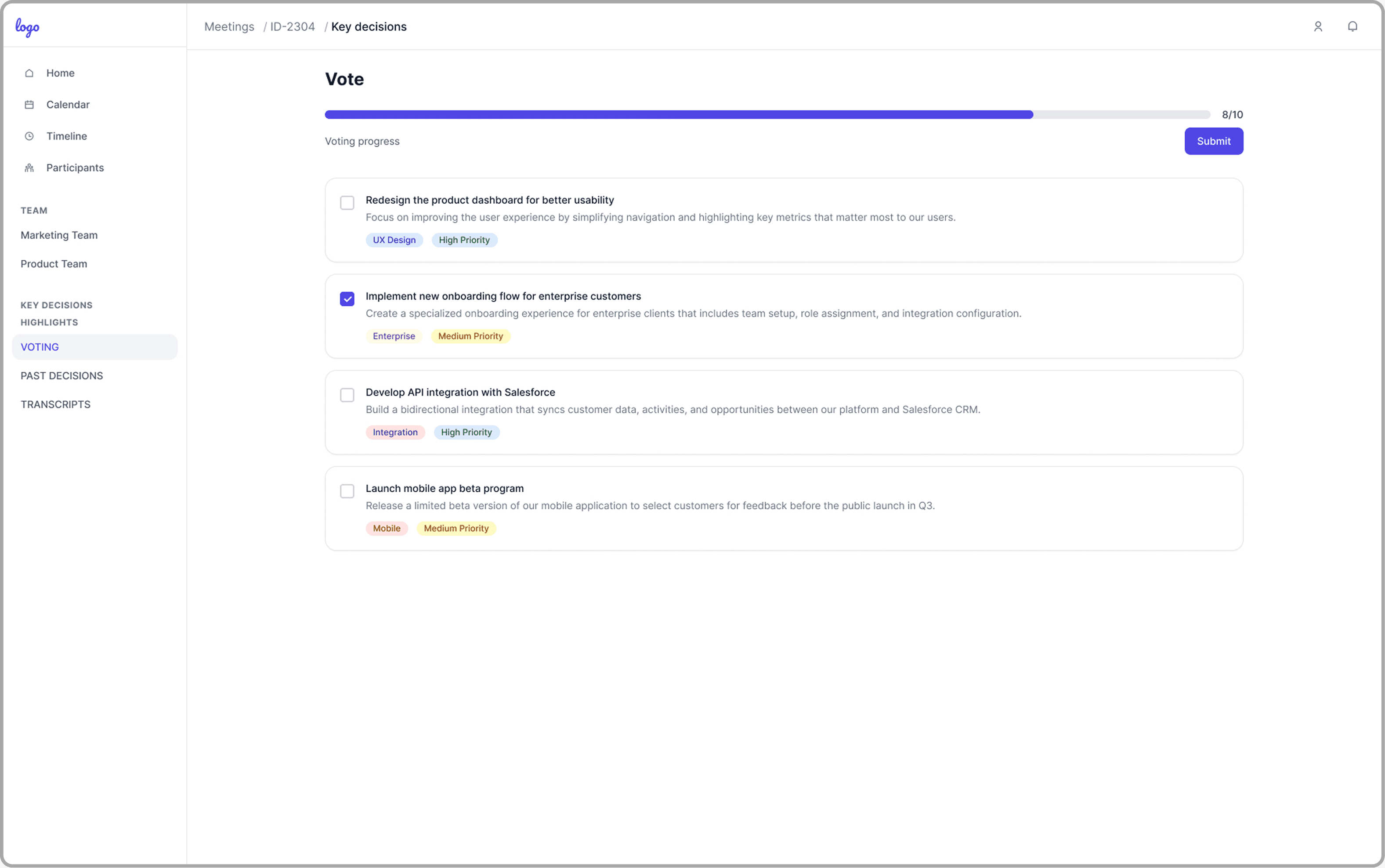
The Vote on Alternatives feature lets everyone vote on solutions or next steps—anytime, even after meetings. This async process boosts participation, builds consensus, and ensures all team voices influence decisions.

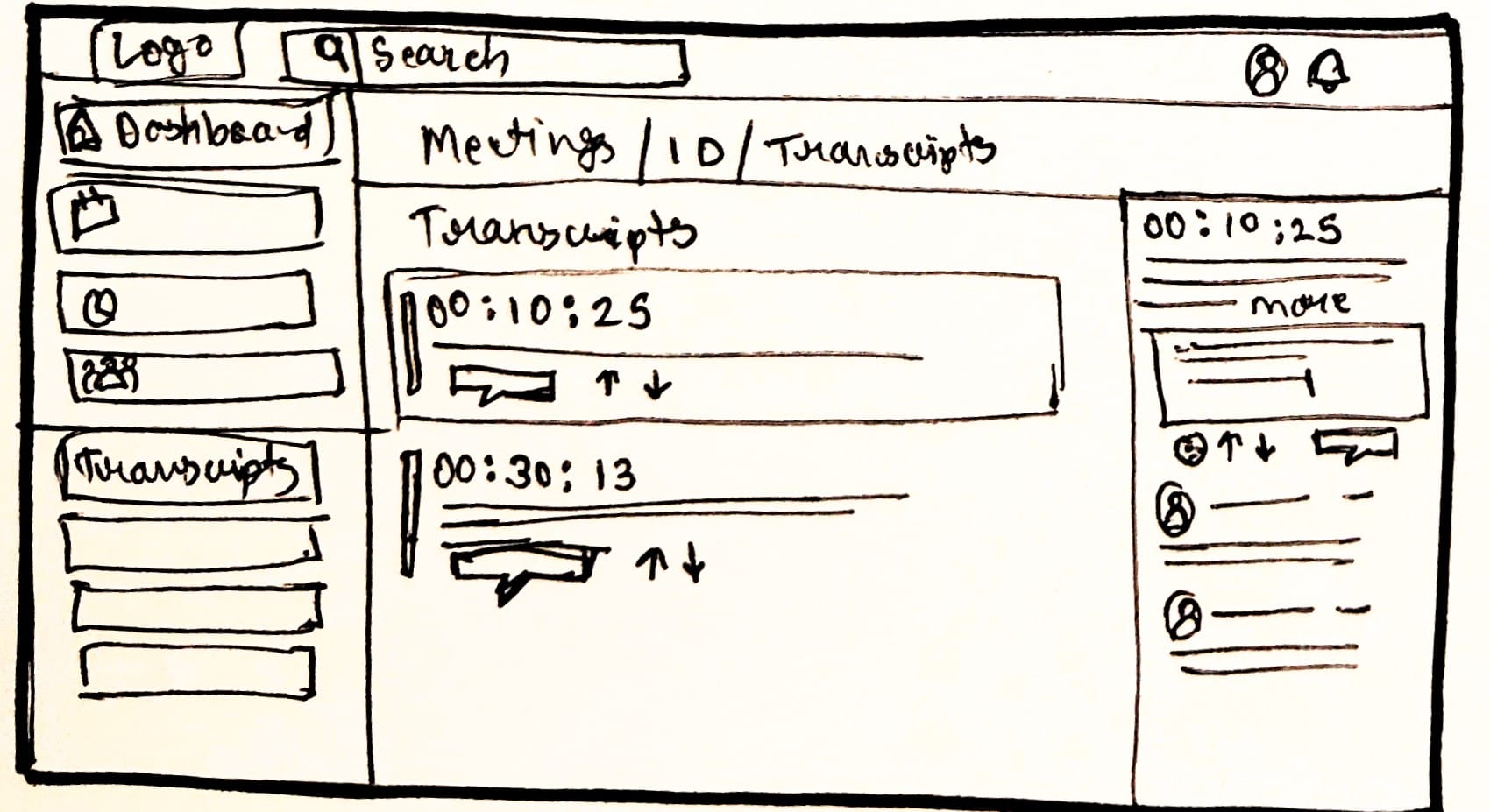
Timestamped Comments

Timestamped Comments let users give feedback tied to exact moments in meeting notes or recordings. This makes reviewing and contributing easier for everyone, ensures input is never lost, and keeps discussions anchored to relevant content.

Smart Jump-To Moments

AI-powered Smart Jump-To Moments highlight and let users instantly access key discussion points and decisions in meeting recordings or summaries. This saves time and makes it easy to find and act on the most important information.

Research

Research

Primary Research

Primary Research

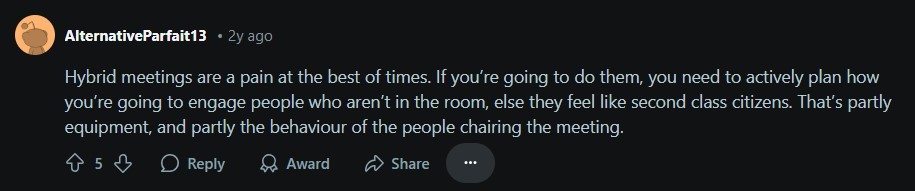
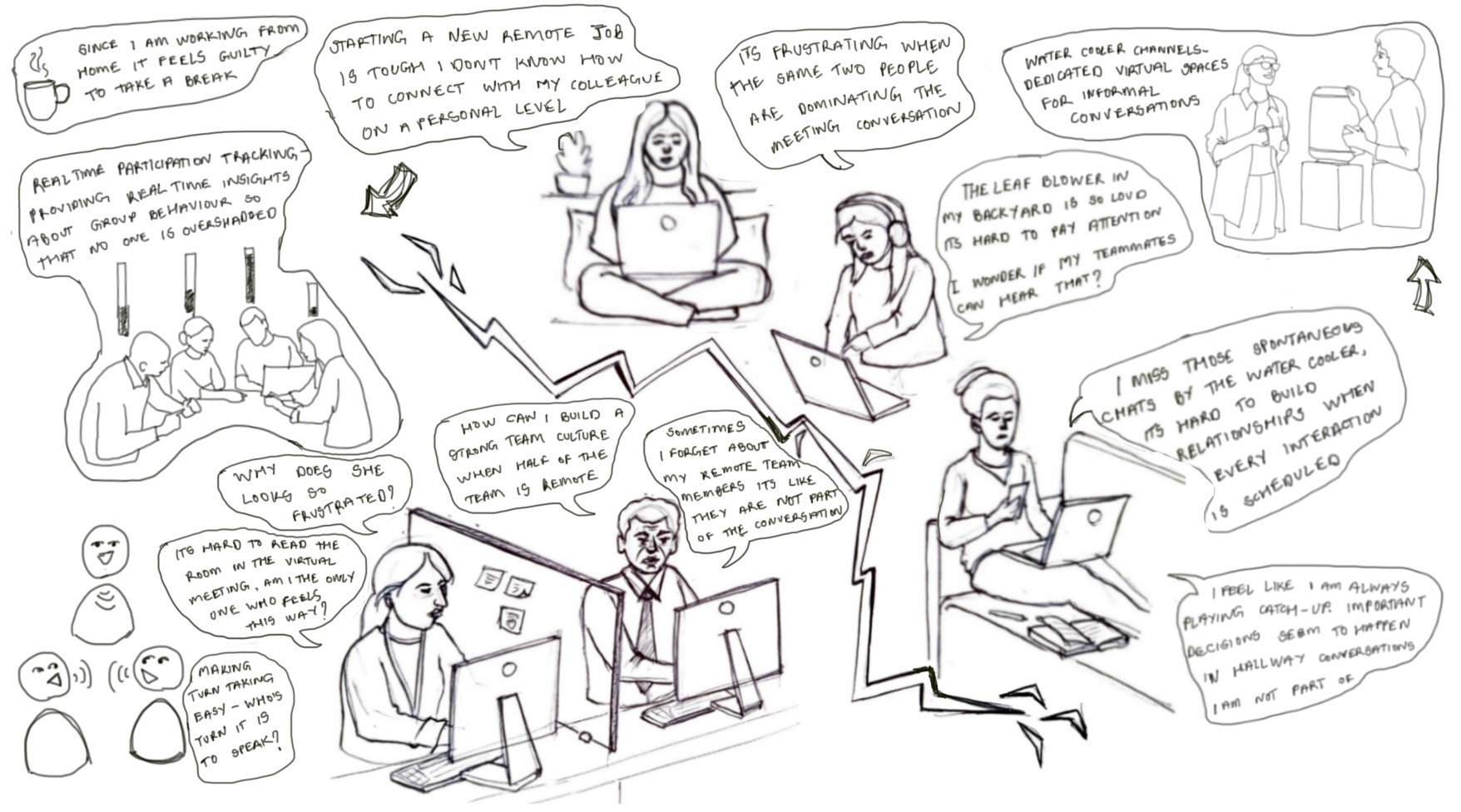
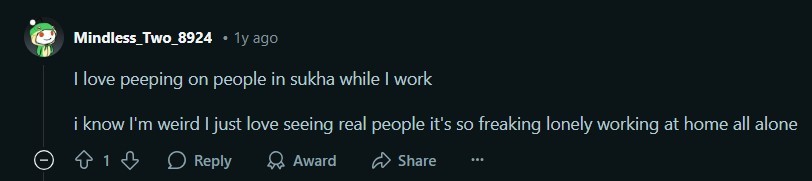
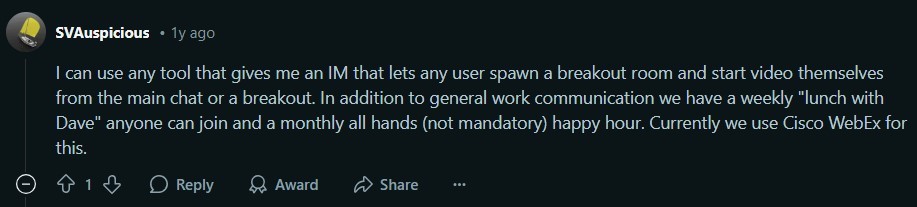
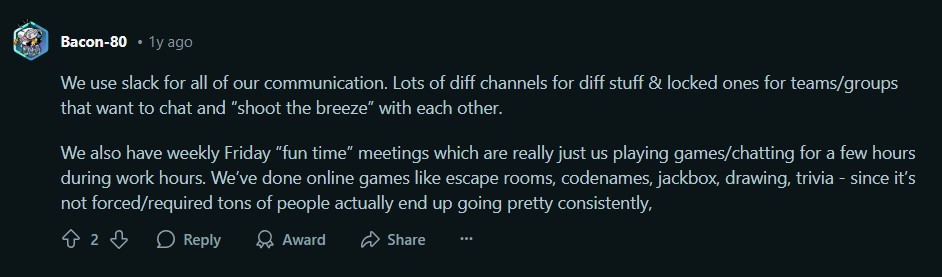
Understanding Hybrid Collaboration: Insights from Semi-Structured Interviews and observational studies
Understanding Hybrid Collaboration: Insights from Semi-Structured Interviews and observational studies

Understanding Hybrid Collaboration: Insights from Semi-Structured Interviews and observational studies
Insights

These methods revealed that,

tool overload led to fragmented communication.

remote workers often felt isolated.

time zone mismatches complicated meeting scheduling. Participants also frequently cited that in-office attendees dominated hybrid meetings.

Unclear navigation across tools caused frustration, especially for less tech-savvy members.

Insights

These methods revealed that,

tool overload led to fragmented communication.

remote workers often felt isolated.

time zone mismatches complicated meeting scheduling. Participants also frequently cited that in-office attendees dominated hybrid meetings.

Unclear navigation across tools caused frustration, especially for less tech-savvy members.

Insights

These methods revealed that,

tool overload led to fragmented communication.

remote workers often felt isolated.

time zone mismatches complicated meeting scheduling. Participants also frequently cited that in-office attendees dominated hybrid meetings.

Unclear navigation across tools caused frustration, especially for less tech-savvy members.

This mix of direct stories and broad observation surfaced genuine struggles with scattered tools, remote isolation, and meeting confusion. These firsthand insights set the stage for mapping recurring challenges through affinity mapping.
This mix of direct stories and broad observation surfaced genuine struggles with scattered tools, remote isolation, and meeting confusion. These firsthand insights set the stage for mapping recurring challenges through affinity mapping.
Affinity mapping

Affinity mapping

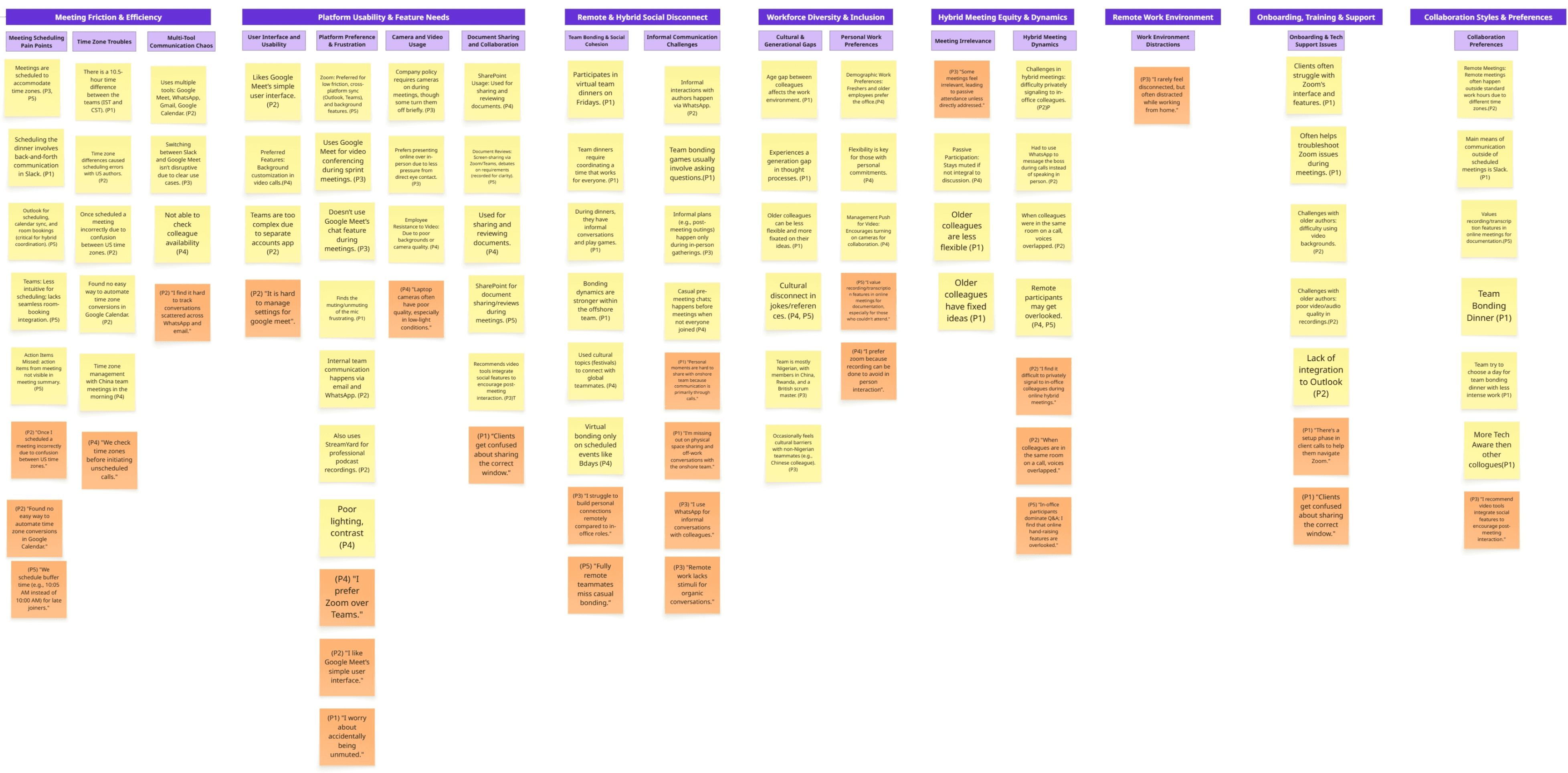
To make sense of these overlapping frustrations, I grouped and synthesised every quote and note through affinity mapping. This turned raw experiences into clear patterns, revealing the real problems our platform needed to solve next.
To make sense of these overlapping frustrations, I grouped and synthesised every quote and note through affinity mapping. This turned raw experiences into clear patterns, revealing the real problems our platform needed to solve next.
Insights

Communication Silos:
Multiple tools cause scattered conversations and missed information.


Scheduling Complexity:
Coordinating meetings across time zones is error-prone and inconvenient.

Relationship Gaps:
Remote workers struggle to connect and build rapport with in-office peers.


Hybrid Meeting Inequity:
Remote participants are often overlooked, leading to disengagement.

Insights

Communication Silos:
Multiple tools cause scattered conversations and missed information.


Scheduling Complexity:
Coordinating meetings across time zones is error-prone and inconvenient.

Relationship Gaps:
Remote workers struggle to connect and build rapport with in-office peers.


Hybrid Meeting Inequity:
Remote participants are often overlooked, leading to disengagement.

Insights

Communication Silos:
Multiple tools cause scattered conversations and missed information.


Scheduling Complexity:
Coordinating meetings across time zones is error-prone and inconvenient.

Relationship Gaps:
Remote workers struggle to connect and build rapport with in-office peers.


Hybrid Meeting Inequity:
Remote participants are often overlooked, leading to disengagement.

The core challenges uncovered through affinity mapping, fragmented communication, remote isolation, and uneven participation—called for a deeper, human-centred understanding. To capture users’ emotions, motivations, and needs behind these issues, I created empathy maps and translated those into focused user stories.

The core challenges uncovered through affinity mapping, fragmented communication, remote isolation, and uneven participation—called for a deeper, human-centred understanding. To capture users’ emotions, motivations, and needs behind these issues, I created empathy maps and translated those into focused user stories.

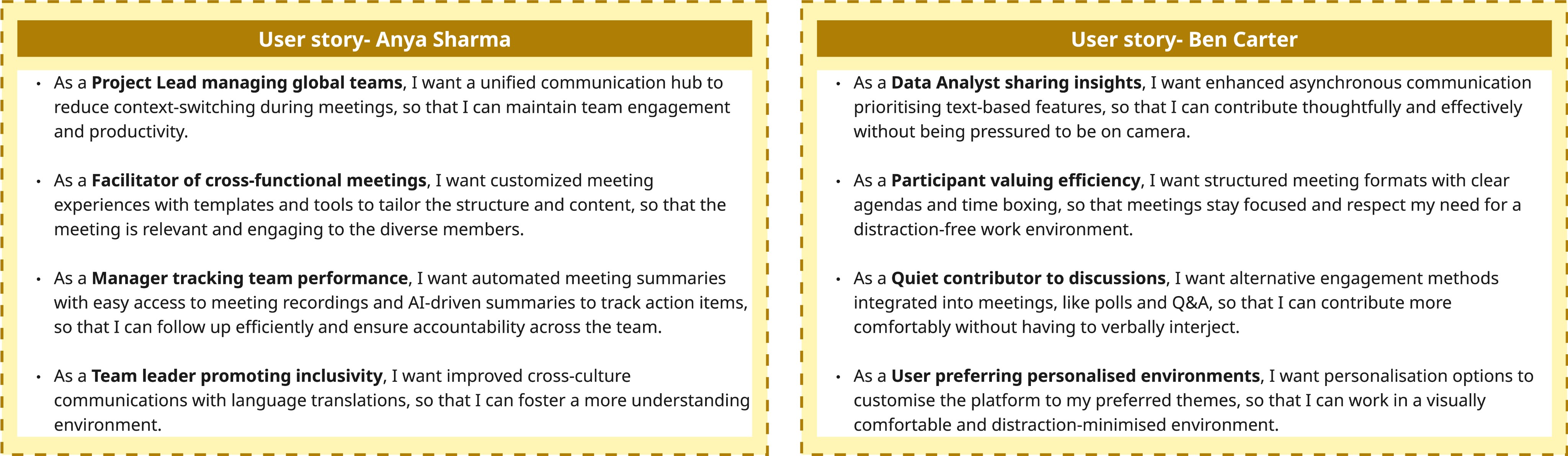
User Stories: Translating Needs into Features

User Stories: Translating Needs into Features

These stories grounded design decisions in user goals, highlighting features like idea boards, traffic light indicators, and silent voting to directly address the challenges surfaced during research.

These stories grounded design decisions in user goals, highlighting features like idea boards, traffic light indicators, and silent voting to directly address the challenges surfaced during research.

The user stories highlighted key needs and frustrations but lacked personal context and flow. To humanise these insights and understand how users interact with the platform over time, I developed detailed personas and mapped their customer journeys.

The user stories highlighted key needs and frustrations but lacked personal context and flow. To humanise these insights and understand how users interact with the platform over time, I developed detailed personas and mapped their customer journeys.

User Persona and User Journey Map

User Persona and User Journey Map

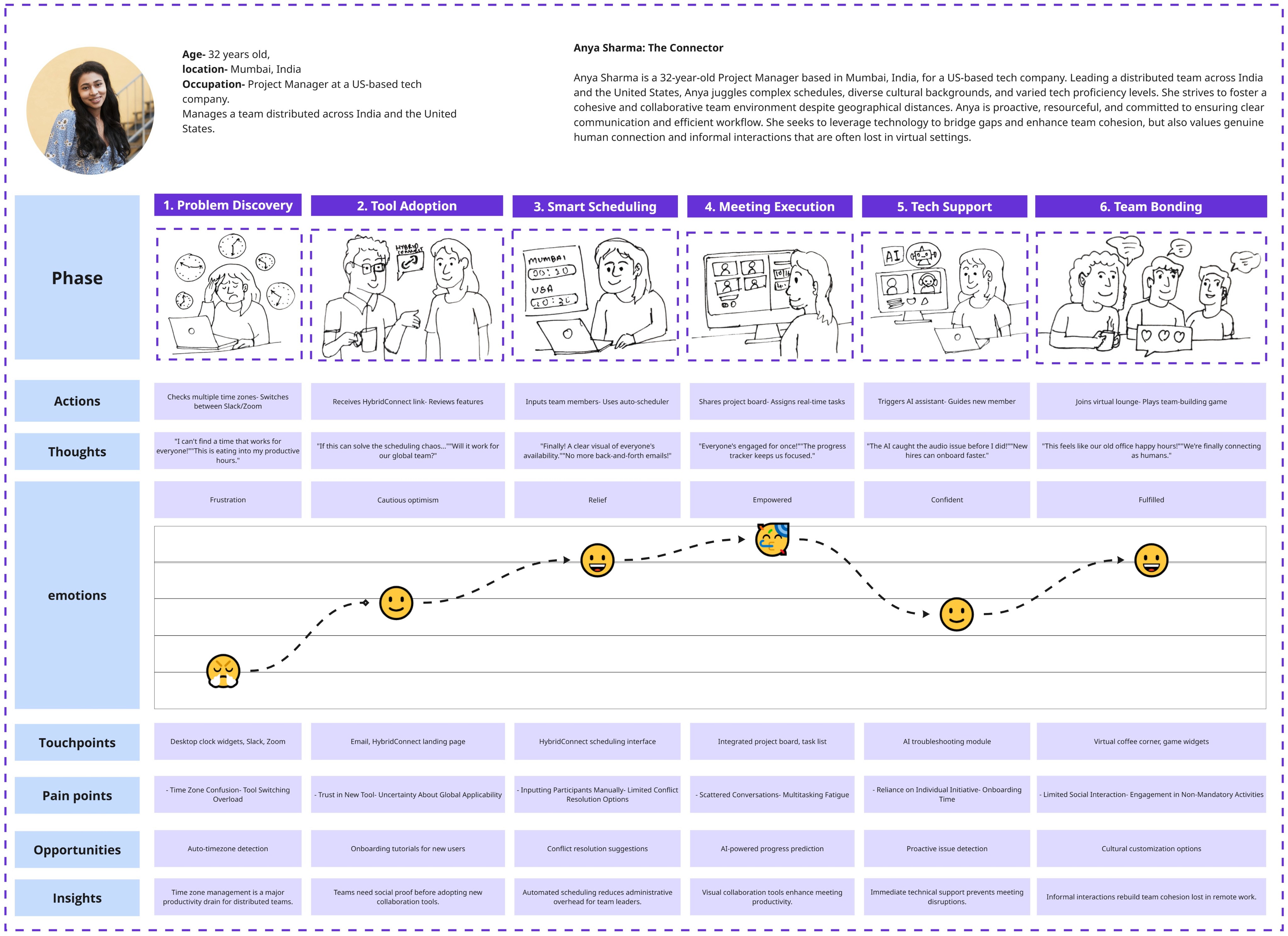
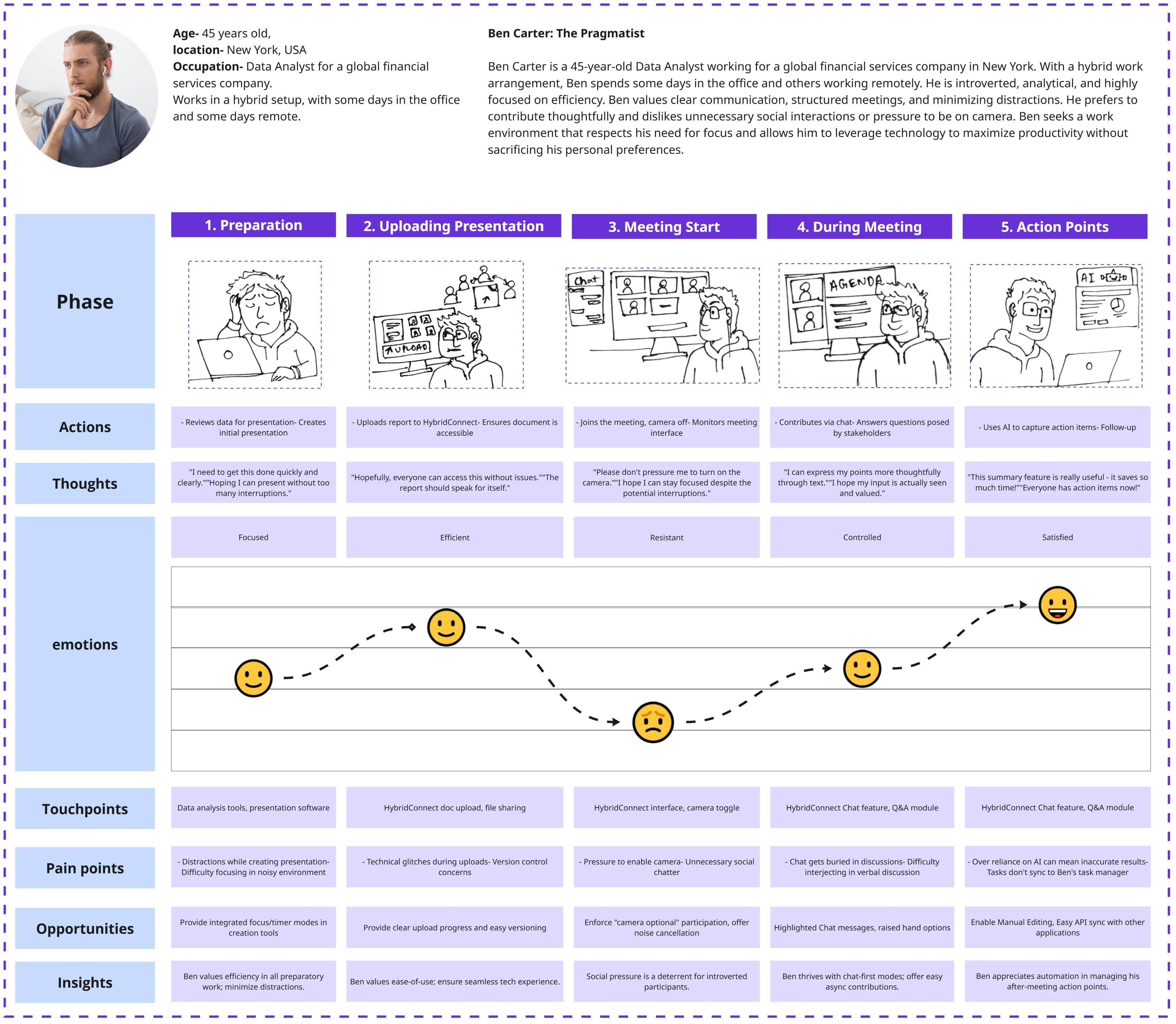
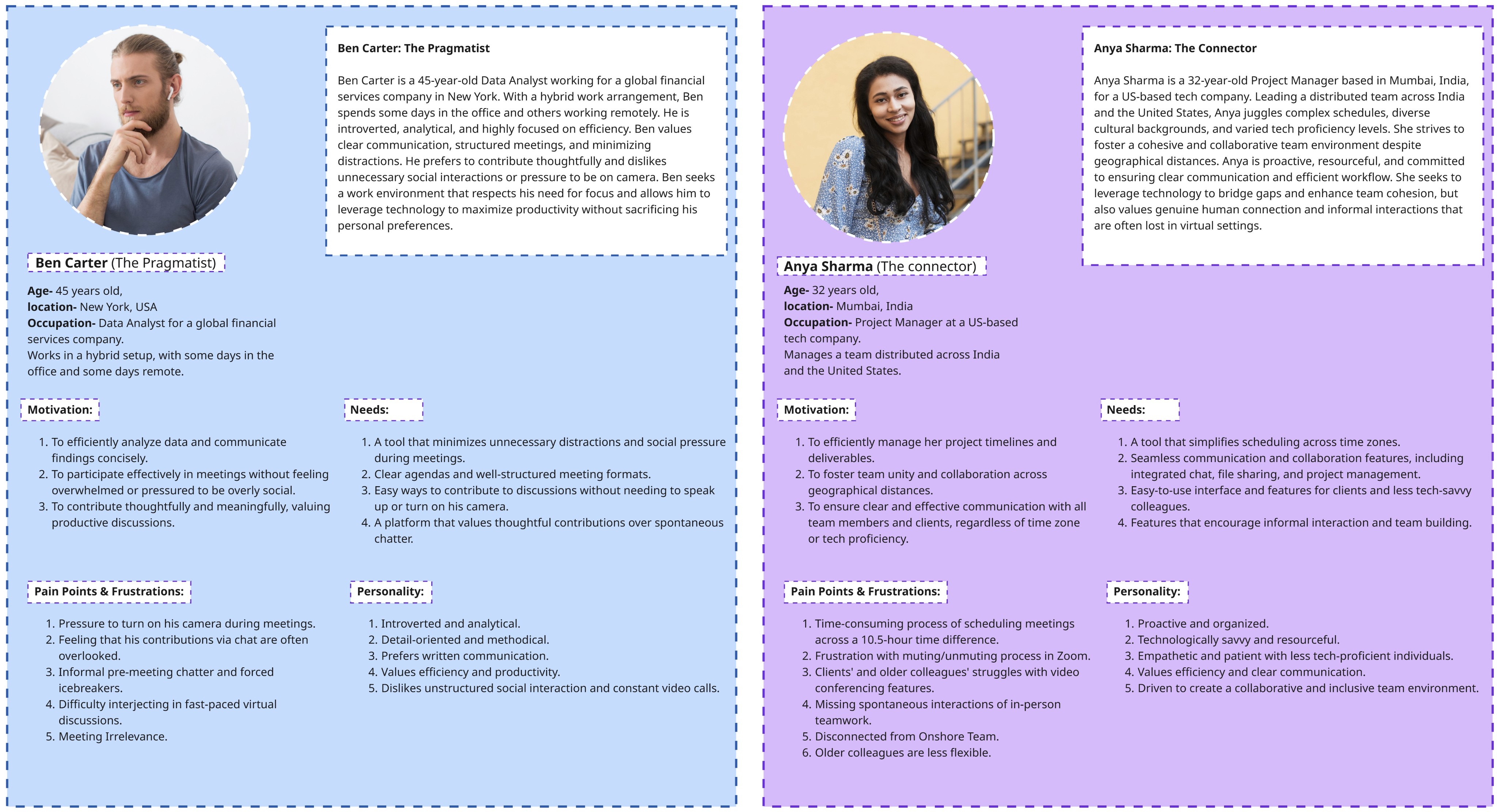
These persona embodied the pain points and aspirations uncovered in research, balancing multiple tools, seeking more inclusive meetings, and desiring stronger team connections.

These persona embodied the pain points and aspirations uncovered in research, balancing multiple tools, seeking more inclusive meetings, and desiring stronger team connections.

User Persona

User Persona

User Journey Map

User Journey Map

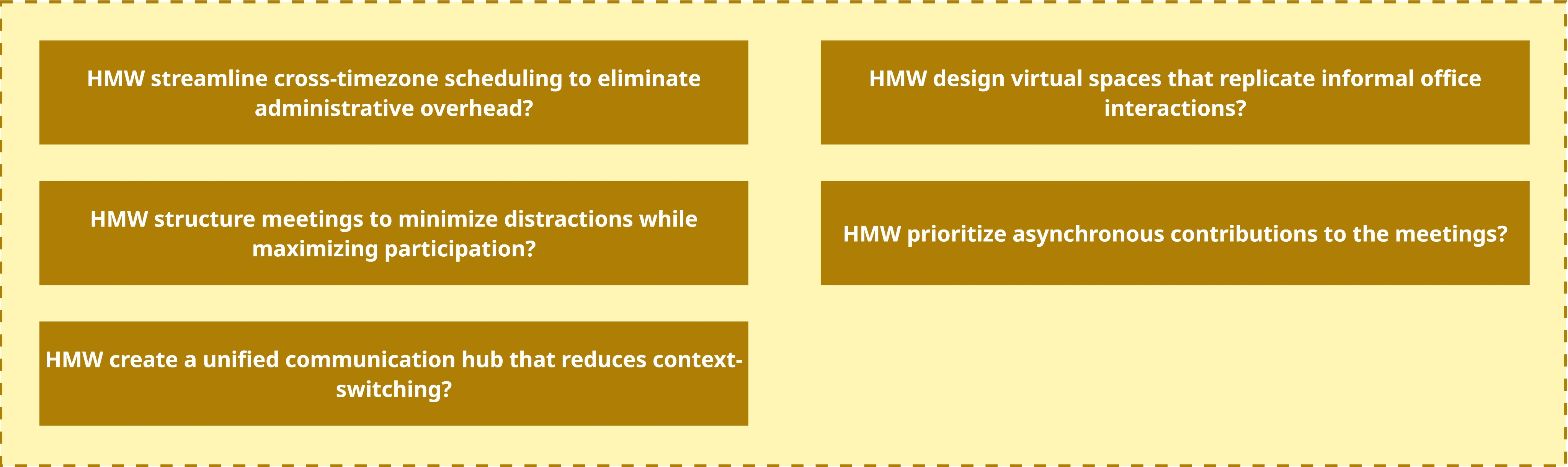
The detailed personas and journey maps surfaced specific pain points and emotional moments like feeling unheard in meetings or overwhelmed by scattered communication. These revealed clear opportunity areas, prompting targeted ‘How Might We’ questions to reframe problems as design challenges.

The detailed personas and journey maps surfaced specific pain points and emotional moments like feeling unheard in meetings or overwhelmed by scattered communication. These revealed clear opportunity areas, prompting targeted ‘How Might We’ questions to reframe problems as design challenges.

How Might We & Ideation

How Might We & Ideation

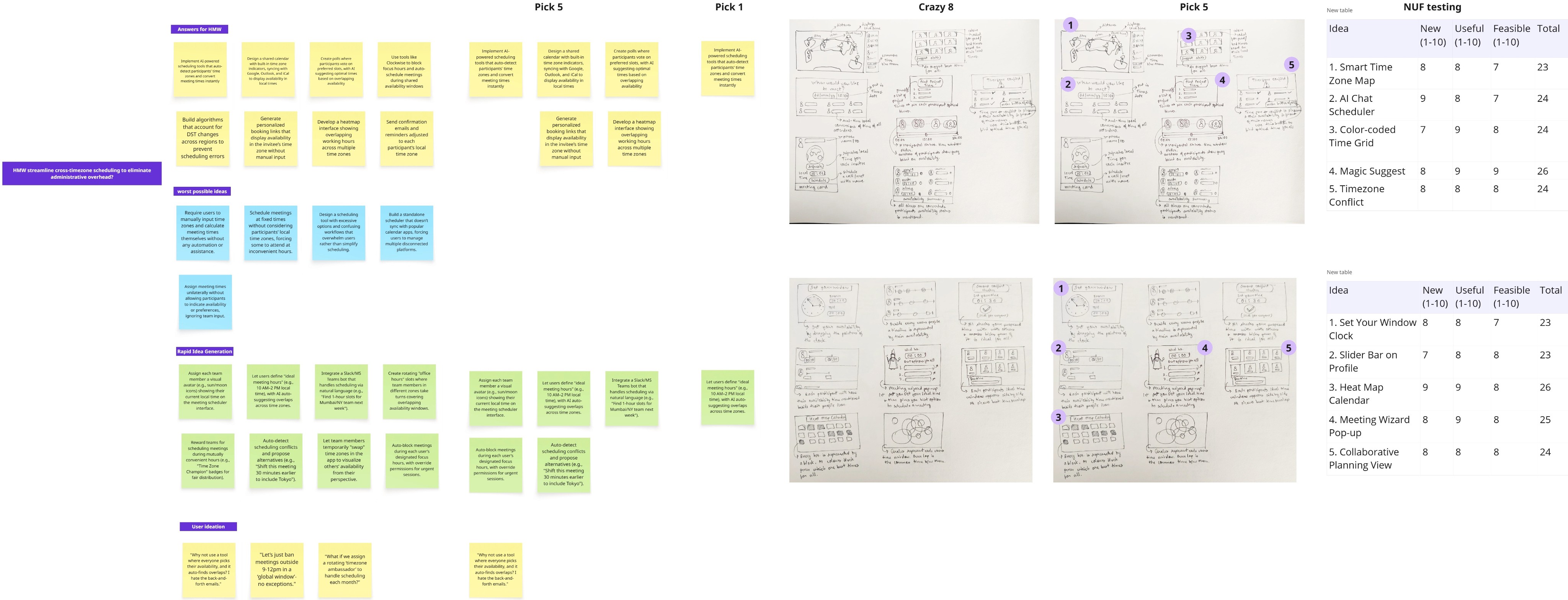
I led focused ideation sessions, generating multiple solutions for each challenge. To prioritise which concepts to pursue, I conducted NUF (New, Useful, Feasible) testing on the potential solutions, selecting those that offered the greatest value and practicality for the hybrid meeting platform.

I led focused ideation sessions, generating multiple solutions for each challenge. To prioritise which concepts to pursue, I conducted NUF (New, Useful, Feasible) testing on the potential solutions, selecting those that offered the greatest value and practicality for the hybrid meeting platform.

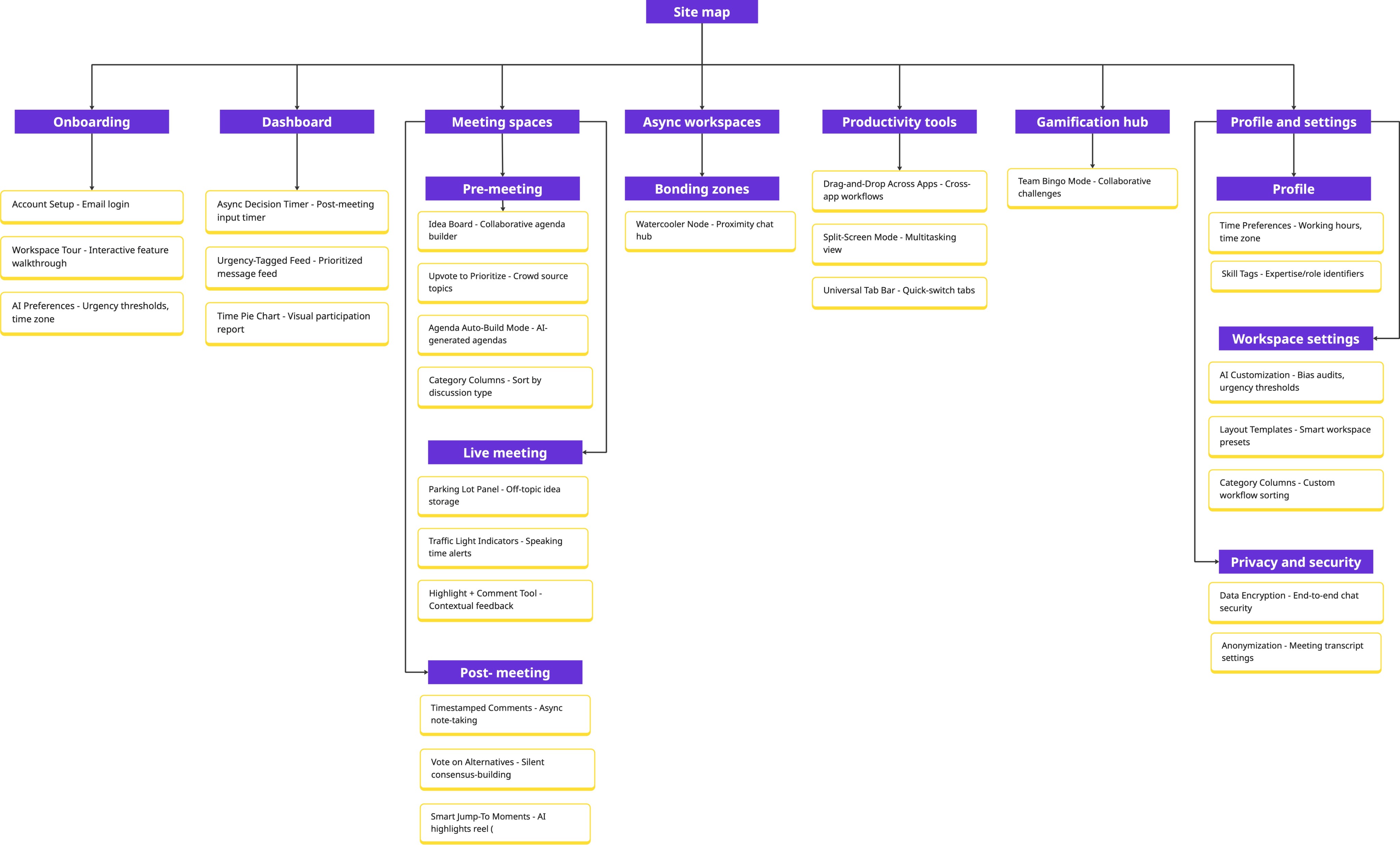
To clarify and optimise the platform’s structure, I conducted a card sorting activity using key features and content areas identified in earlier research.

To clarify and optimise the platform’s structure, I conducted a card sorting activity using key features and content areas identified in earlier research.

Insights

Ambiguous features like Drag-and-Drop were inconsistently categorised, showing a need for clearer information architecture and labelling that matches user expectations.


Participants emphasised reducing cognitive load by merging top-level categories and preferred accessible, transparent labels (e.g., “AI Settings” over technical jargon like “Bias Audits”).

Insights

Ambiguous features like Drag-and-Drop were inconsistently categorised, showing a need for clearer information architecture and labelling that matches user expectations.


Participants emphasised reducing cognitive load by merging top-level categories and preferred accessible, transparent labels (e.g., “AI Settings” over technical jargon like “Bias Audits”).

Insights

Ambiguous features like Drag-and-Drop were inconsistently categorised, showing a need for clearer information architecture and labelling that matches user expectations.


Participants emphasised reducing cognitive load by merging top-level categories and preferred accessible, transparent labels (e.g., “AI Settings” over technical jargon like “Bias Audits”).

Final Information Architecture

Final Information Architecture

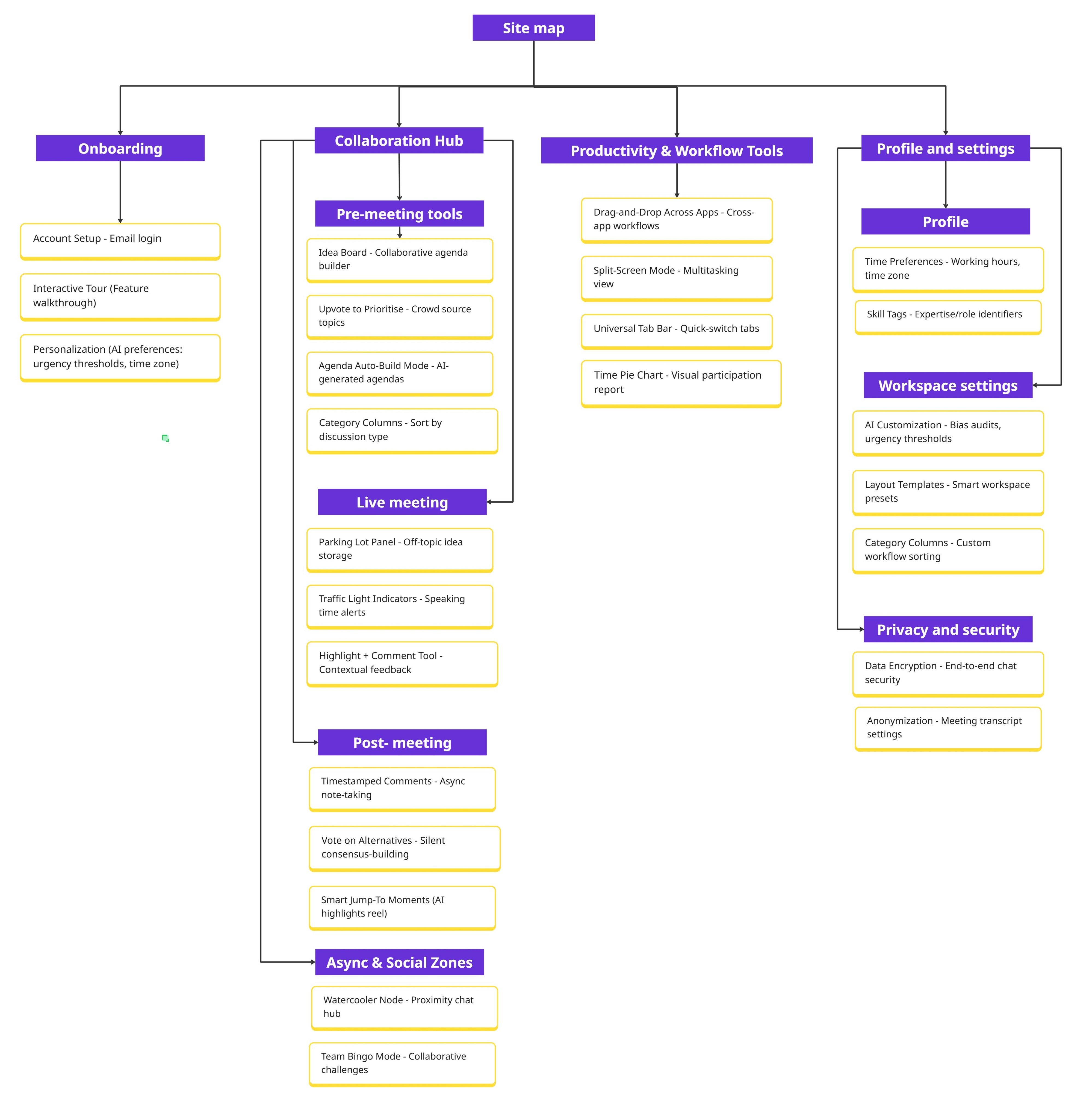
Card Sorting activity revealed natural groupings and user-preferred navigation flows, directly shaping the sidebar and main navigation seen in the final UI screens. The resulting information architecture ensures users can easily find and access all major tools, supporting a seamless and intuitive experience across the platform.

Card Sorting activity revealed natural groupings and user-preferred navigation flows, directly shaping the sidebar and main navigation seen in the final UI screens. The resulting information architecture ensures users can easily find and access all major tools, supporting a seamless and intuitive experience across the platform.

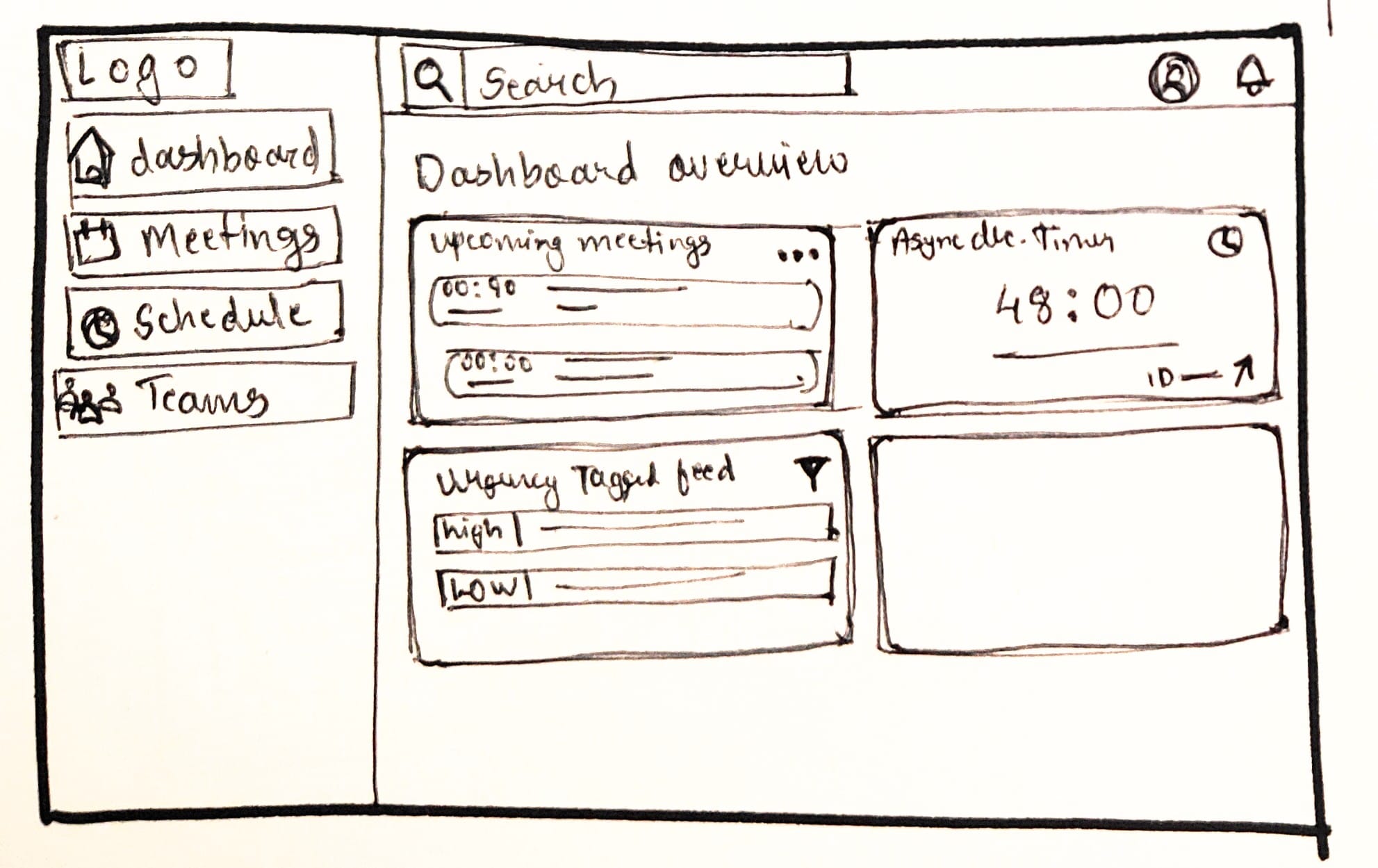
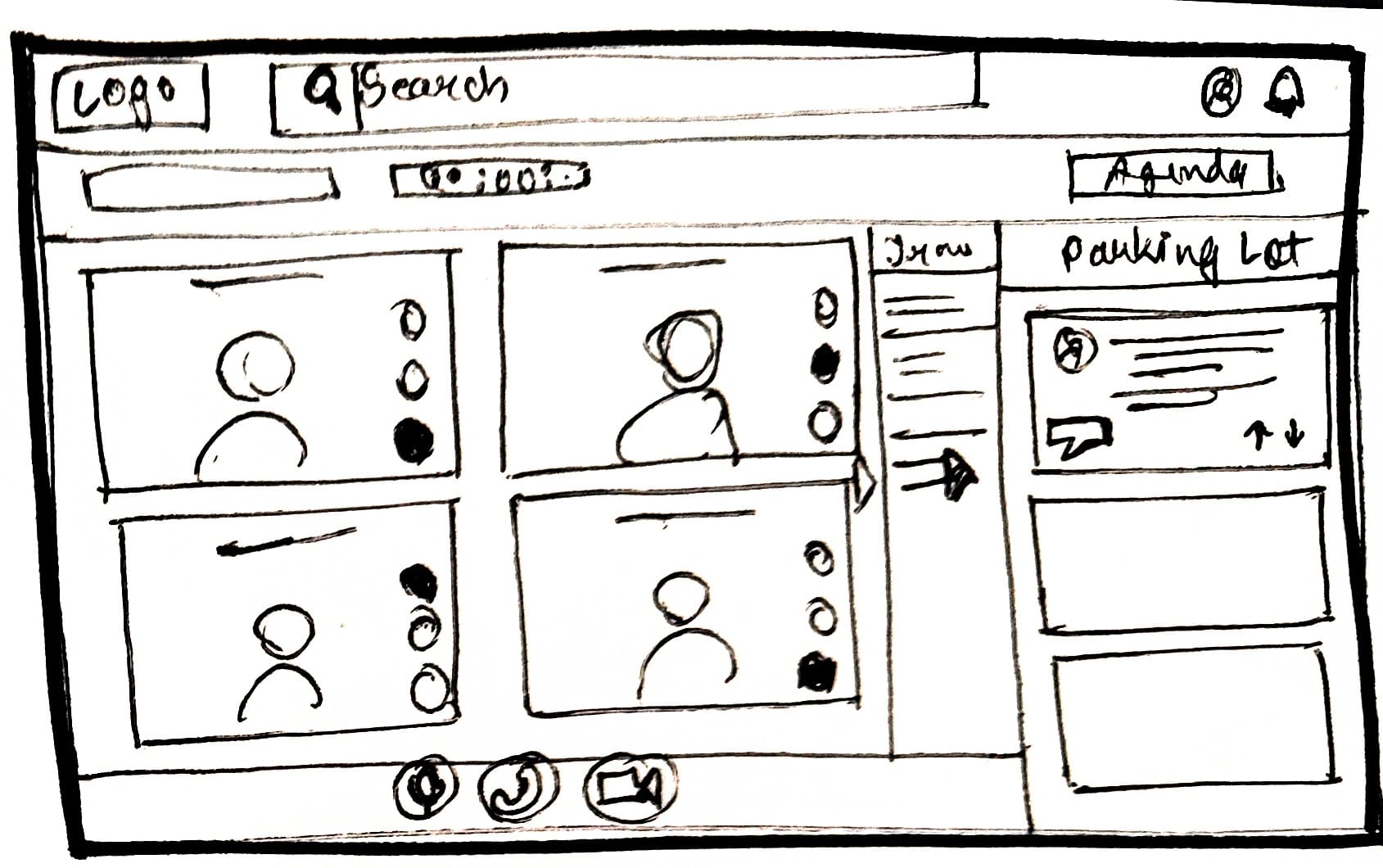
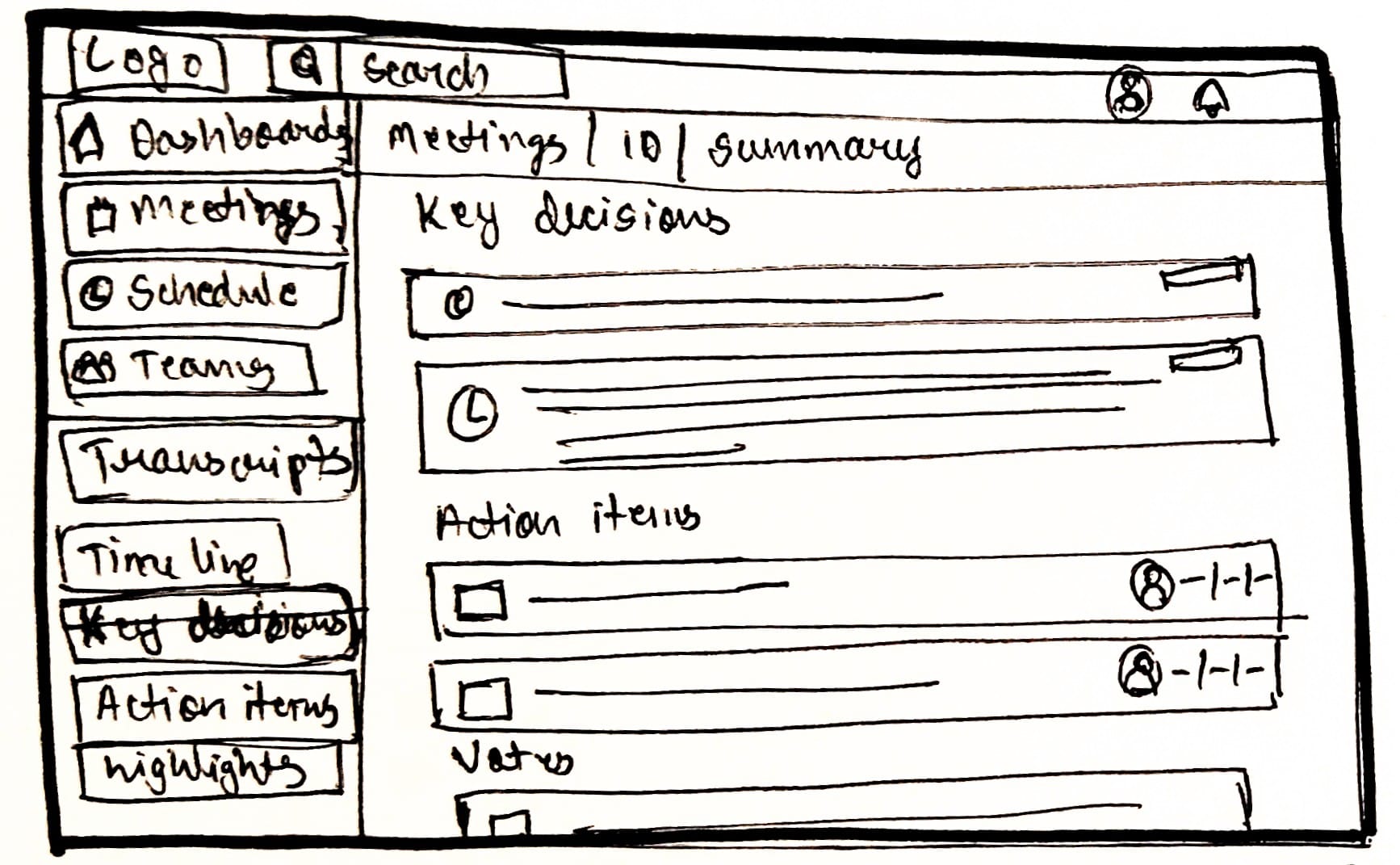
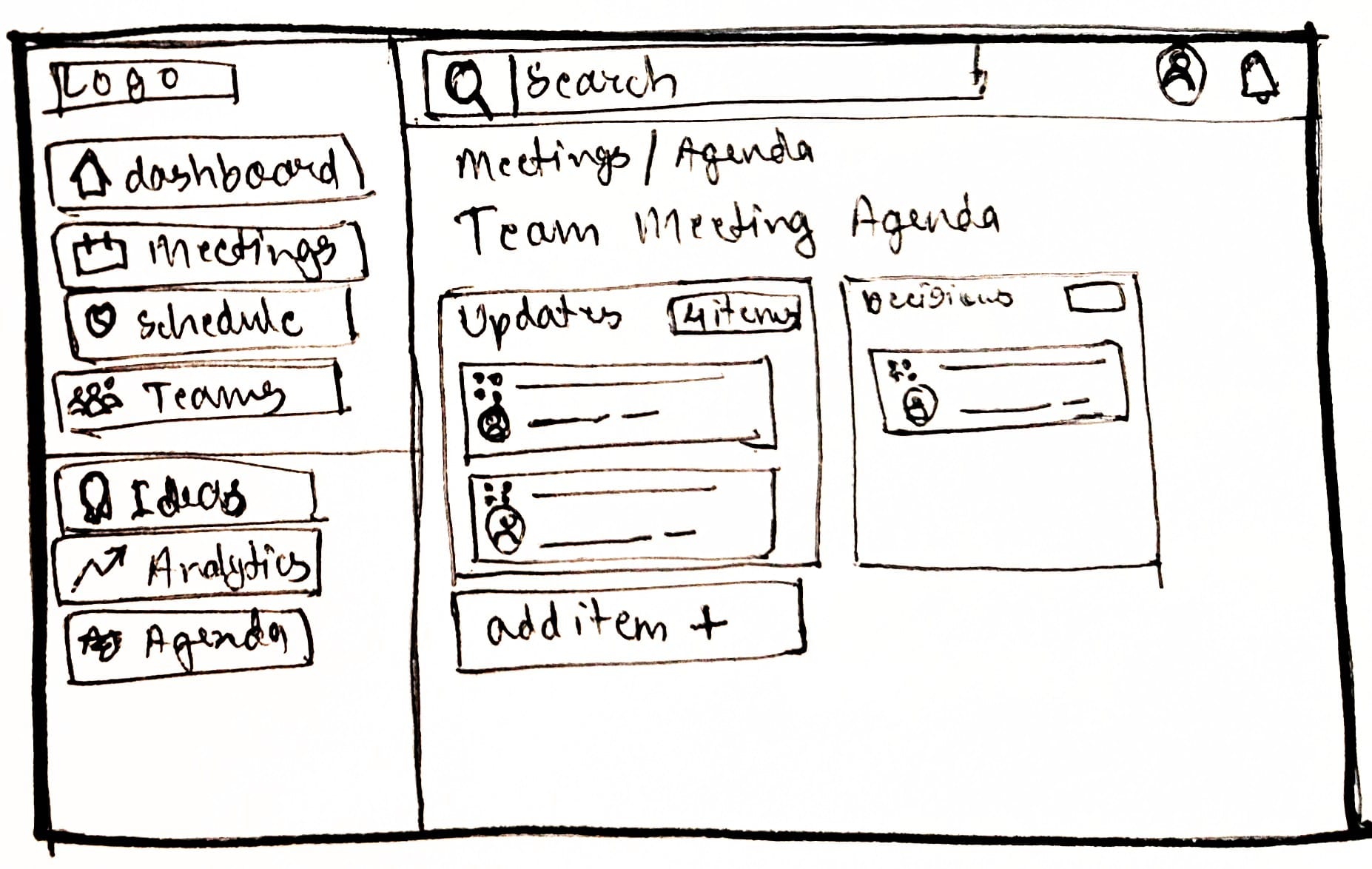
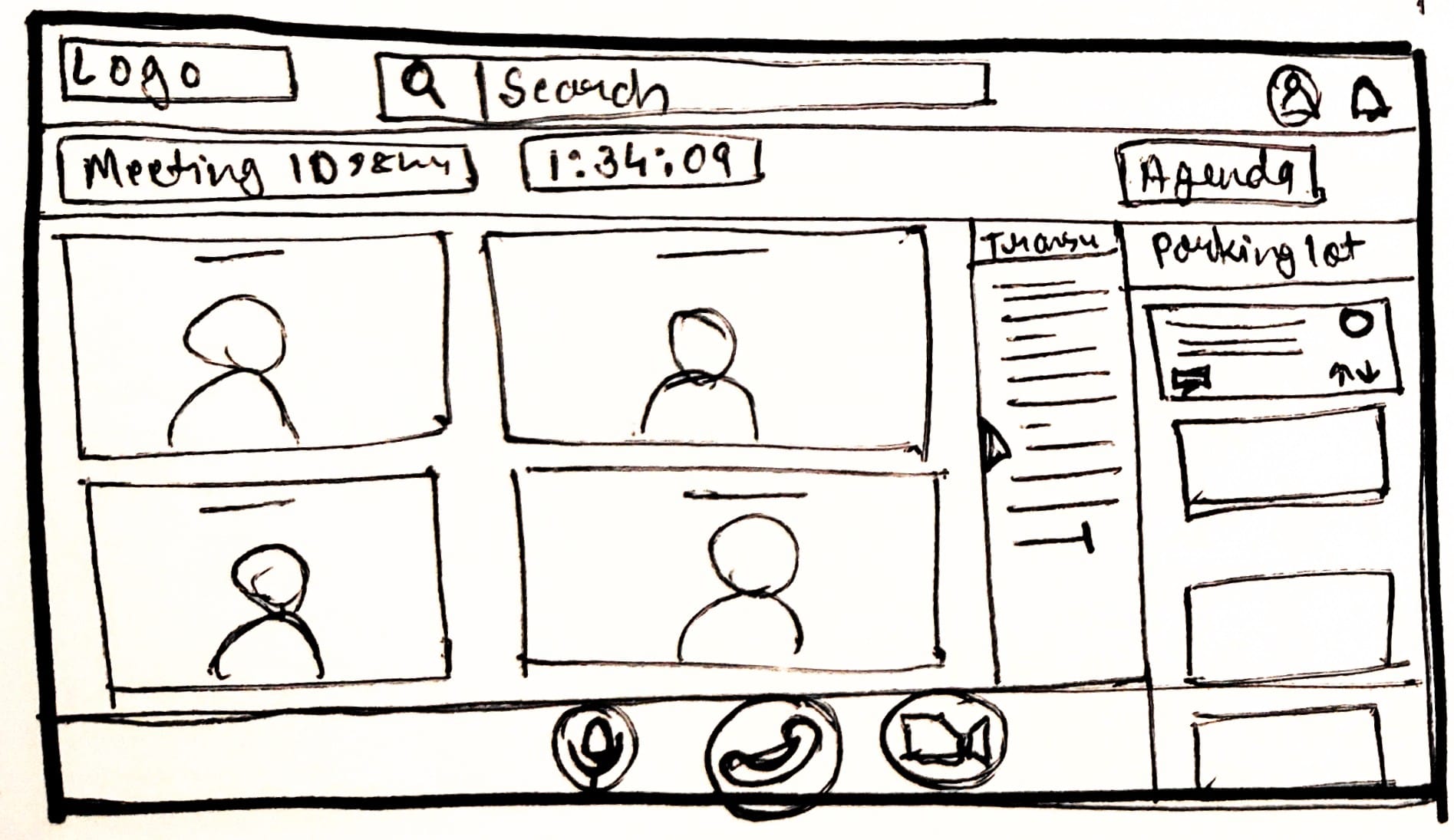
With a clear information architecture in place, I created low-fidelity wireframes to visualise the layout and flow of each core feature.

With a clear information architecture in place, I created low-fidelity wireframes to visualise the layout and flow of each core feature.

Translating Concepts into Structure: Wireframing

Translating Concepts into Structure: Wireframing

Setting the Visual Tone: Mood board Creation

Setting the Visual Tone: Mood board Creation

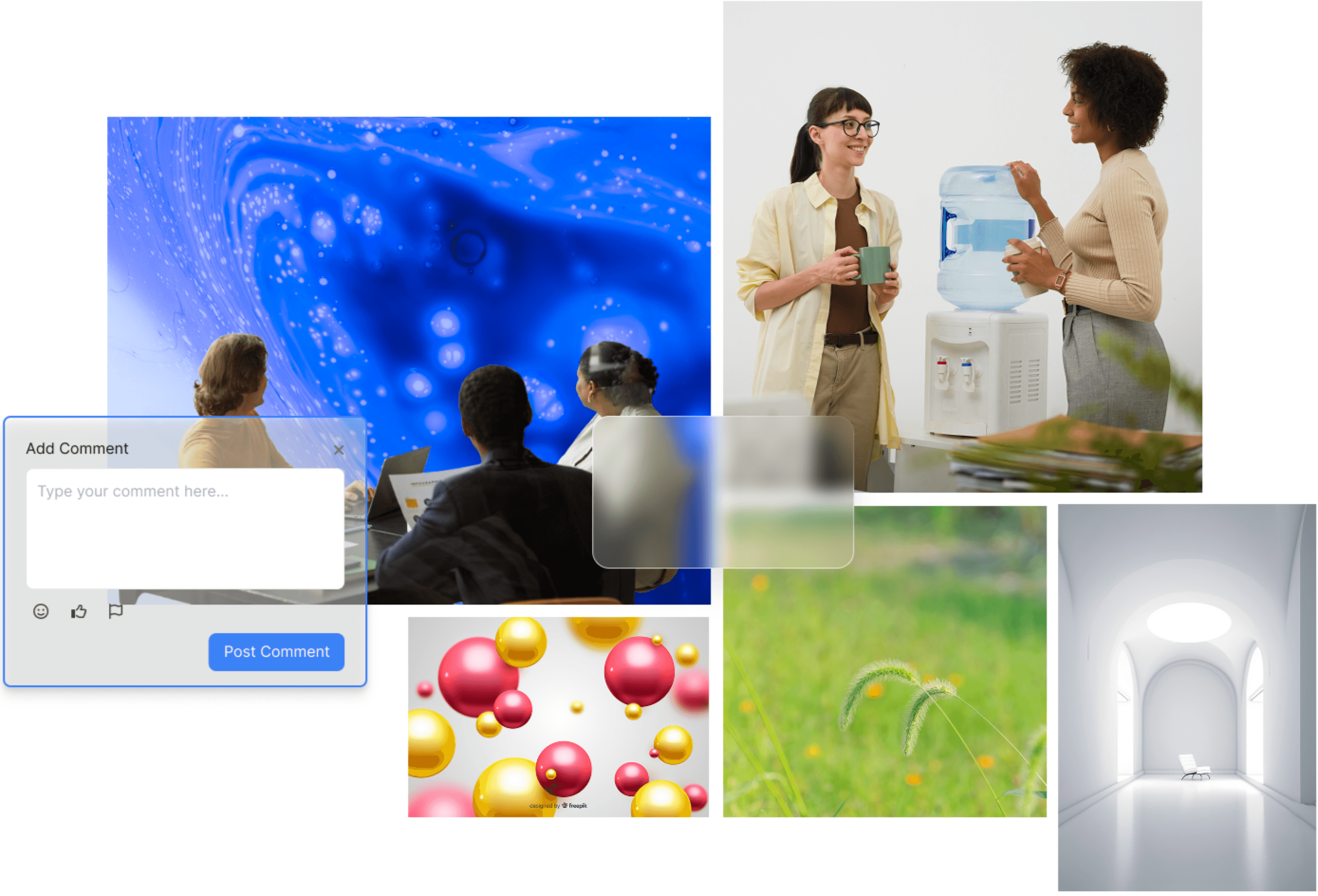
This moodboard blends scenes of teamwork, casual conversation, and digital collaboration to capture the spirit of hybrid work. The use of blue abstract patterns and floating spheres adds a modern, energetic touch. Natural elements and bright, open spaces evoke calm and clarity. Together, these visuals set a tone that is welcoming, productive, and connected—reflecting the balance of focus and human interaction at the heart of the platform.

This moodboard blends scenes of teamwork, casual conversation, and digital collaboration to capture the spirit of hybrid work. The use of blue abstract patterns and floating spheres adds a modern, energetic touch. Natural elements and bright, open spaces evoke calm and clarity. Together, these visuals set a tone that is welcoming, productive, and connected—reflecting the balance of focus and human interaction at the heart of the platform.

Centralized Team & Meeting Overview

Centralized Team & Meeting Overview

This dashboard brings together meetings, tasks, members, idea boards, and analytics for a quick team overview—helping everyone stay organised and fully aligned before each session.

This dashboard brings together meetings, tasks, members, idea boards, and analytics for a quick team overview—helping everyone stay organised and fully aligned before each session.

 Idea Board with Upvoting

 Idea Board with Upvoting

The Idea Board enables all team members to submit and upvote topics for meetings, making the agenda creation transparent and collaborative. This feature ensures that the most relevant topics are prioritised, fostering inclusivity and shared ownership of meeting discussions.

The Idea Board enables all team members to submit and upvote topics for meetings, making the agenda creation transparent and collaborative. This feature ensures that the most relevant topics are prioritised, fostering inclusivity and shared ownership of meeting discussions.

 Meeting-Specific Ideas & Comments

 Meeting-Specific Ideas & Comments

Participants can add, review, and comment on agenda items specific to each meeting. Direct discussion supports detailed prep and makes sure every voice shapes the meeting’s focus.

Participants can add, review, and comment on agenda items specific to each meeting. Direct discussion supports detailed prep and makes sure every voice shapes the meeting’s focus.

Team Meeting Agenda by Category

Team Meeting Agenda by Category

Agenda items are grouped into categories like Updates and Decisions, making it easy to structure discussions, add new items, and share the agenda, so meetings stay focused and all key topics get covered

Agenda items are grouped into categories like Updates and Decisions, making it easy to structure discussions, add new items, and share the agenda, so meetings stay focused and all key topics get covered

Conference Agenda Overview

Conference Agenda Overview

This screen shows the full conference agenda, including session times, speakers, and details, in a clear layout. Users can edit or finalise sessions, see a summary of the event, and export the agenda for easy sharing and coordination.

This screen shows the full conference agenda, including session times, speakers, and details, in a clear layout. Users can edit or finalise sessions, see a summary of the event, and export the agenda for easy sharing and coordination.

Off-Topic Idea Capture

Off-Topic Idea Capture

The Parking Lot Panel lets participants quickly jot down off-topic ideas or questions without disrupting the meeting. These are saved for later review, so valuable input isn’t lost and meetings stay focused and efficient.

The Parking Lot Panel lets participants quickly jot down off-topic ideas or questions without disrupting the meeting. These are saved for later review, so valuable input isn’t lost and meetings stay focused and efficient.

Non-Disruptive Real-Time Feedback

Non-Disruptive Real-Time Feedback

The Highlight + Comment Tool lets users mark key meeting moments and add real-time, contextual comments. This enables immediate feedback and documentation, enriching collaboration and making meeting records more actionable without disrupting conversation flow.

The Highlight + Comment Tool lets users mark key meeting moments and add real-time, contextual comments. This enables immediate feedback and documentation, enriching collaboration and making meeting records more actionable without disrupting conversation flow.

Visual Speaking Time Balance

Visual Speaking Time Balance

Real-time Traffic Light Indicators provide instant, color-coded feedback on each participant’s speaking time during meetings. This visual system helps ensure balanced participation, gently prompting quieter members to contribute and preventing any one voice from dominating the discussion.

Real-time Traffic Light Indicators provide instant, color-coded feedback on each participant’s speaking time during meetings. This visual system helps ensure balanced participation, gently prompting quieter members to contribute and preventing any one voice from dominating the discussion.

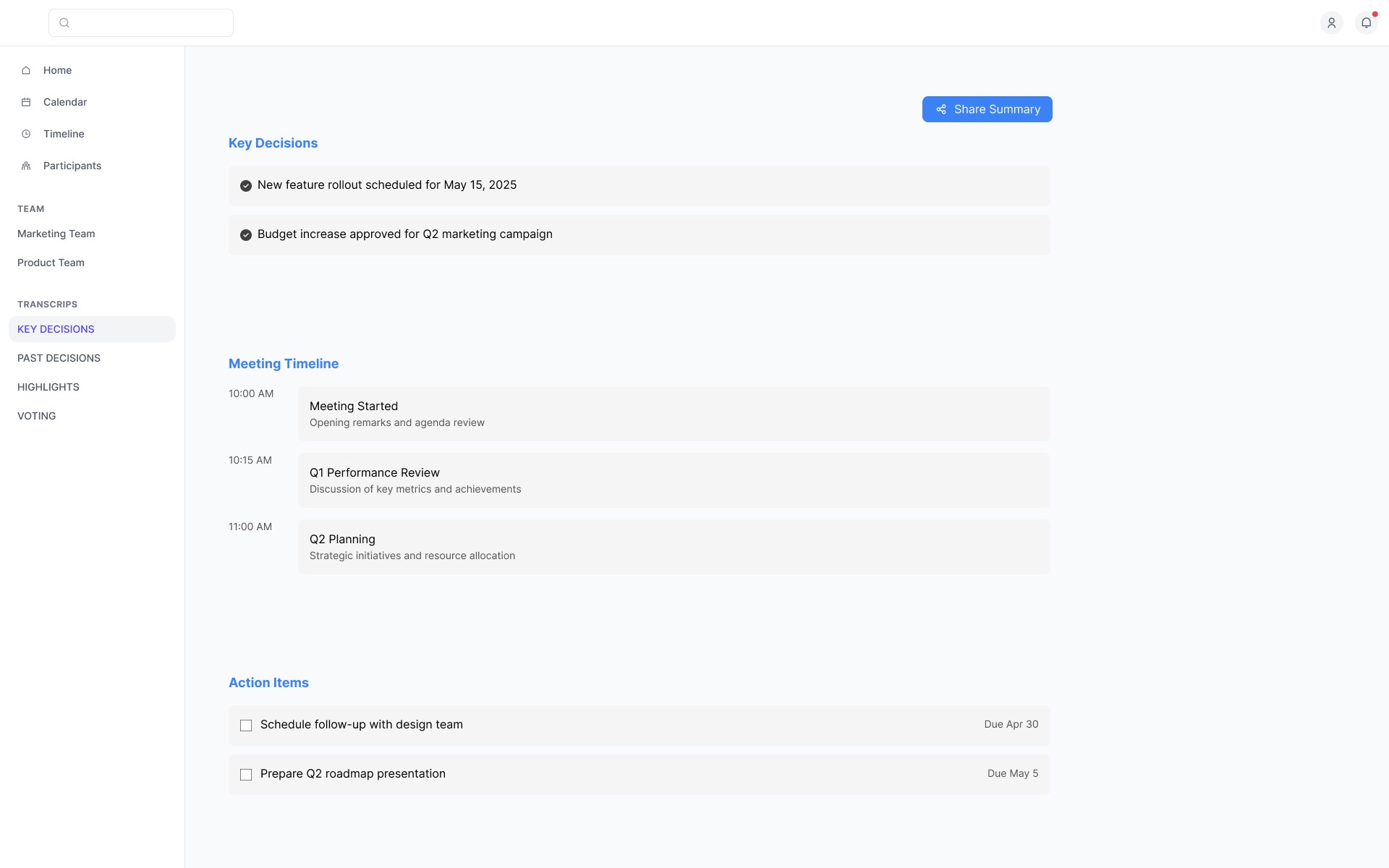
Centralized and Ongoing Post-Meeting Collaboration

Centralized and Ongoing Post-Meeting Collaboration

The Post-Meeting Workspace brings together summaries, action items, and highlights for easy review. Features like Timestamped Comments and voting enable async feedback and quick consensus. Smart Jump-To Moments use AI to surface key topics, while unified navigation helps teams move intuitively between collaboration tasks after meetings.

The Post-Meeting Workspace brings together summaries, action items, and highlights for easy review. Features like Timestamped Comments and voting enable async feedback and quick consensus. Smart Jump-To Moments use AI to surface key topics, while unified navigation helps teams move intuitively between collaboration tasks after meetings.

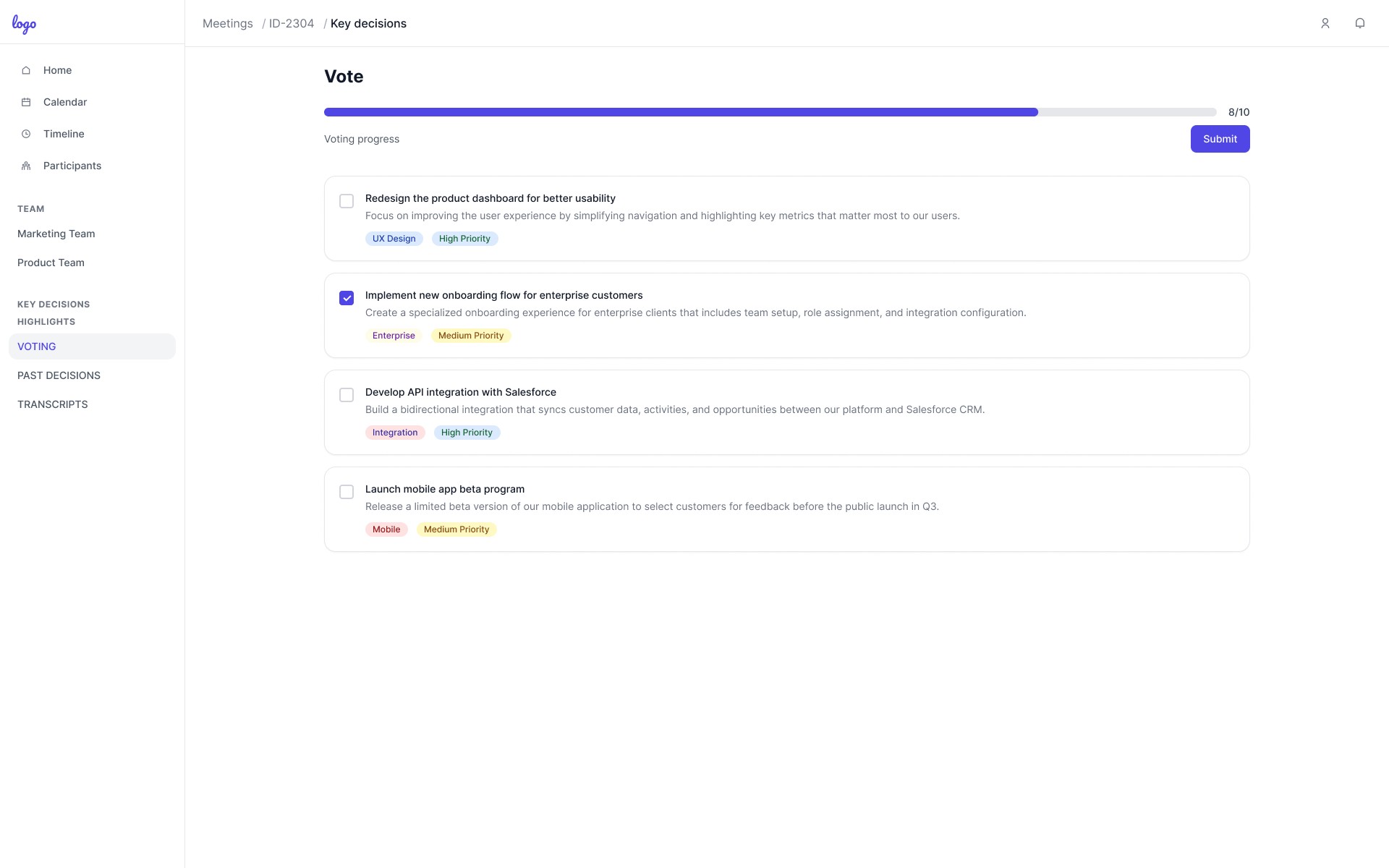
Vote on Alternatives

Vote on Alternatives

The Vote on Alternatives feature lets everyone vote on solutions or next steps—anytime, even after meetings. This async process boosts participation, builds consensus, and ensures all team voices influence decisions.

The Vote on Alternatives feature lets everyone vote on solutions or next steps—anytime, even after meetings. This async process boosts participation, builds consensus, and ensures all team voices influence decisions.

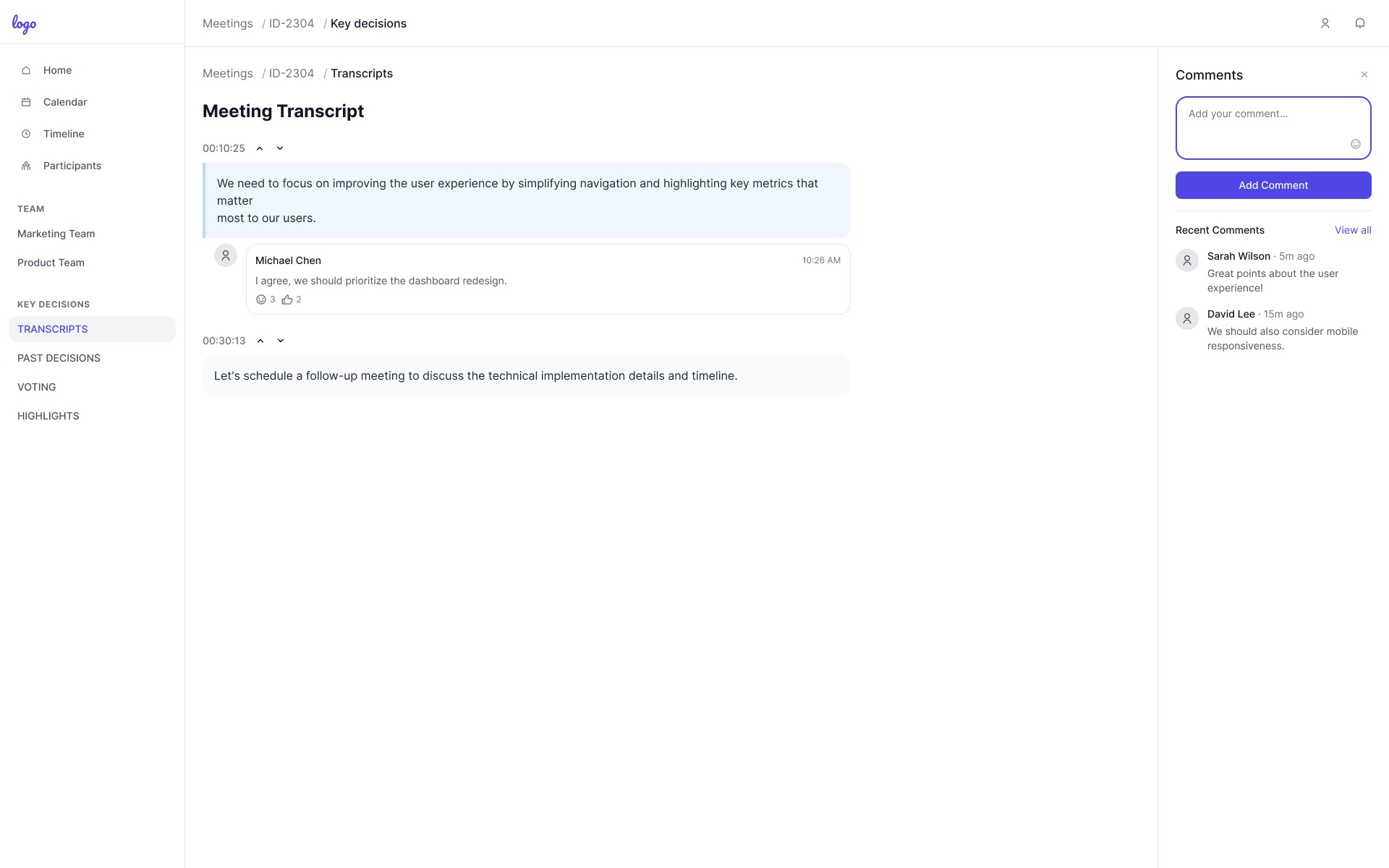
Timestamped Comments

Timestamped Comments

Timestamped Comments let users give feedback tied to exact moments in meeting notes or recordings. This makes reviewing and contributing easier for everyone, ensures input is never lost, and keeps discussions anchored to relevant content.

Timestamped Comments let users give feedback tied to exact moments in meeting notes or recordings. This makes reviewing and contributing easier for everyone, ensures input is never lost, and keeps discussions anchored to relevant content.

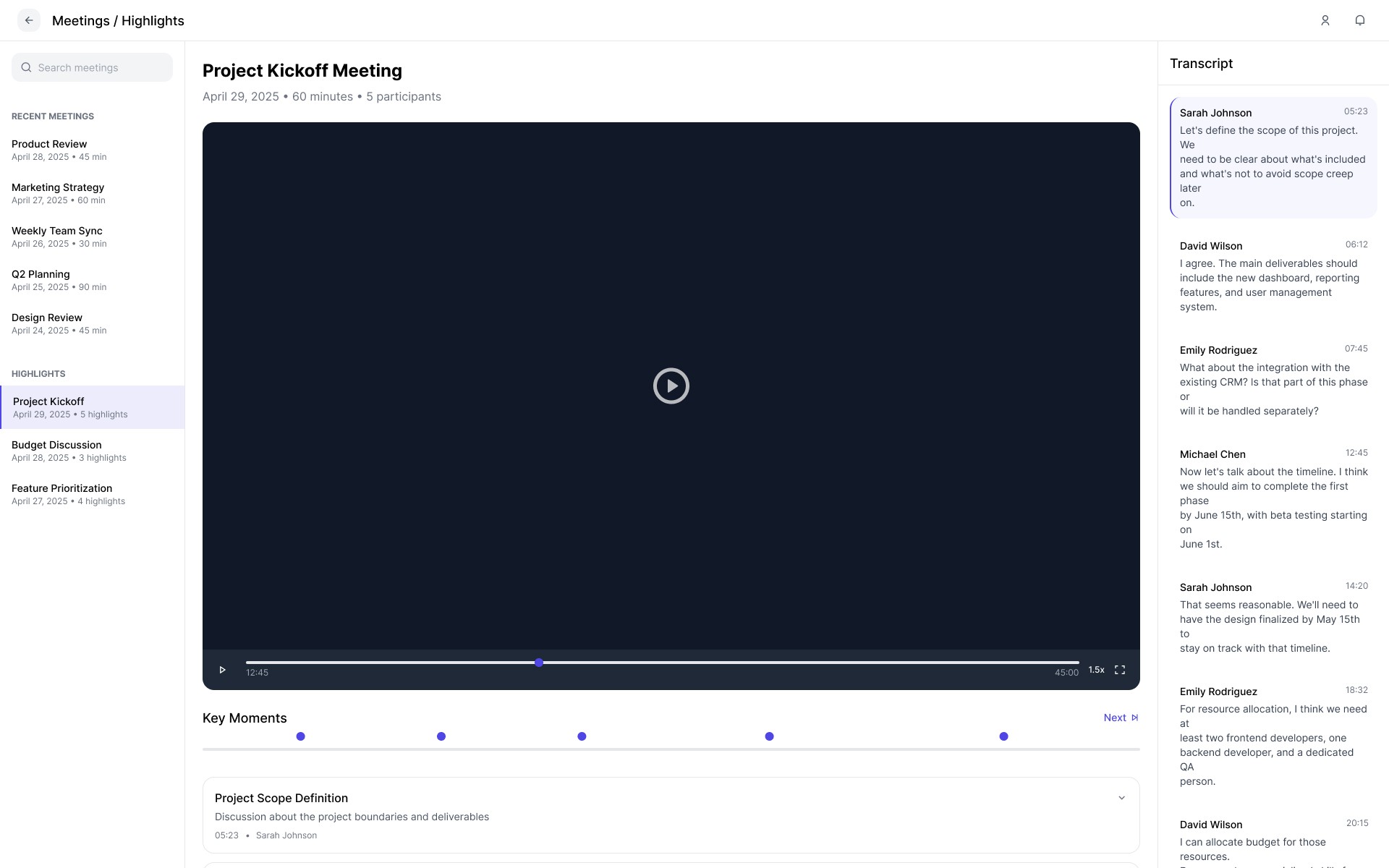
Smart Jump-To Moments

Smart Jump-To Moments

AI-powered Smart Jump-To Moments highlight and let users instantly access key discussion points and decisions in meeting recordings or summaries. This saves time and makes it easy to find and act on the most important information.

AI-powered Smart Jump-To Moments highlight and let users instantly access key discussion points and decisions in meeting recordings or summaries. This saves time and makes it easy to find and act on the most important information.

Create a free website with Framer, the website builder loved by startups, designers and agencies.