
KSHITIJ GANGAN

/Shee - Tij/

/Gang - Gun/

CyberShield

CyberShield

CyberShield

By streamlining AI-driven fraud detection, simplifying fraud reporting and a multilingual, accessible interface, the CyberShield app empowers users to identify threats early and act quickly, reducing losses and enhancing trust in digital payments.

By streamlining AI-driven fraud detection, simplifying fraud reporting and a multilingual, accessible interface, the CyberShield app empowers users to identify threats early and act quickly, reducing losses and enhancing trust in digital payments.

By streamlining AI-driven fraud detection, simplifying fraud reporting and a multilingual, accessible interface, the CyberShield app empowers users to identify threats early and act quickly, reducing losses and enhancing trust in digital payments.

Problem

Problem

CyberShield was designed to achieve three primary goals:

CyberShield was designed to achieve three primary goals:

Minimise user losses from phishing, UPI scams, and banking fraud through advanced AI threat detection.

Minimise user losses from phishing, UPI scams, and banking fraud through advanced AI threat detection.

Improve fraud reporting rates among Indian users by simplifying multilingual reporting workflows and streamlining resolution processes.

Improve fraud reporting rates among Indian users by simplifying multilingual reporting workflows and streamlining resolution processes.

Proactively educate and protect vulnerable user groups against prevalent and emerging scams.

Proactively educate and protect vulnerable user groups against prevalent and emerging scams.

How might we improve CyberShield to increase customer success by:

How might we improve CyberShield to increase customer success by:

How might we improve CyberShield to increase customer success by:

1. Enhancing detection accuracy for banking fraud, phishing scams, UPI fraud, and e-commerce fraud?


2. Simplifying systems to encourage and facilitate actionable fraud reporting by victims?


3. Developing a multilingual, user-friendly interface that makes crime reporting accessible and easy to use?

1. Enhancing detection accuracy for banking fraud, phishing scams, UPI fraud, and e-commerce fraud?


2. Simplifying systems to encourage and facilitate actionable fraud reporting by victims?


3. Developing a multilingual, user-friendly interface that makes crime reporting accessible and easy to use?

1. Enhancing detection accuracy for banking fraud, phishing scams, UPI fraud, and e-commerce fraud?


2. Simplifying systems to encourage and facilitate actionable fraud reporting by victims?


3. Developing a multilingual, user-friendly interface that makes crime reporting accessible and easy to use?

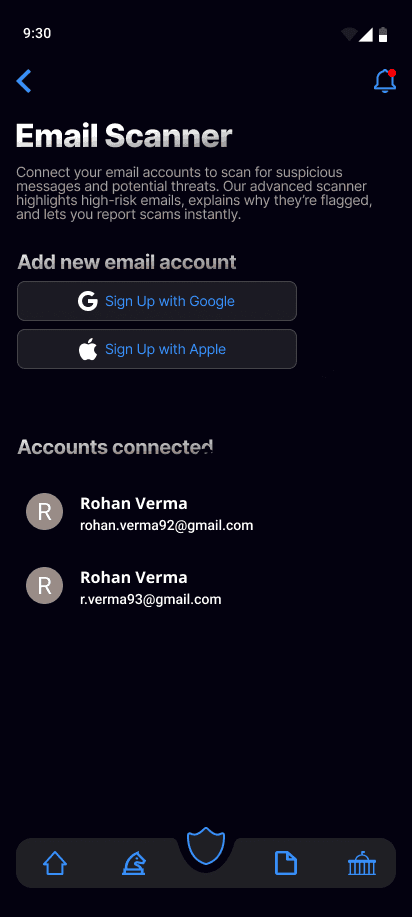
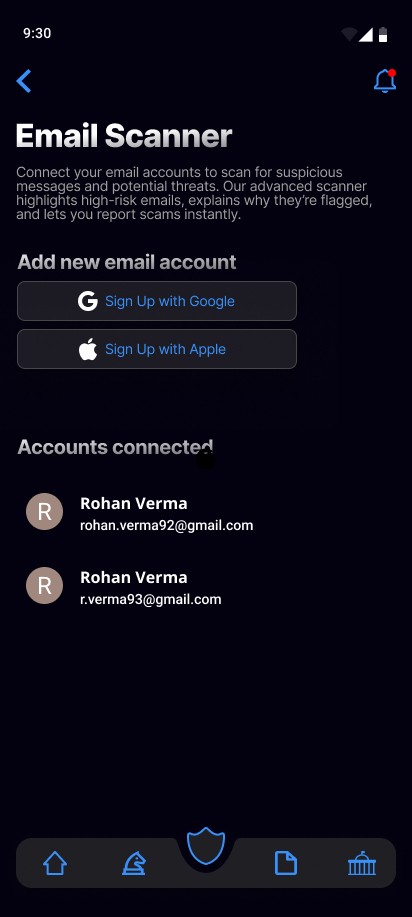
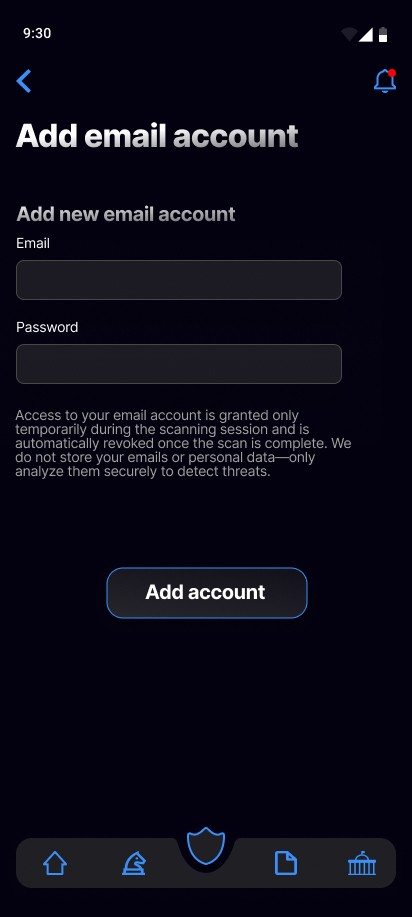
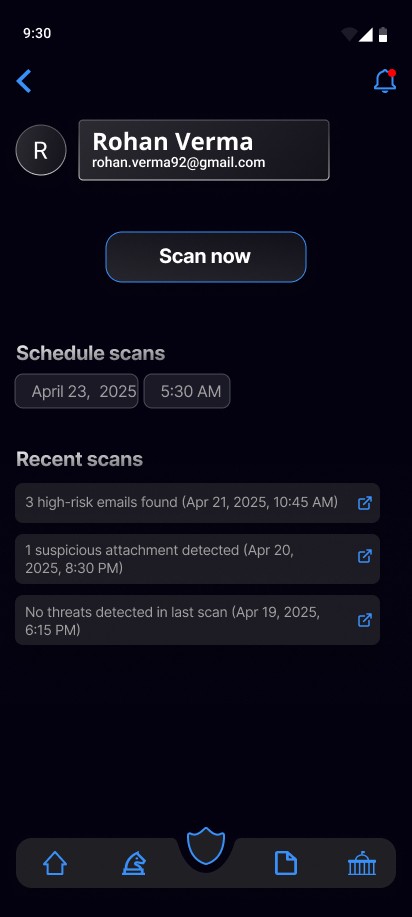
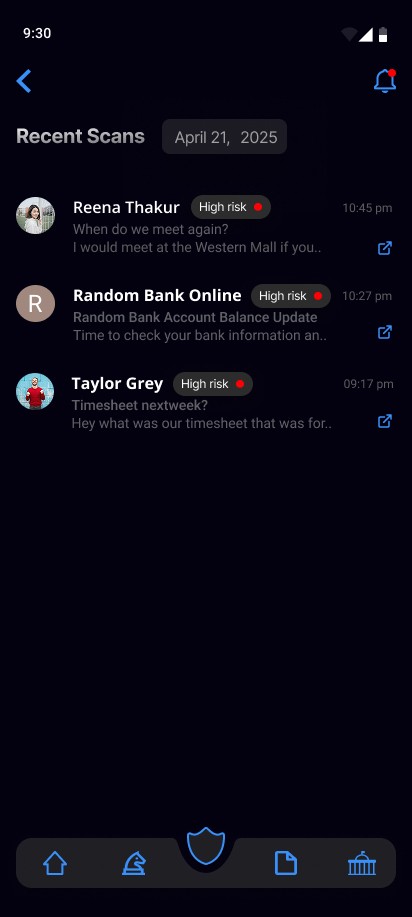
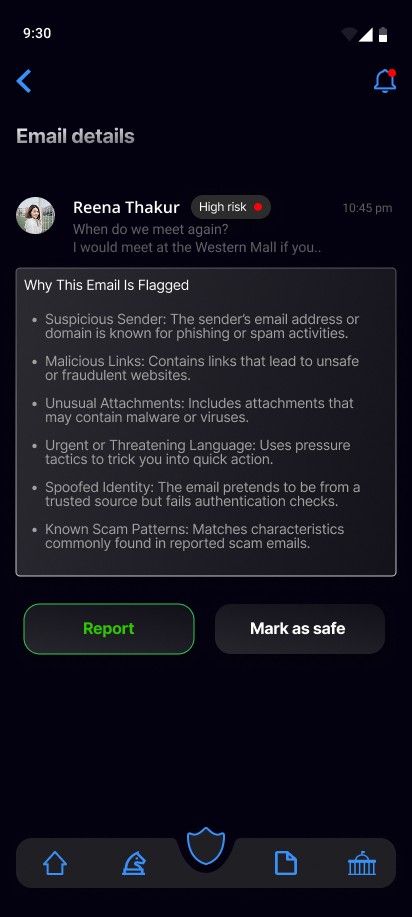
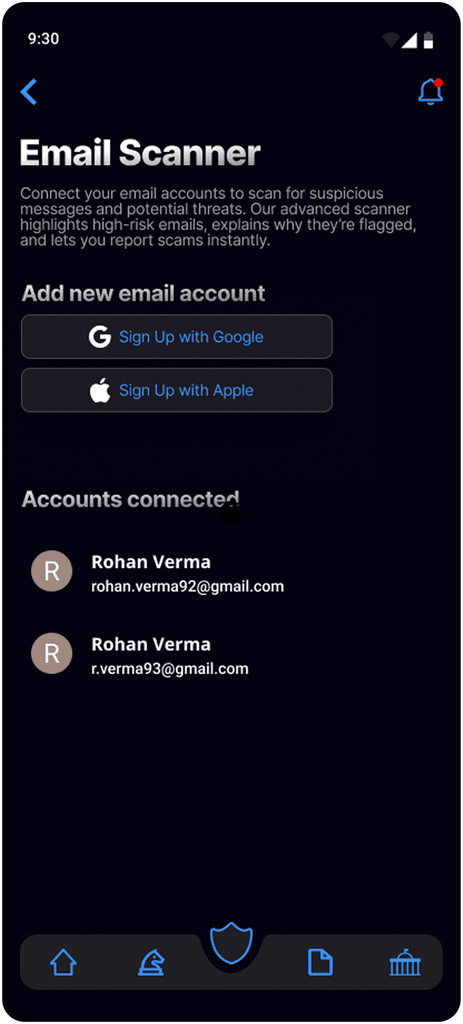
AI-powered email scanner with user control

Users can connect their email accounts for automatic phishing scans. The app flags high-risk emails with clear explanations and lets users report or mark them safe, helping train the AI. Scans can be manual, scheduled, or real-time, and users control privacy by toggling access any time.

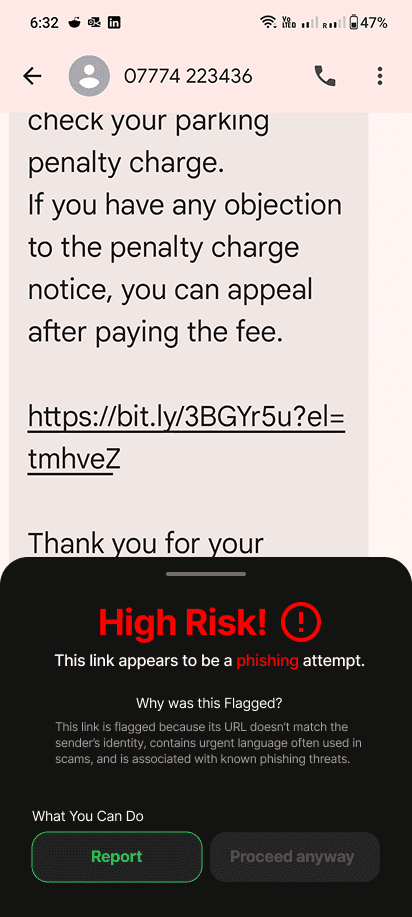
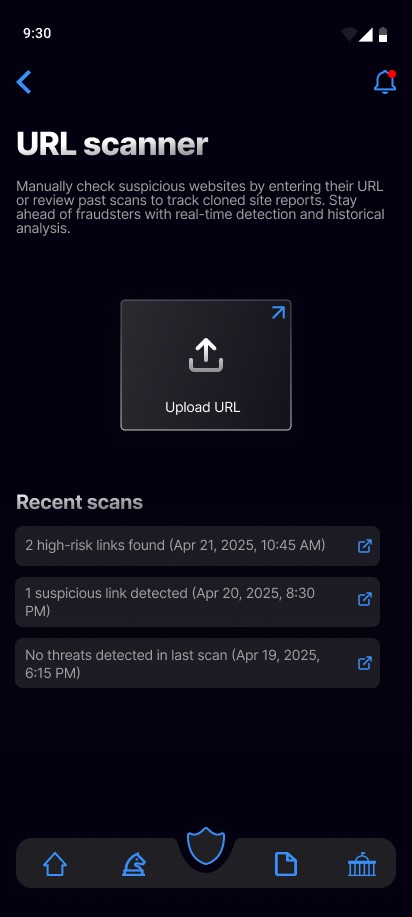
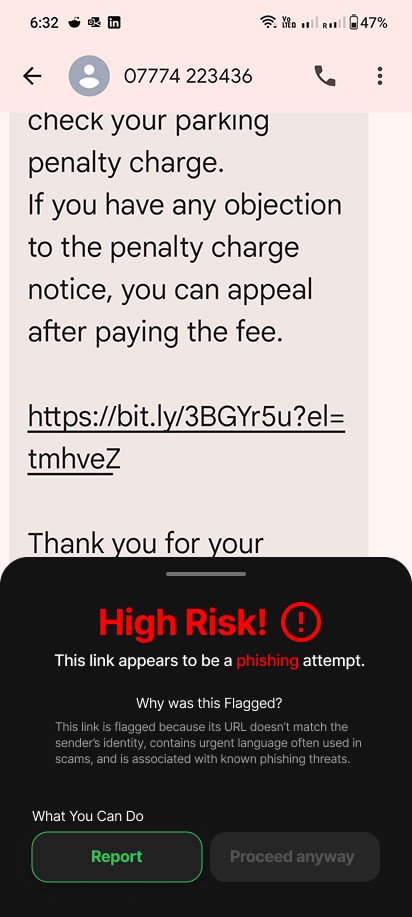
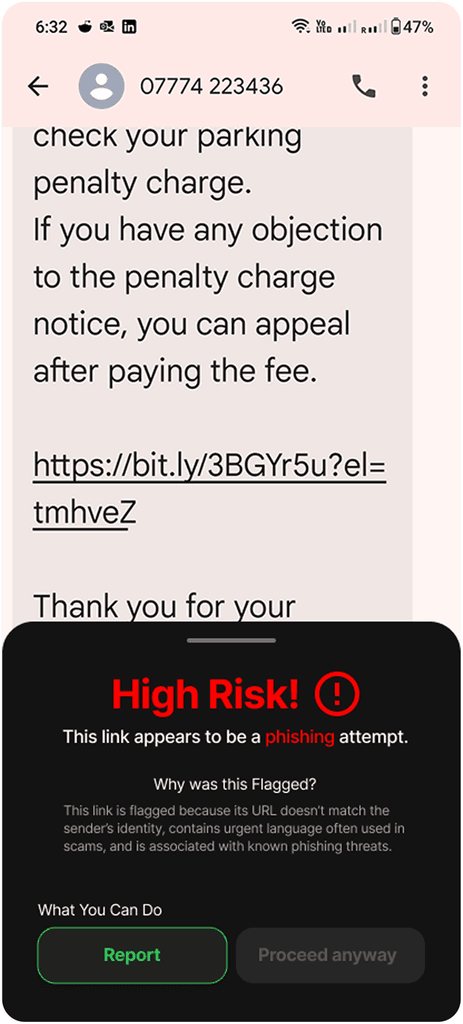
Instant AI alerts against suspicious activity

This screen features CyberShield’s real-time AI alert system, which instantly detects scam calls and phishing messages. By helping users pause and assess high-pressure situations, it reduces impulsive responses and prevents fraud.

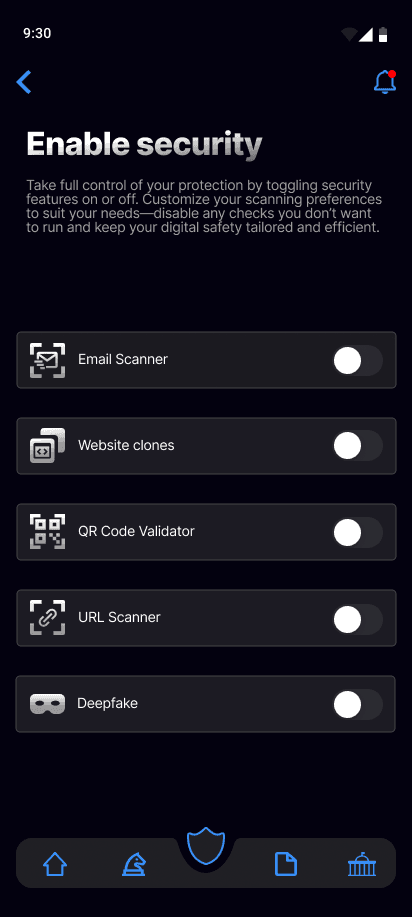
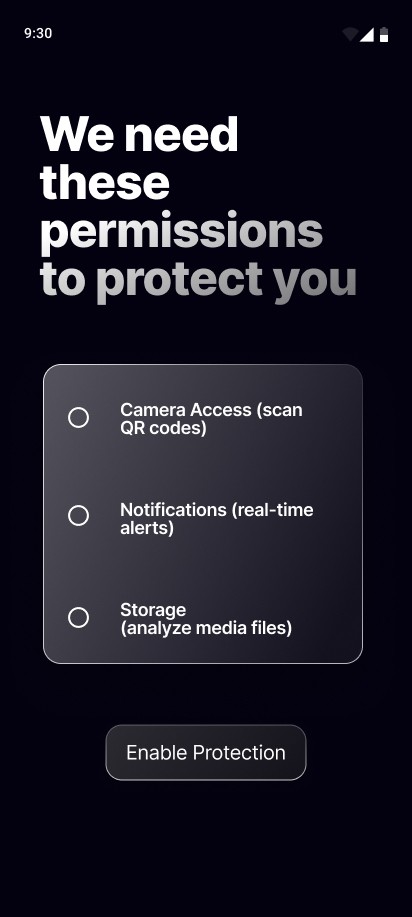
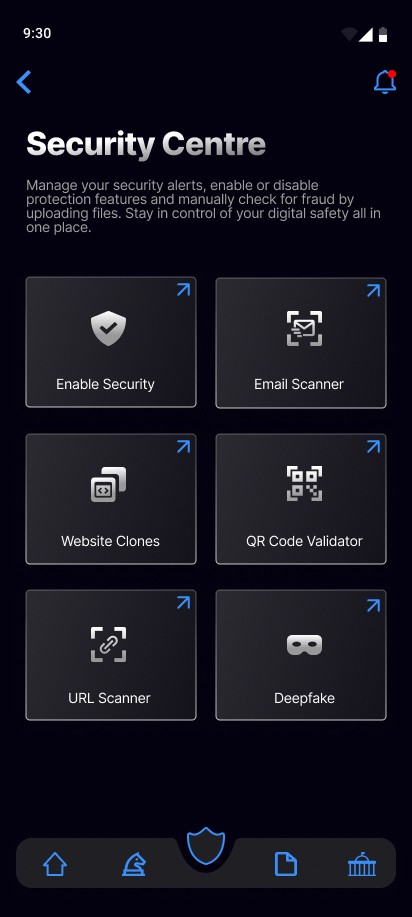
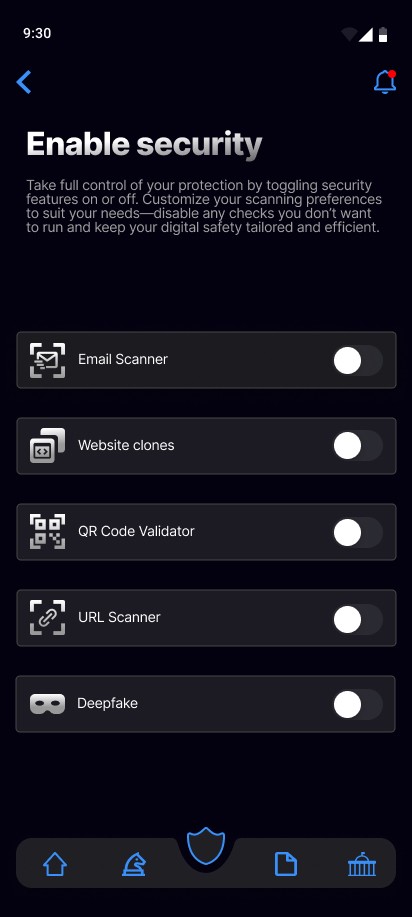
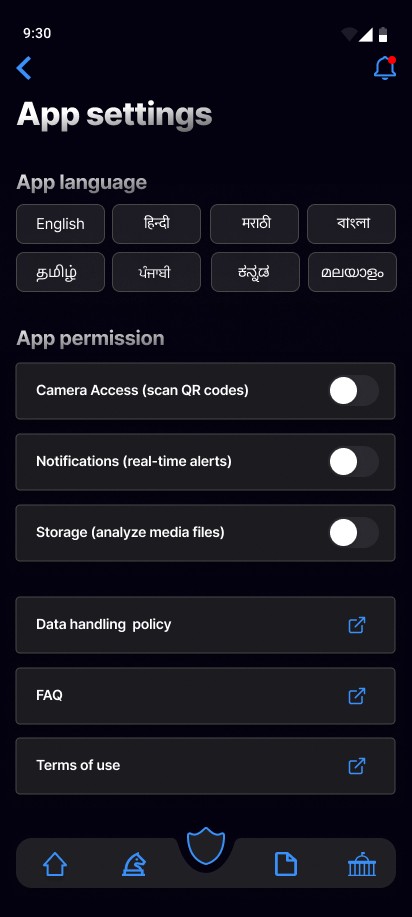
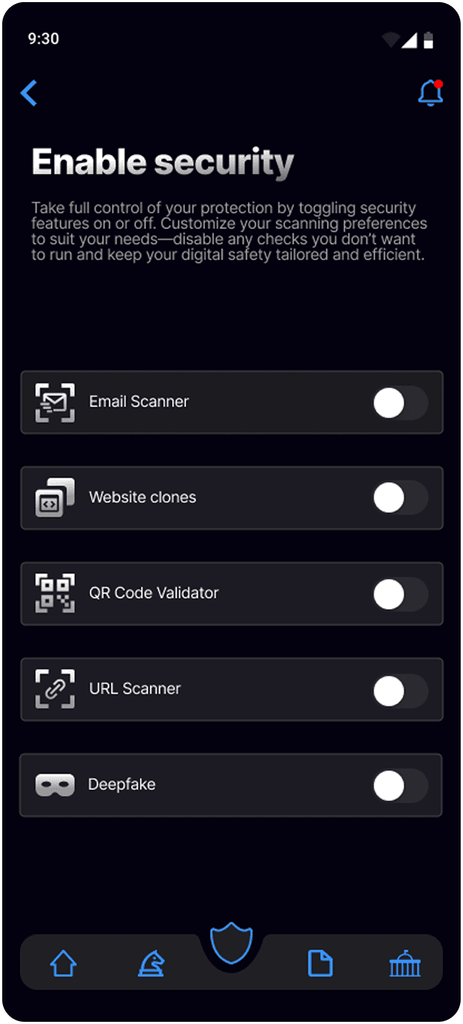
Privacy-first, user-controlled security settings

Users can turn real-time scanning for emails, SMS, or links on or off, giving them transparency and control over their data—important for building trust with privacy-conscious users.

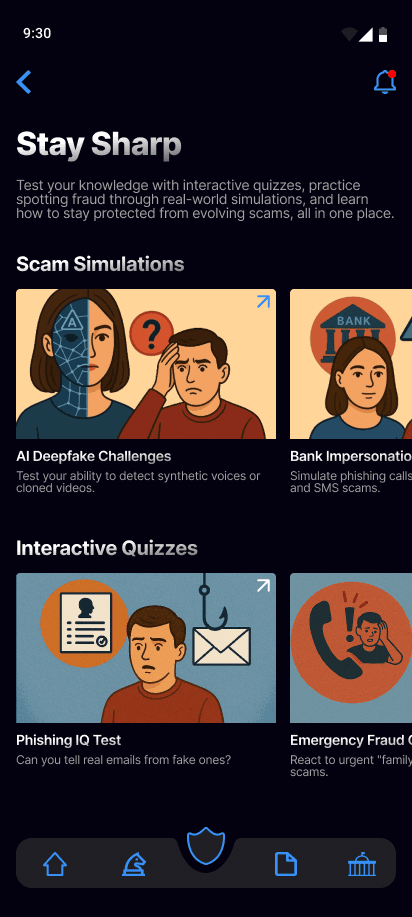
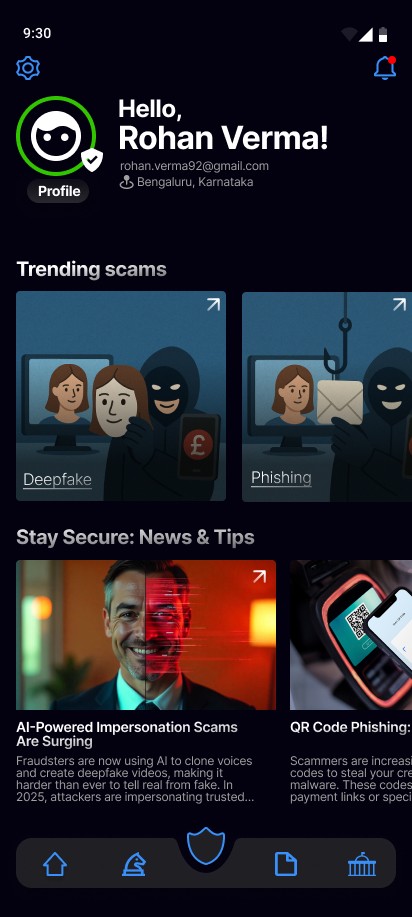
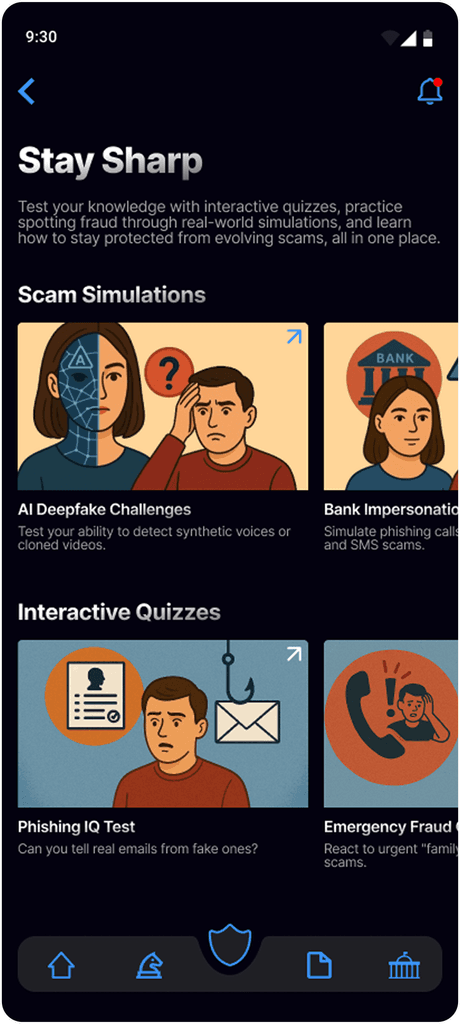
Empowering users through scam awareness

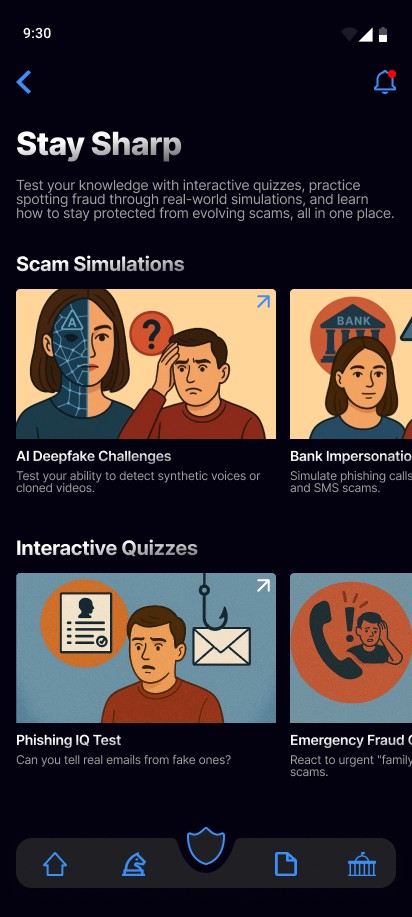
This screen uses bite-sized visuals to teach users about common and new scams, making scam-spotting skills easy to learn for all literacy levels.

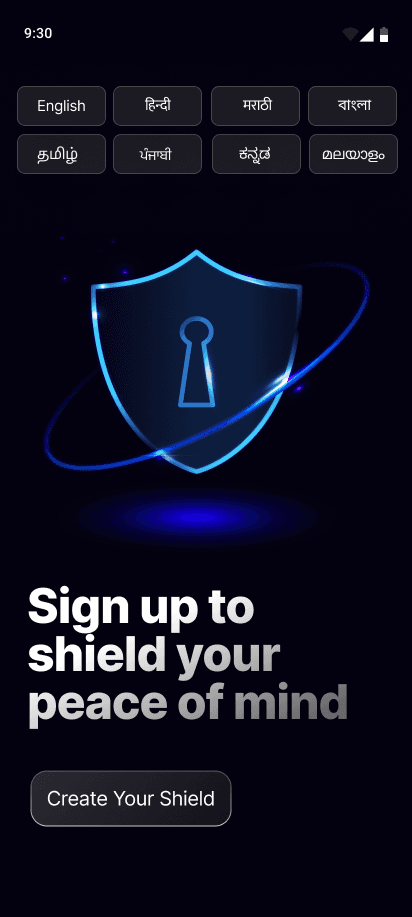
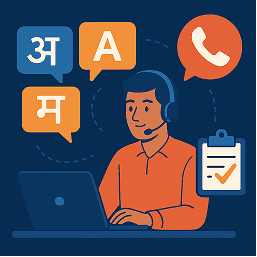
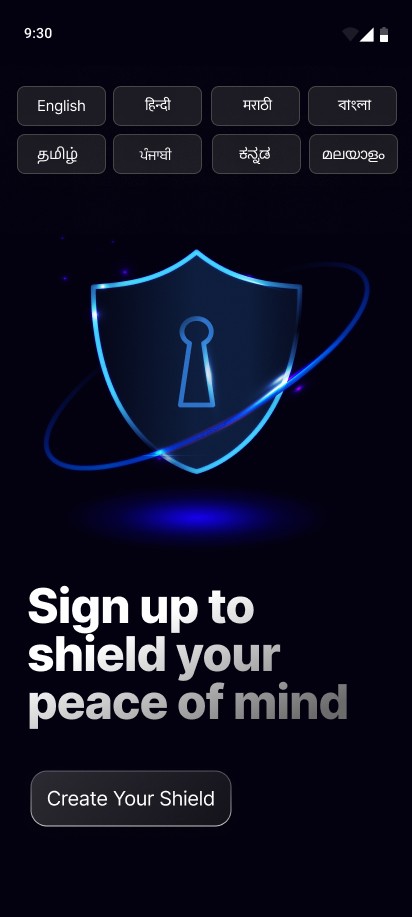
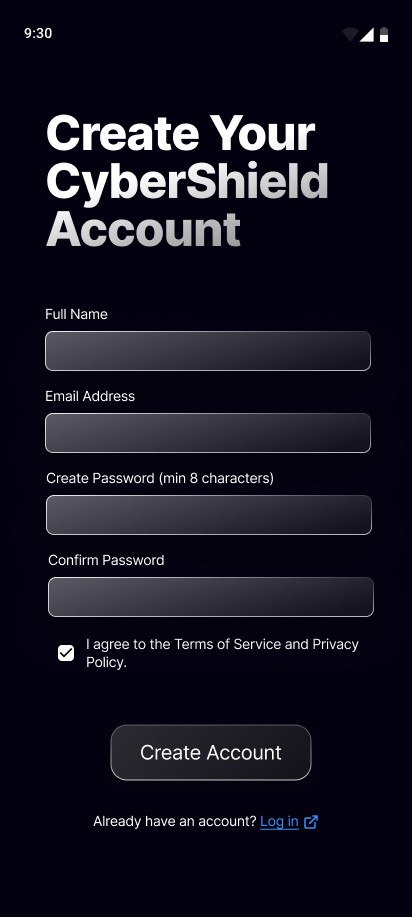
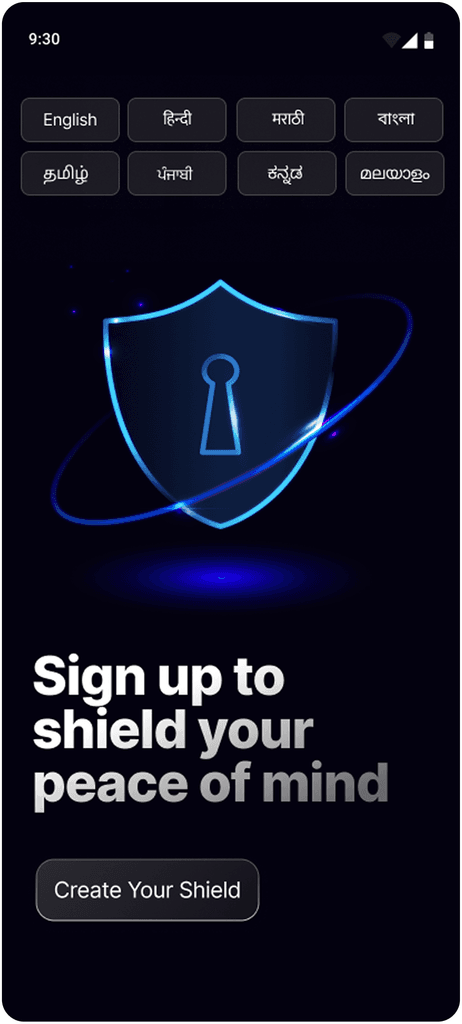
Breaking Barriers with Multilingual Onboarding

This screen introduces CyberShield’s onboarding by letting users choose their regional language upfront, making the app accessible to those who struggle with English or Hindi. This design choice tackles language barriers, a major reason why digital fraud often goes unreported, especially in rural India.

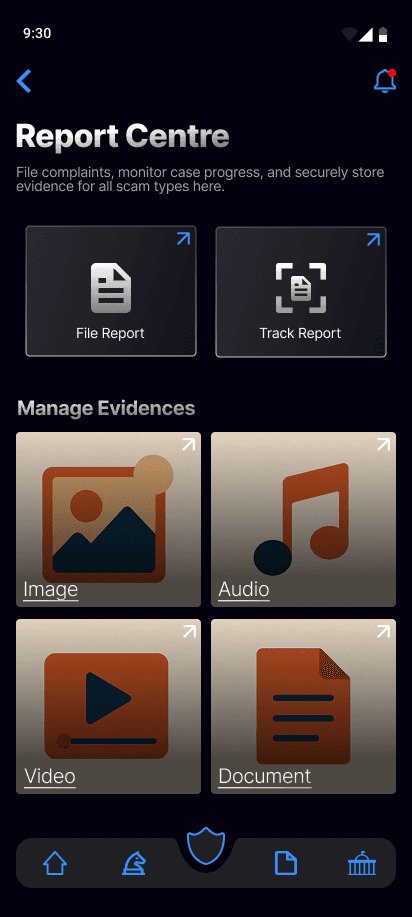
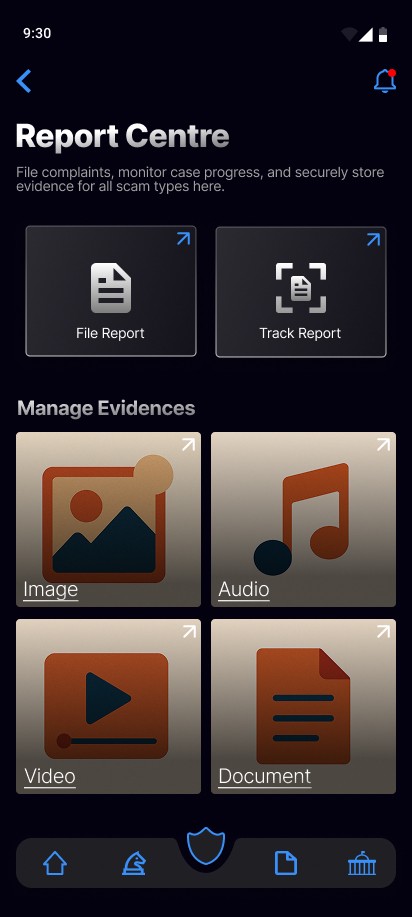
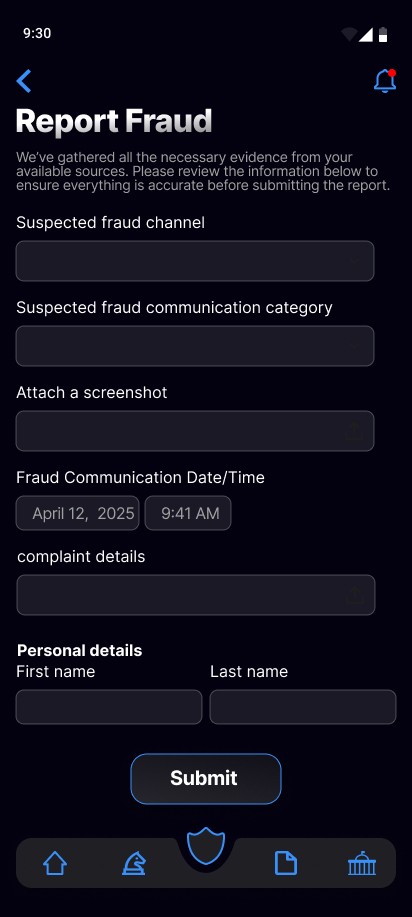
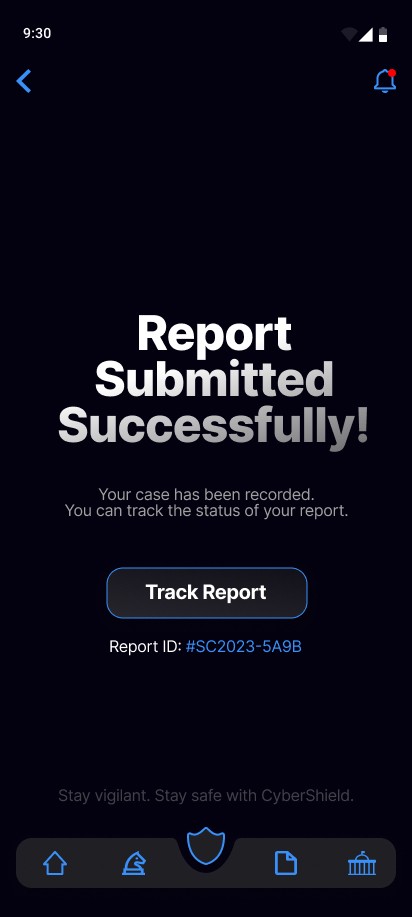
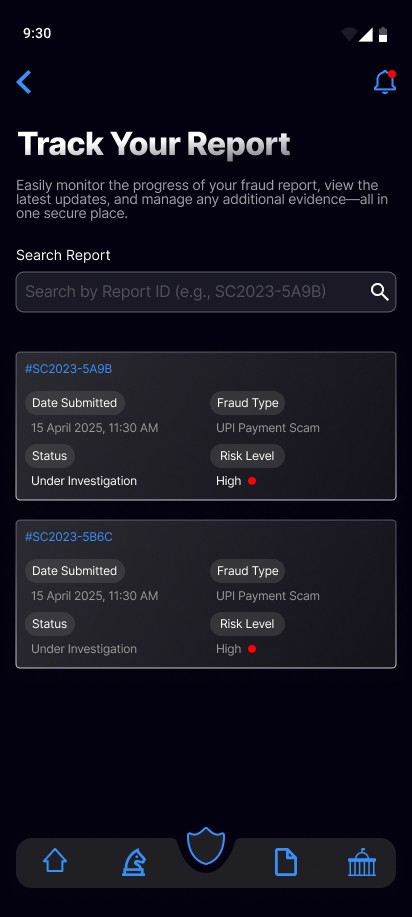
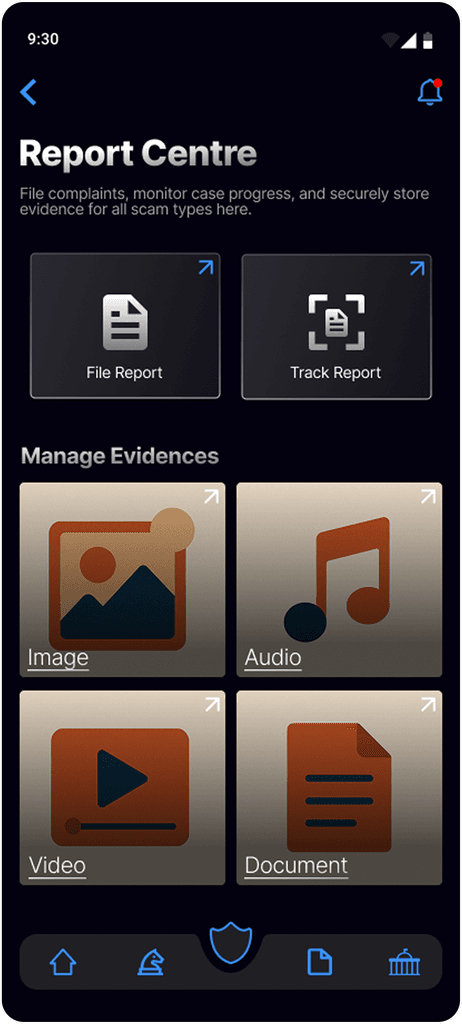
Simplified fraud reporting

This flow simplifies fraud reporting into guided steps, automates evidence capture, and removes complex forms. It empowers users, especially in non-urban areas, to quickly and confidently report scams, tackling key barriers found in user research.

Solution

Solution

Breaking Barriers with Multilingual Onboarding

This screen introduces CyberShield’s onboarding by letting users choose their regional language upfront, making the app accessible to those who struggle with English or Hindi. This design choice tackles language barriers, a major reason why digital fraud often goes unreported, especially in rural India.

Instant AI alerts against suspicious activity

This screen features CyberShield’s real-time AI alert system, which instantly detects scam calls and phishing messages. By helping users pause and assess high-pressure situations, it reduces impulsive responses and prevents fraud.

Simplified fraud reporting

This flow simplifies fraud reporting into guided steps, automates evidence capture, and removes complex forms. It empowers users, especially in non-urban areas, to quickly and confidently report scams, tackling key barriers found in user research.

Privacy-first, user-controlled security settings

Users can turn real-time scanning for emails, SMS, or links on or off, giving them transparency and control over their data—important for building trust with privacy-conscious users.

AI-powered email scanner with user control

Users can connect their email accounts for automatic phishing scans. The app flags high-risk emails with clear explanations and lets users report or mark them safe, helping train the AI. Scans can be manual, scheduled, or real-time, and users control privacy by toggling access any time.

Empowering users through scam awareness

This screen uses bite-sized visuals to teach users about common and new scams, making scam-spotting skills easy to learn for all literacy levels.

Design process overview

Design process overview

The Lean UX methodology is adopted to rapidly gather user feedback and iterate on the designs, ensuring that the AI-powered fraud prevention app effectively addresses the real needs of Indian users facing financial fraud risks.

The Lean UX methodology is adopted to rapidly gather user feedback and iterate on the designs, ensuring that the AI-powered fraud prevention app effectively addresses the real needs of Indian users facing financial fraud risks.

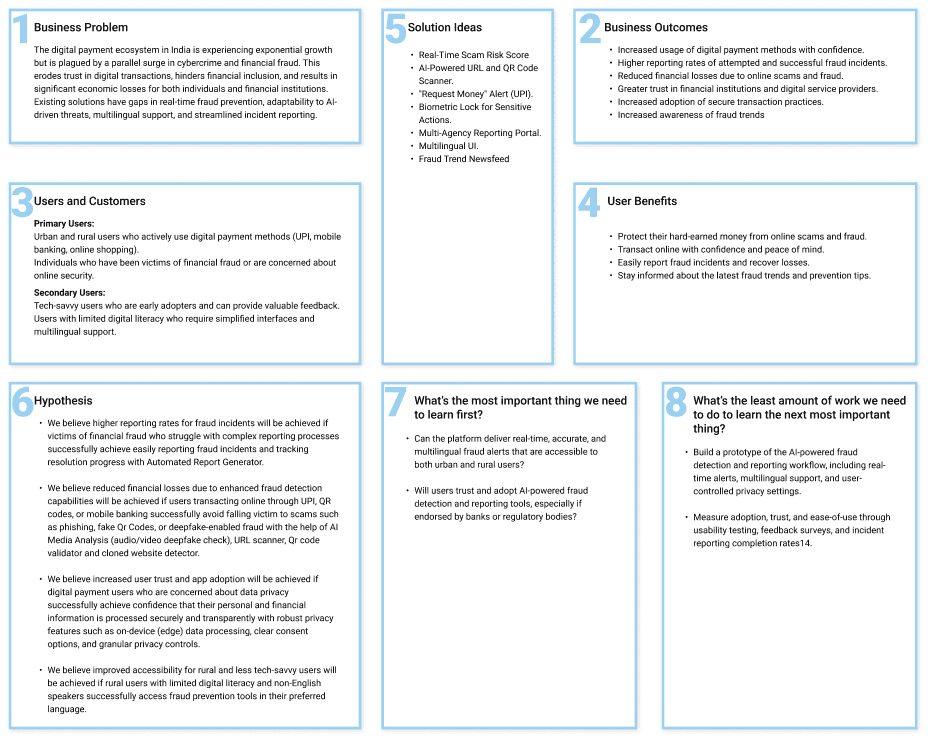
Lean UX Canvas

Lean UX Canvas

Research

Research

Primary Research

Primary Research

Conducted user interviews to uncover pain points, digital literacy gaps, and real-world experiences with payment fraud. Insights revealed a strong need for real-time protection and simple reporting features.

Conducted user interviews to uncover pain points, digital literacy gaps, and real-world experiences with payment fraud. Insights revealed a strong need for real-time protection and simple reporting features.

Affinity Mapping

Affinity Mapping
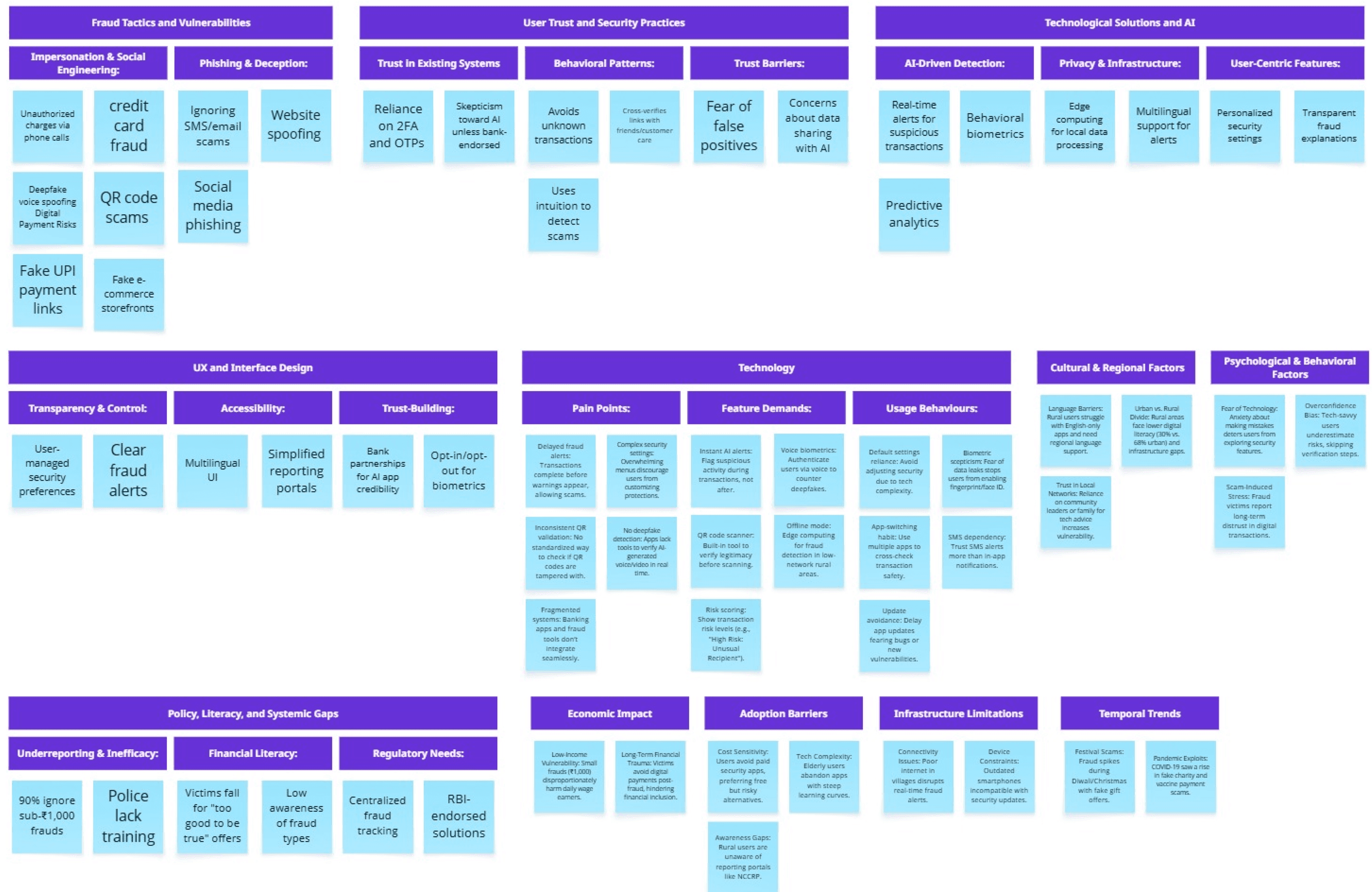
Insights

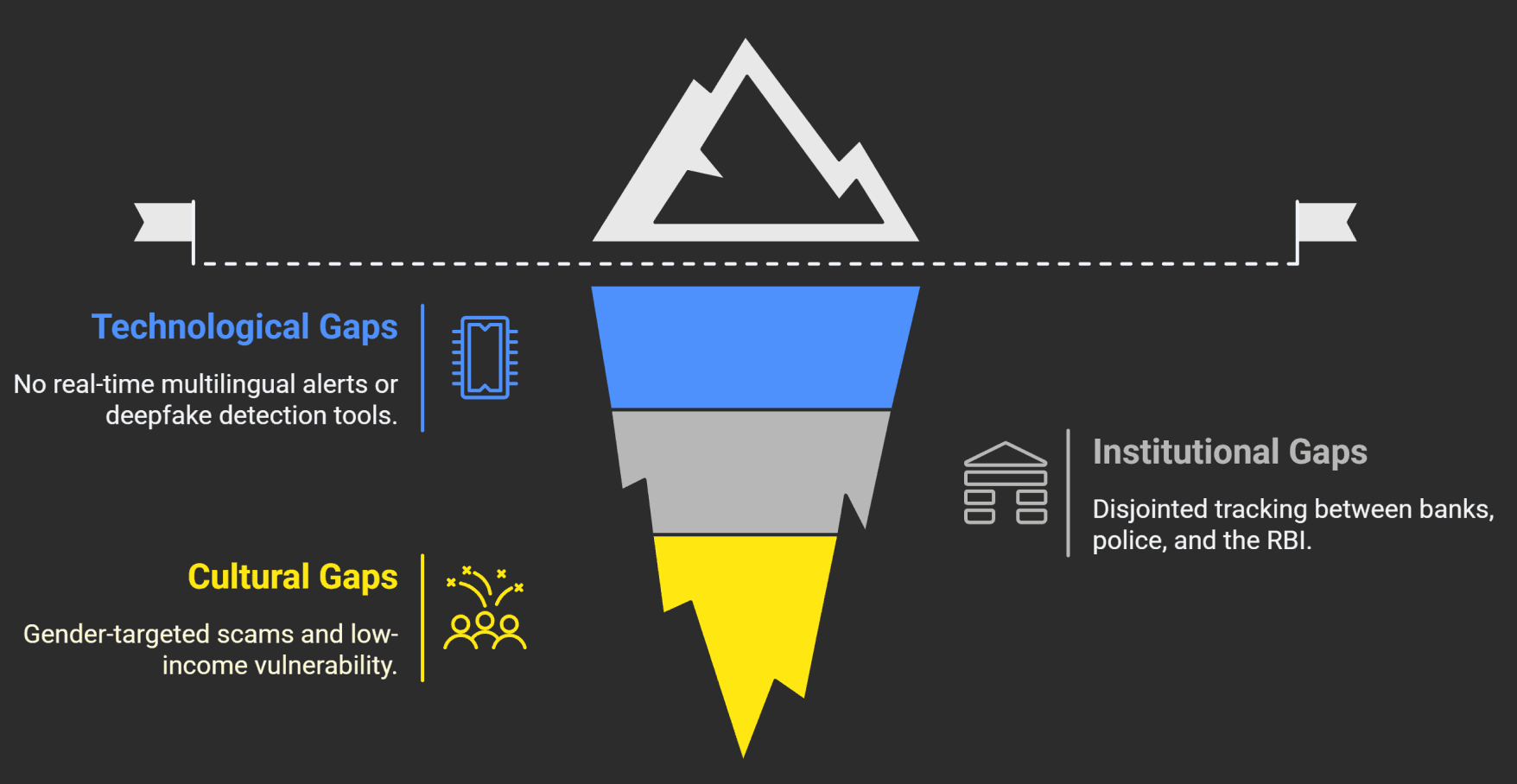
India's financial fraud ecosystem reveals a complex interplay of trust deficits, technological gaps, and systemic inefficiencies.

While users rely on familiar tools like OTPs and community networks, emerging AI-driven scams outpace awareness.


Rural areas face accessibility barriers, while urban users overestimate their scam-spotting abilities.


Systemic flaws include unreported small frauds, slow redressal, and fragmented reporting.

Insights

India's financial fraud ecosystem reveals a complex interplay of trust deficits, technological gaps, and systemic inefficiencies.

While users rely on familiar tools like OTPs and community networks, emerging AI-driven scams outpace awareness.


Rural areas face accessibility barriers, while urban users overestimate their scam-spotting abilities.


Systemic flaws include unreported small frauds, slow redressal, and fragmented reporting.

Insights

India's financial fraud ecosystem reveals a complex interplay of trust deficits, technological gaps, and systemic inefficiencies.

While users rely on familiar tools like OTPs and community networks, emerging AI-driven scams outpace awareness.


Rural areas face accessibility barriers, while urban users overestimate their scam-spotting abilities.


Systemic flaws include unreported small frauds, slow redressal, and fragmented reporting.

Competitor analysis

Competitor analysis

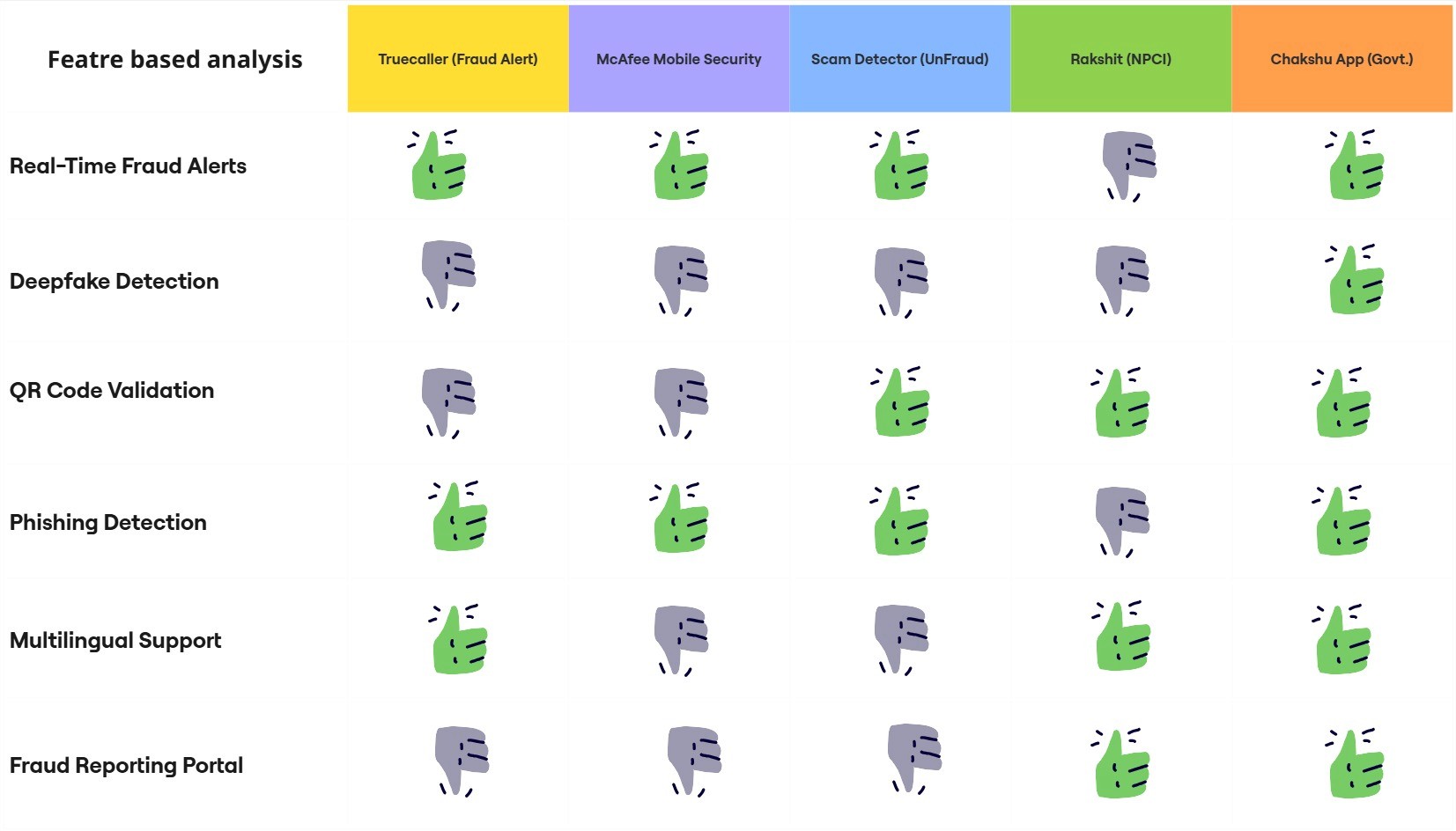
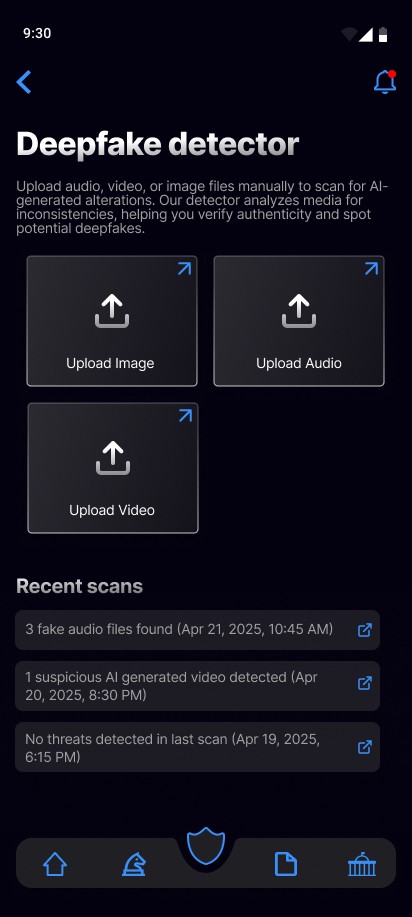
Current fraud prevention apps in India lack critical features like, deep fake detection, and multilingual support, leaving users vulnerable to emerging threats like AI scams and QR code fraud.

Current fraud prevention apps in India lack critical features like, deep fake detection, and multilingual support, leaving users vulnerable to emerging threats like AI scams and QR code fraud.

While Chakshu (government-backed) offers deep fake detection and regional language support, its adoption is limited. Truecaller excels in spam blocking but misses advanced fraud protections.

While Chakshu (government-backed) offers deep fake detection and regional language support, its adoption is limited. Truecaller excels in spam blocking but misses advanced fraud protections.

Opportunity

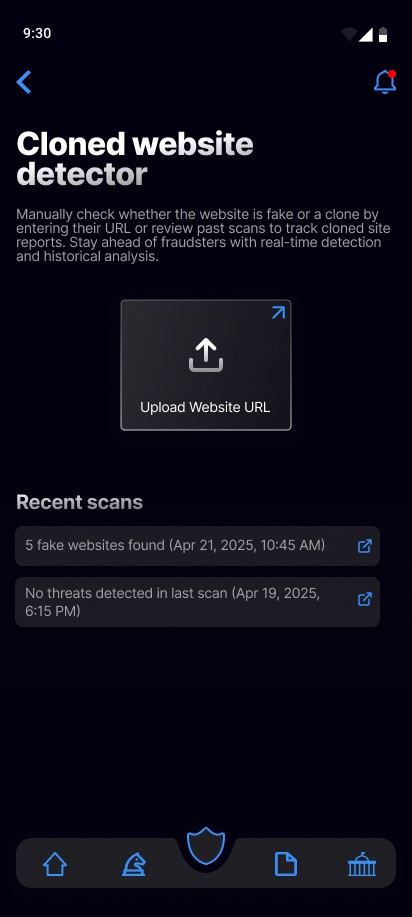
A unified app combining QR validation, deep fake detection, and multilingual capabilities could address these gaps, leveraging Chakshu’s strengths while improving usability and feature breadth for wider adoption.

Opportunity

A unified app combining QR validation, deep fake detection, and multilingual capabilities could address these gaps, leveraging Chakshu’s strengths while improving usability and feature breadth for wider adoption.

While competitors focused on post-fraud resolution, my research revealed that many rural users struggled with basic security concepts, highlighting a core business and user assumption: that real-time protection and simplified education would be essential to reduce fraud losses and drive adoption.

While competitors focused on post-fraud resolution, my research revealed that many rural users struggled with basic security concepts, highlighting a core business and user assumption: that real-time protection and simplified education would be essential to reduce fraud losses and drive adoption.

Business and User Assumptions

Business and User Assumptions

It was assumed that real-time fraud alerts and simplified reporting would significantly reduce financial losses and at the same time, multilingual support and an intuitive interface would drive adoption among digitally inexperienced and rural users.

Business Assumptions

Business Assumptions

User Assumptions

User Assumptions

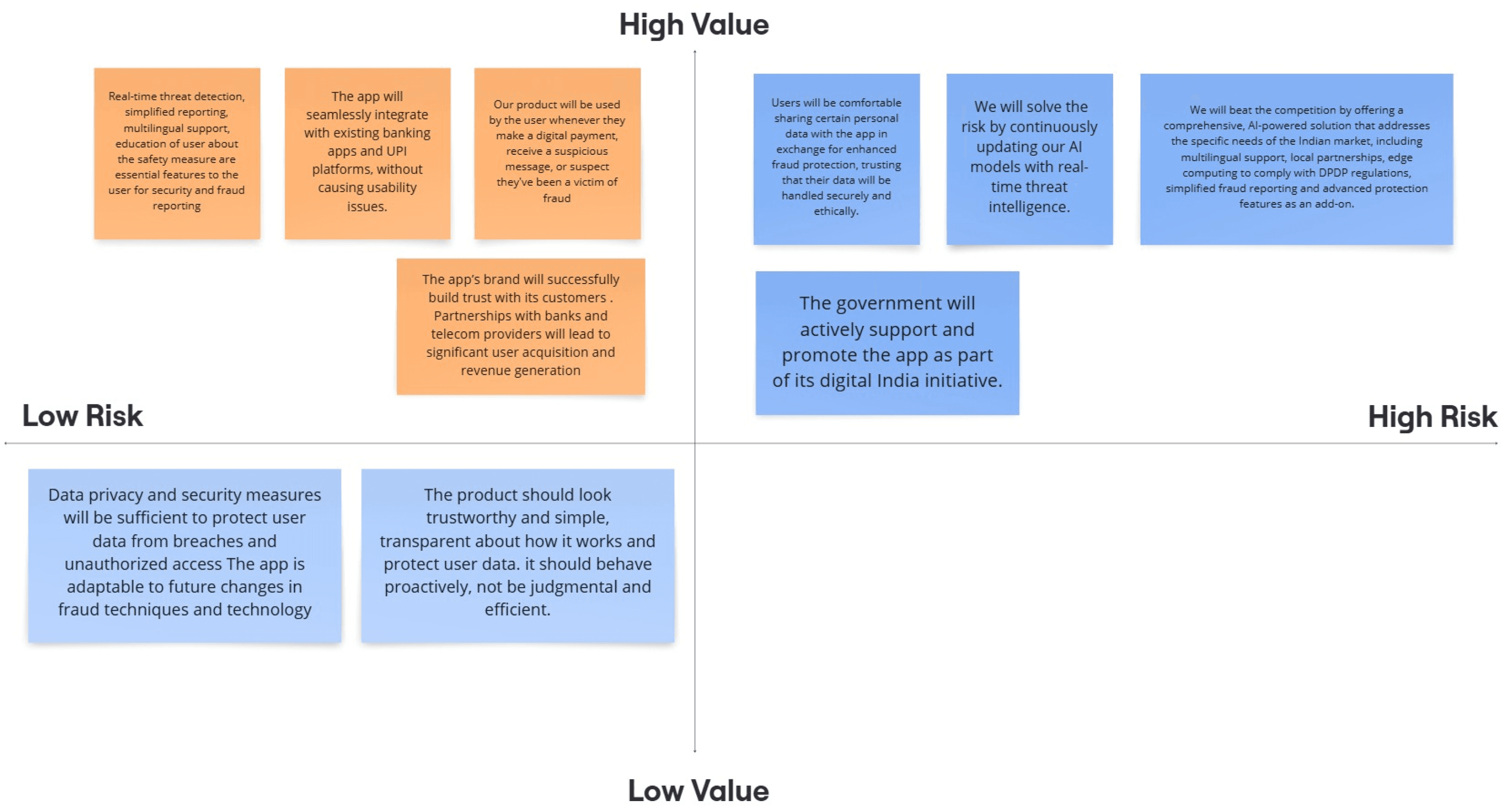
Assumptions Risk Chart

Assumptions Risk Chart

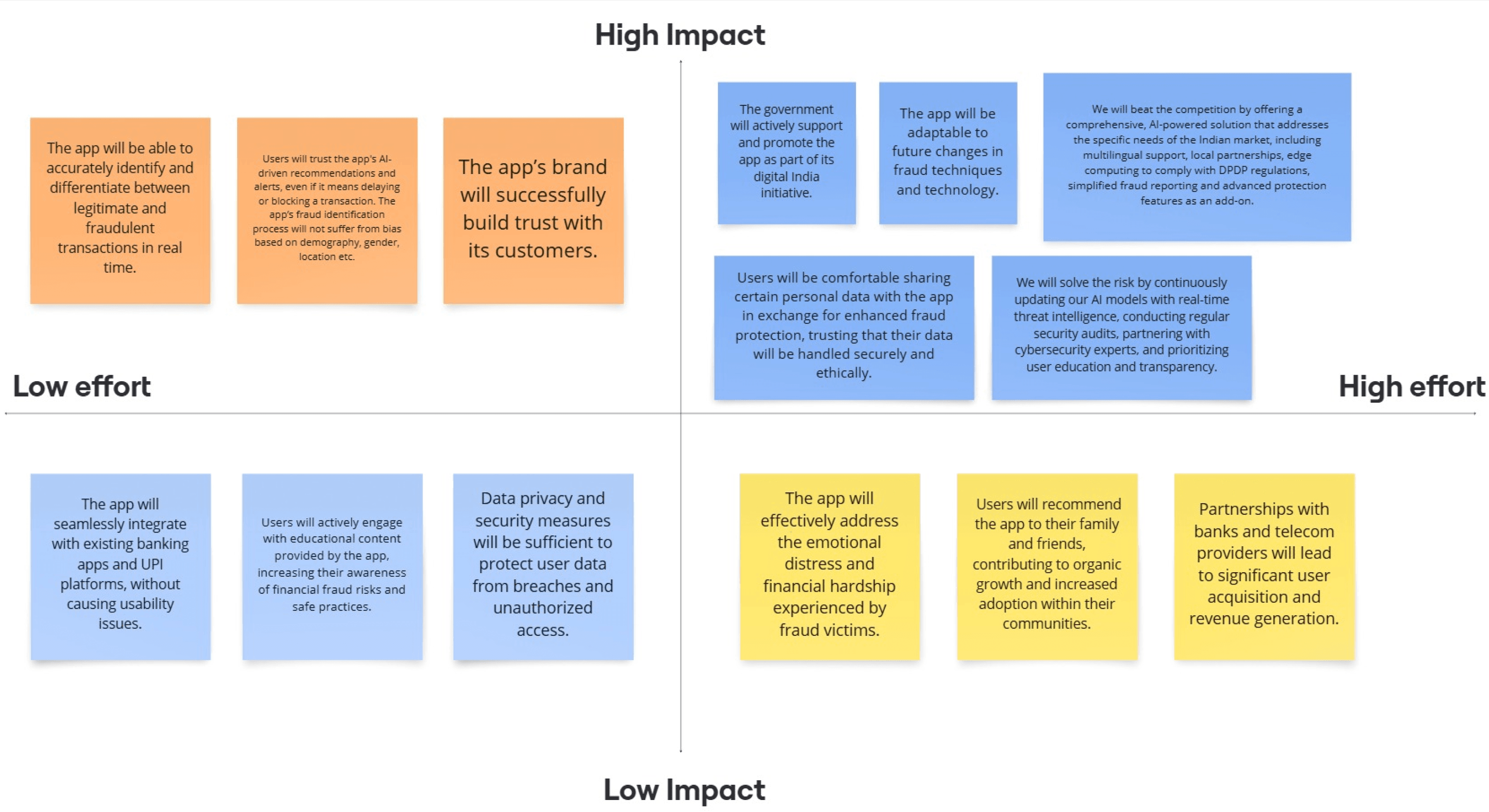
The assumptions risk chart visually mapped high-impact, high-uncertainty assumptions, guiding the team to test and validate these areas early to minimize project risk and ensure user needs were met.

The assumptions risk chart visually mapped high-impact, high-uncertainty assumptions, guiding the team to test and validate these areas early to minimize project risk and ensure user needs were met.

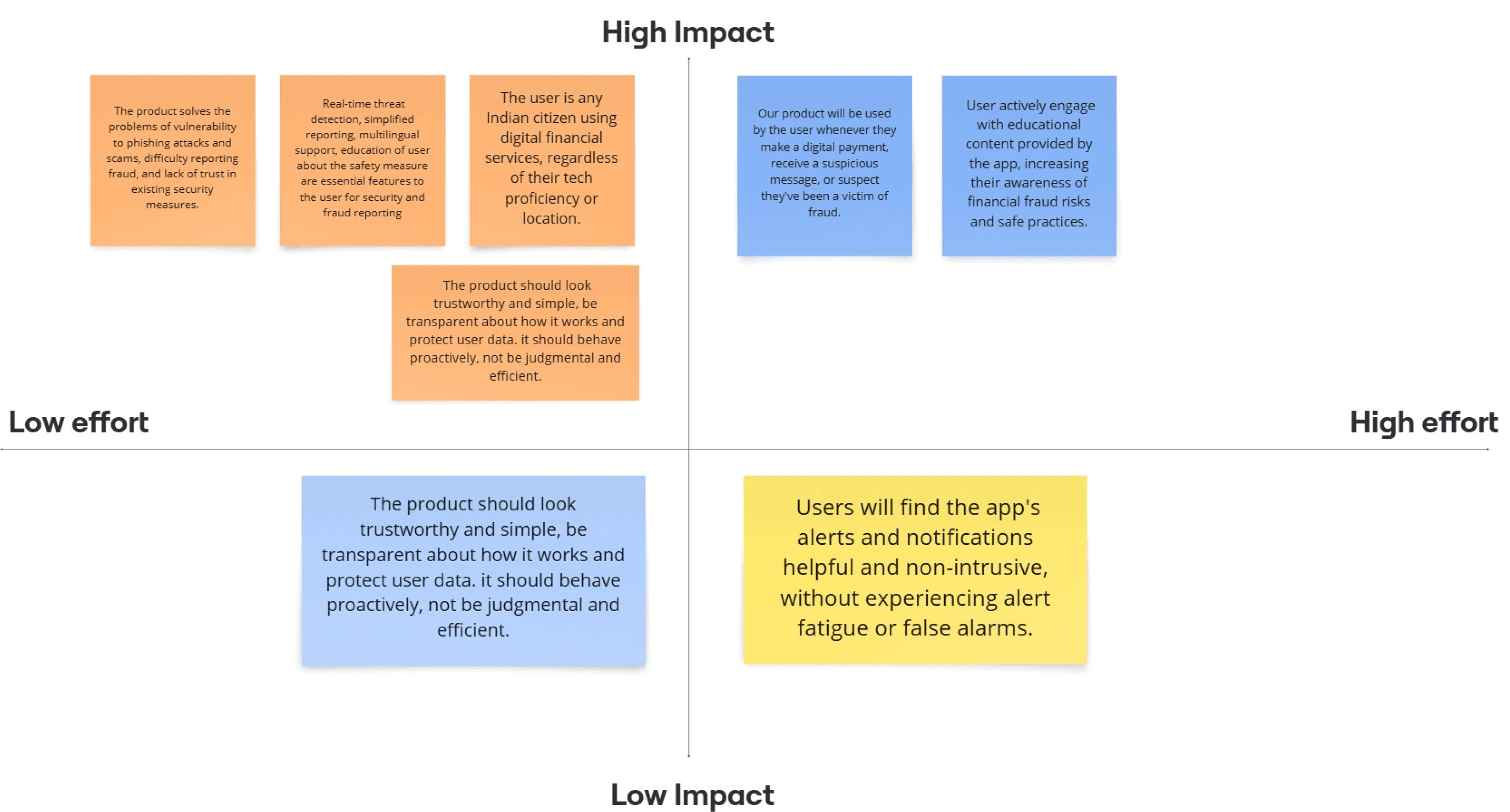
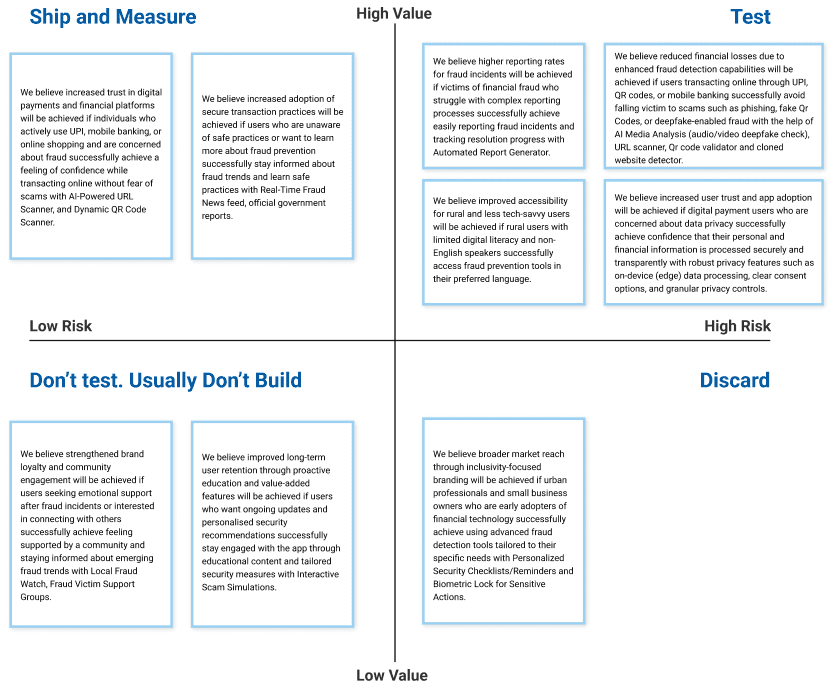
With research showing gaps like, real-time alerts, and multilingual support, we pinpointed the riskiest assumptions threatening CyberShield's success. Focusing on these specifics, I framed clear hypotheses to test whether features like instant fraud alerts and voice-based education would solve the most urgent pain points.

With research showing gaps like, real-time alerts, and multilingual support, we pinpointed the riskiest assumptions threatening CyberShield's success. Focusing on these specifics, I framed clear hypotheses to test whether features like instant fraud alerts and voice-based education would solve the most urgent pain points.

Hypotheses Prioritisation

Hypotheses Prioritisation

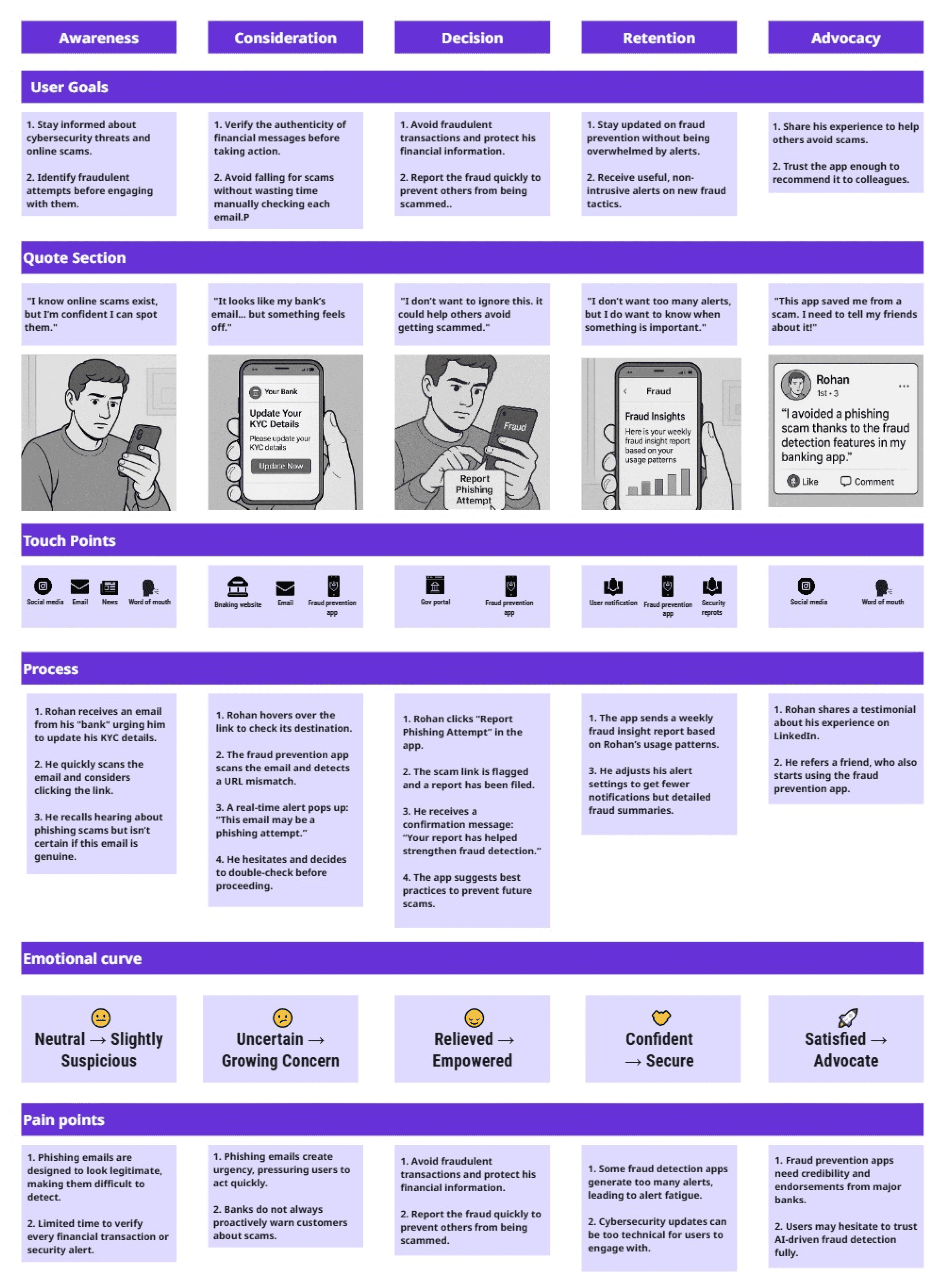
User Persona and User Journey Map

User Persona and User Journey Map

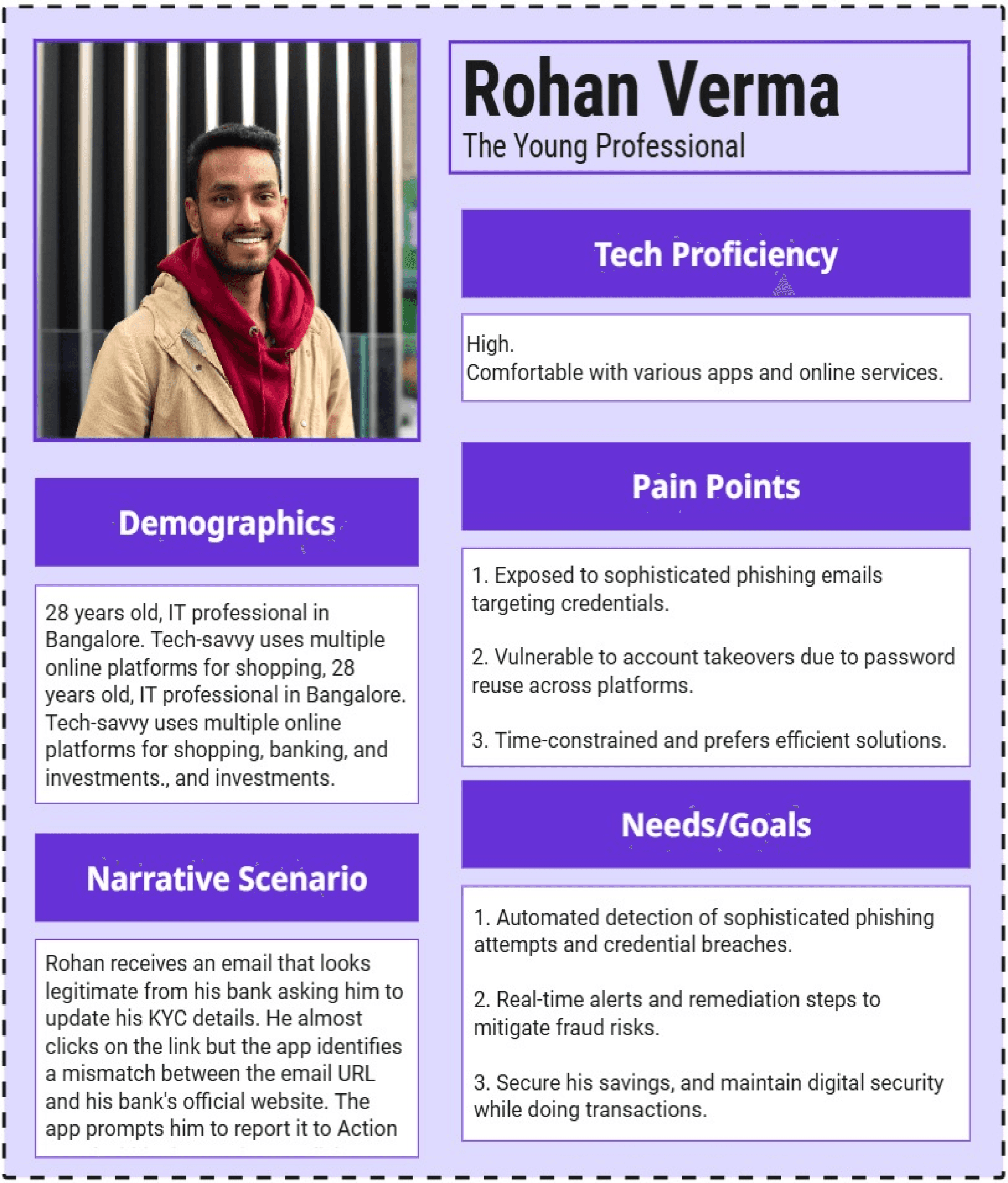
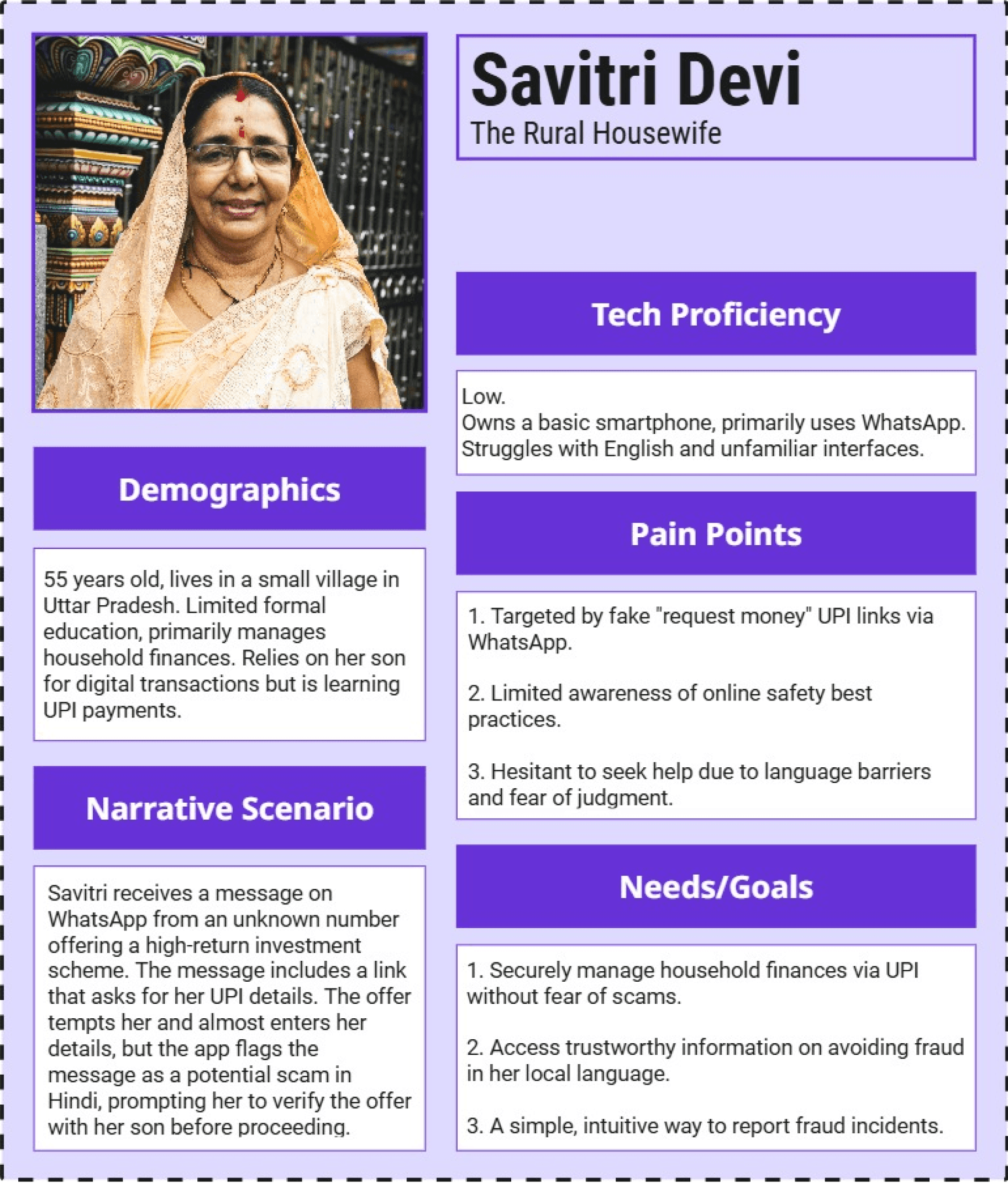
After prioritising the hypotheses, a detailed persona and customer journey map for a young IT professional was developed, the initial target user group.

After prioritising the hypotheses, a detailed persona and customer journey map for a young IT professional was developed, the initial target user group.

User Persona

User Persona

User Journey Map

User Journey Map

Analysis of the young IT professional’s journey revealed confusion around QR code legitimacy, frustration with complex fraud reporting, and concern over delayed alerts. These findings directly shaped our ideation, driving us to focus on features like instant fraud detection, one-tap reporting, and AI-driven QR scanning, ensuring our solutions addressed users’ most pressing pain points.

Analysis of the young IT professional’s journey revealed confusion around QR code legitimacy, frustration with complex fraud reporting, and concern over delayed alerts. These findings directly shaped our ideation, driving us to focus on features like instant fraud detection, one-tap reporting, and AI-driven QR scanning, ensuring our solutions addressed users’ most pressing pain points.

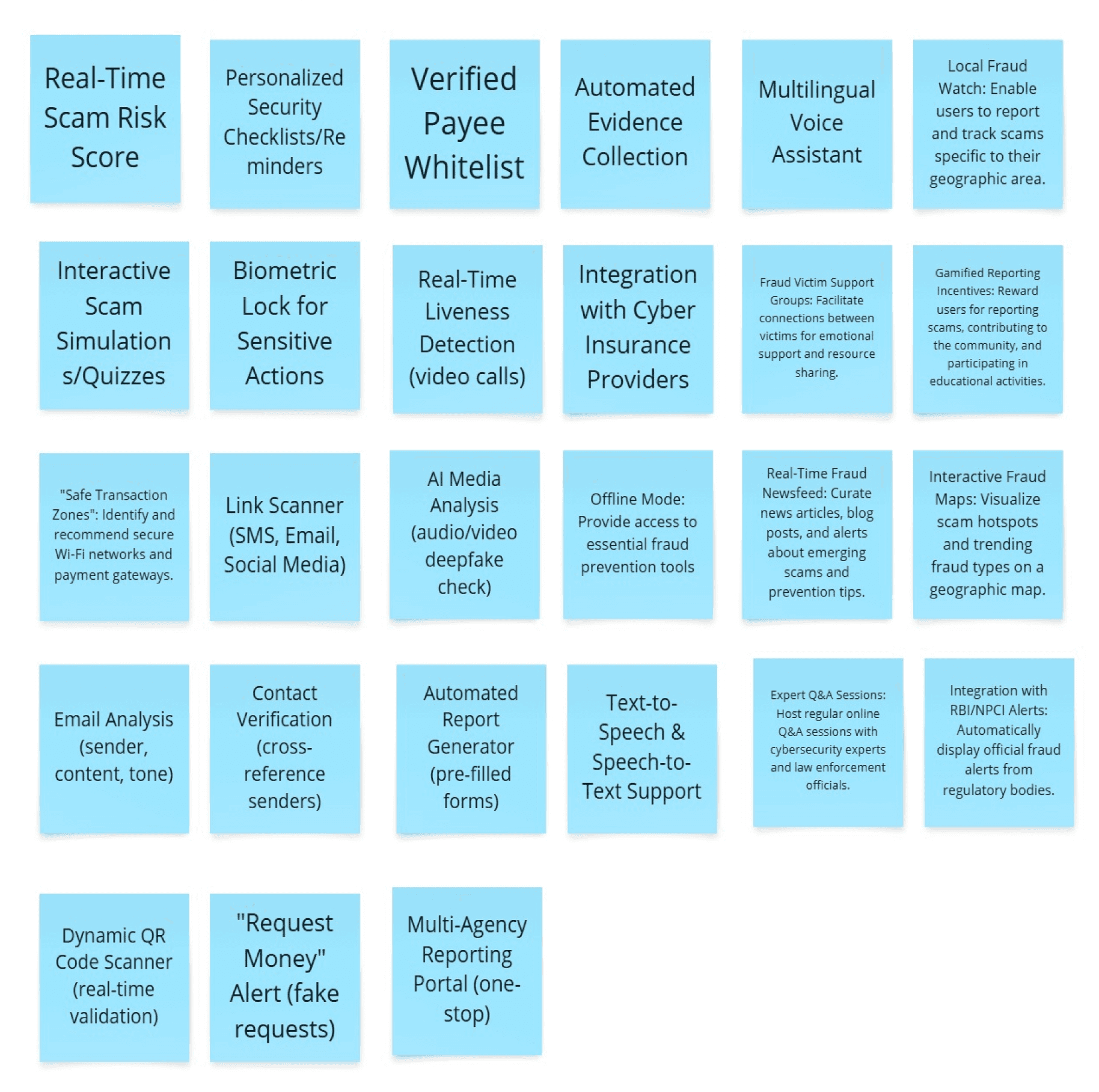
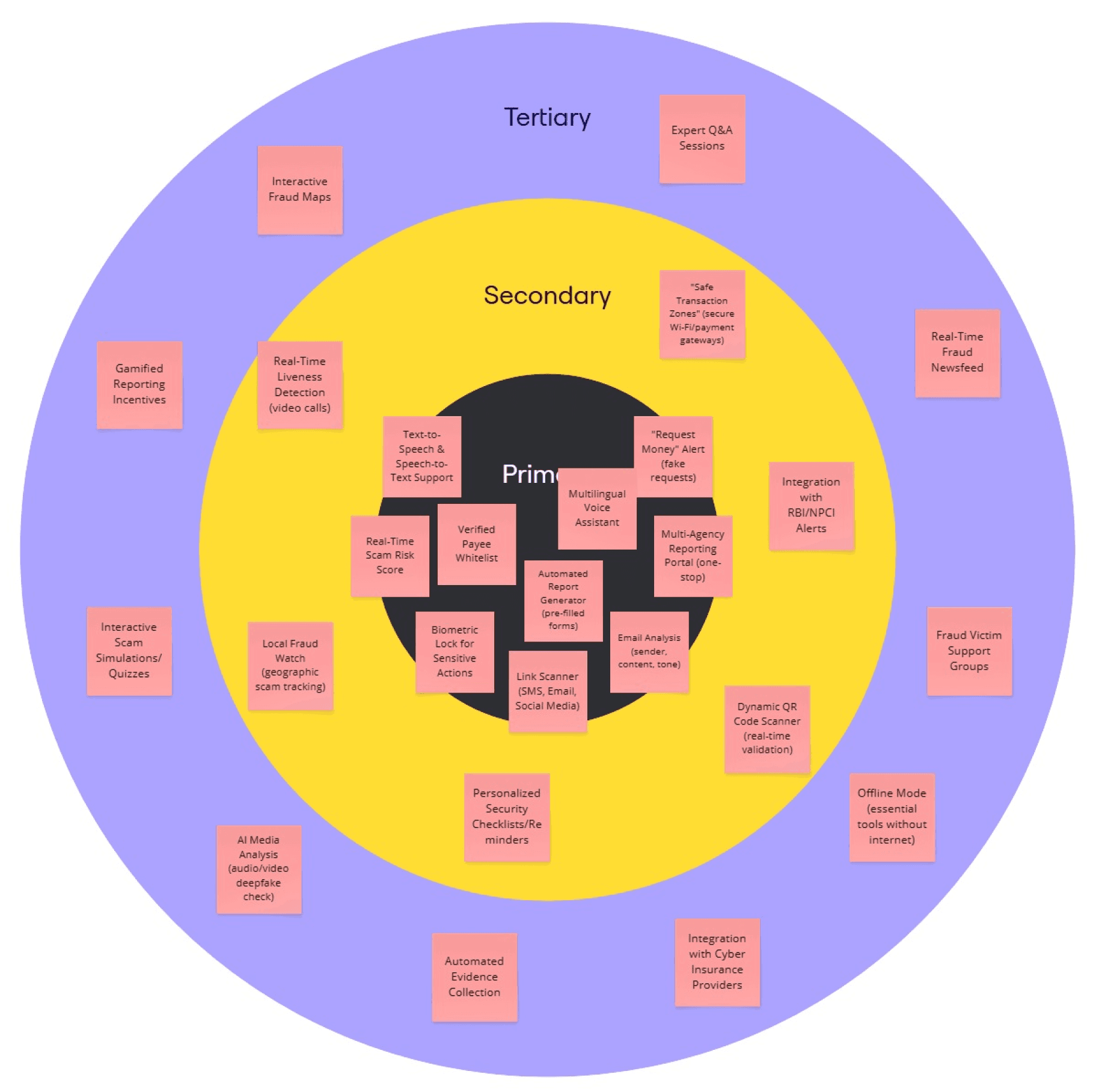
Ideation

Ideation

Given the abundance of ideas, a Bull’s Eye chart and prioritisation criteria was applied such as user value, technical feasibility, and alignment with business goals to identify the most impactful features for the MVP.

Given the abundance of ideas, a Bull’s Eye chart and prioritisation criteria was applied such as user value, technical feasibility, and alignment with business goals to identify the most impactful features for the MVP.

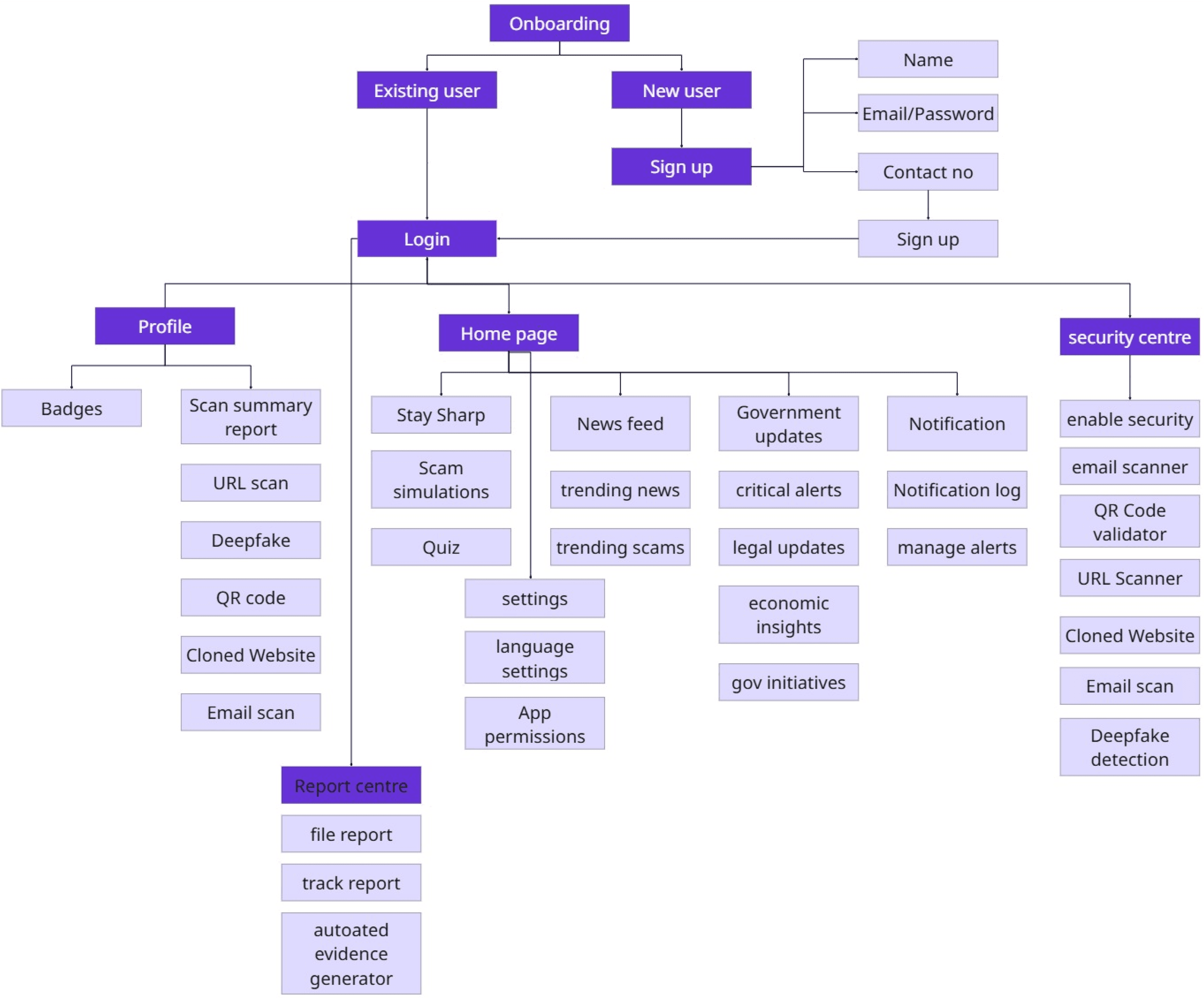
Information Architecture

Information Architecture

Once the key features were defined, structuring them into a logical, user-friendly flow became essential. The information architecture was developed to ensure users could easily navigate the app and access critical security tools without confusion or friction.

Once the key features were defined, structuring them into a logical, user-friendly flow became essential. The information architecture was developed to ensure users could easily navigate the app and access critical security tools without confusion or friction.

Wireframes

Wireframes

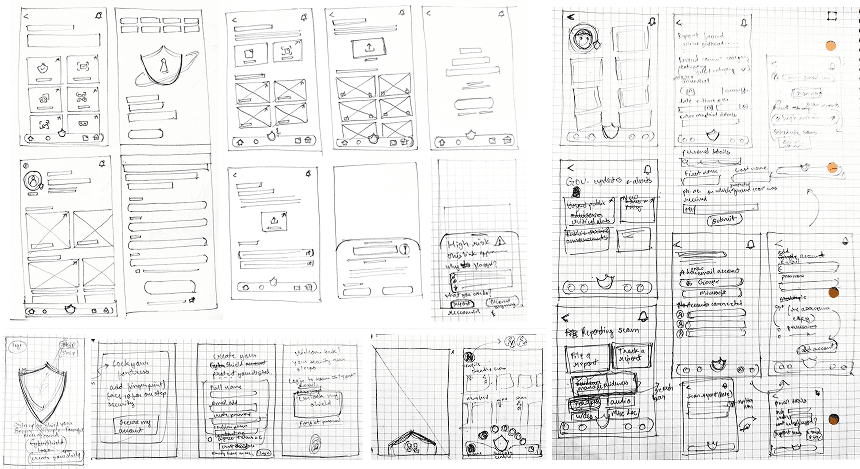
With the app’s structure in place, The information architecture was translated into low-fidelity wireframes.

With the app’s structure in place, The information architecture was translated into low-fidelity wireframes.

Visual Moodboard

Visual Moodboard

After validating the wireframes, the focus was on the app’s visual identity. Creating a mood board helped to explore colour palettes, imagery that would convey trust, security, and accessibility—crucial for building user confidence in a security-focused app.

After validating the wireframes, the focus was on the app’s visual identity. Creating a mood board helped to explore colour palettes, imagery that would convey trust, security, and accessibility—crucial for building user confidence in a security-focused app.

Usability Testing

Usability Testing

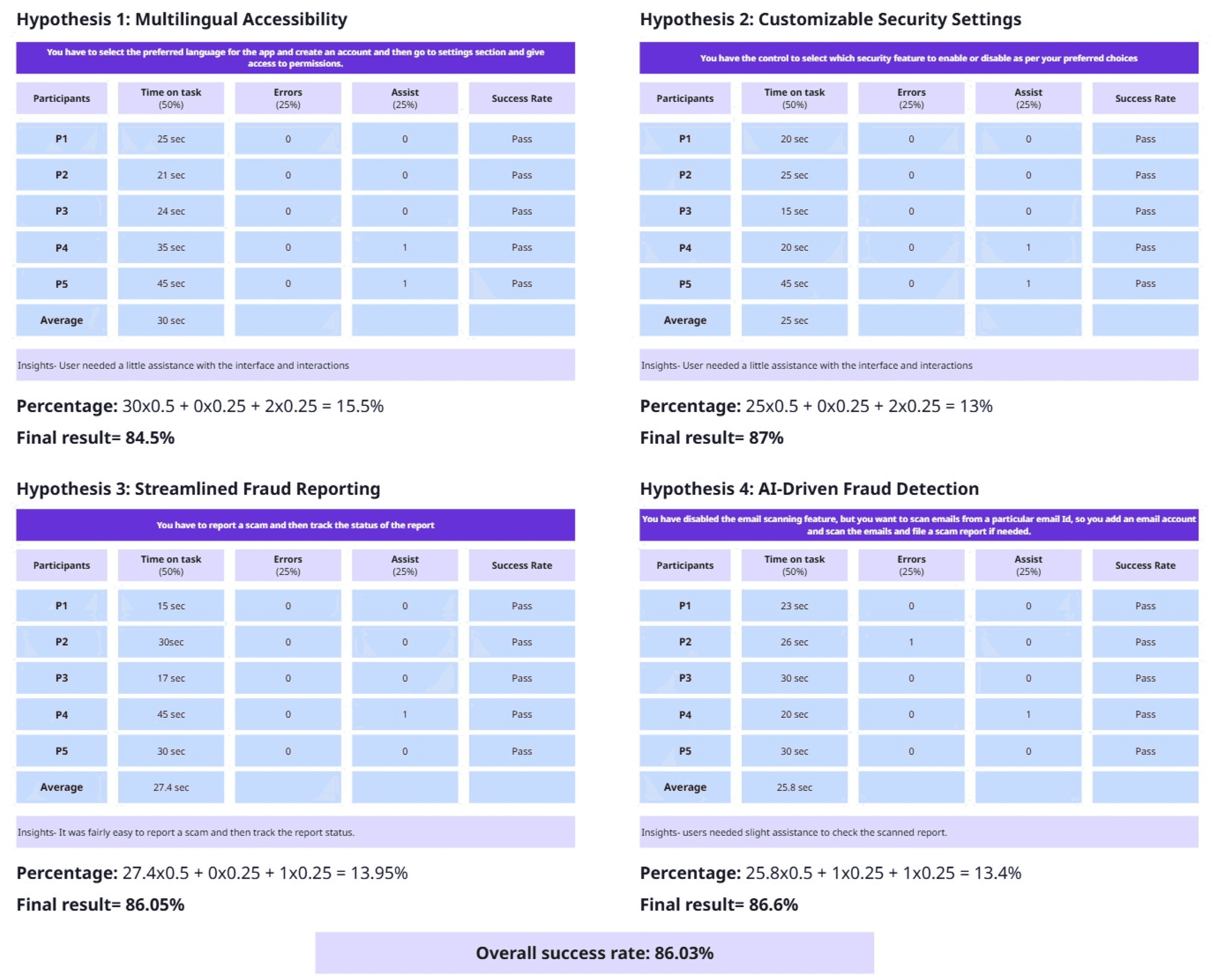
Performance metrics included task completion time (measured in seconds), the incidence of errors, and instances necessitating participant assistance. A weighted scoring algorithm was applied to these metrics to derive a final score for each hypothesis, where the performance metrics time on task, errors, and assists were weighted 50%, 25%, and 25%, respectively. This final score was calculated as equal to 100 per cent (sum of weighted results). This approach facilitated a nuanced evaluation of usability attributes, emphasising efficiency and accuracy.

Performance metrics included task completion time (measured in seconds), the incidence of errors, and instances necessitating participant assistance. A weighted scoring algorithm was applied to these metrics to derive a final score for each hypothesis, where the performance metrics time on task, errors, and assists were weighted 50%, 25%, and 25%, respectively. This final score was calculated as equal to 100 per cent (sum of weighted results). This approach facilitated a nuanced evaluation of usability attributes, emphasising efficiency and accuracy.

Specific tests included:


  • Multilingual Accessibility: Assessment of participants' ability to navigate the app in their preferred language.


  • Customisable Security Settings: Evaluation of user proficiency in enabling and disabling security features.


  • Streamlined Fraud Reporting: Testing the intuitiveness of the fraud reporting process.


  • AI-Driven Fraud Detection: Evaluation of participants' ability to scan emails and identify potential scams.

Specific tests included:


  • Multilingual Accessibility: Assessment of participants' ability to navigate the app in their preferred language.


  • Customisable Security Settings: Evaluation of user proficiency in enabling and disabling security features.


  • Streamlined Fraud Reporting: Testing the intuitiveness of the fraud reporting process.


  • AI-Driven Fraud Detection: Evaluation of participants' ability to scan emails and identify potential scams.

Specific tests included:


  • Multilingual Accessibility: Assessment of participants' ability to navigate the app in their preferred language.


  • Customisable Security Settings: Evaluation of user proficiency in enabling and disabling security features.


  • Streamlined Fraud Reporting: Testing the intuitiveness of the fraud reporting process.


  • AI-Driven Fraud Detection: Evaluation of participants' ability to scan emails and identify potential scams.

Create a free website with Framer, the website builder loved by startups, designers and agencies.